om02screenparameters0300
On the Live Set Register screen, you can register Performances to User Live Set slots.
Operation
- [SHIFT] + [LIVE SET]
- Hold down the [SHIFT] button and tap the <Live Set> button at the Navigation Bar
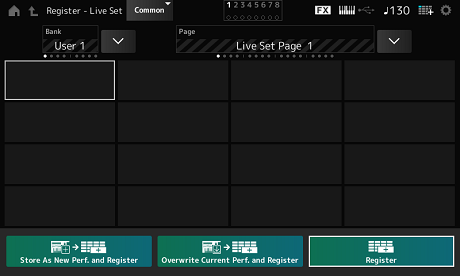
Store as New Perf. and Register (Store as New Performance and Register)
Stores the current Performance as a new Performance and registers it to the selected slot.
Jump to Data Utility
Opens the Data Utility screen.
Overwrite Current Perf. and Register (Overwrite Current Performance and Register)
Stores the new Performance over the existing Performance and registers it to the selected slot.
Register
Registers a Performance.
 Print this page