


Basic playback operations
This section explains the basic procedures for playback of video and audio.
- Turn on the external device that you want to watch or listen to.
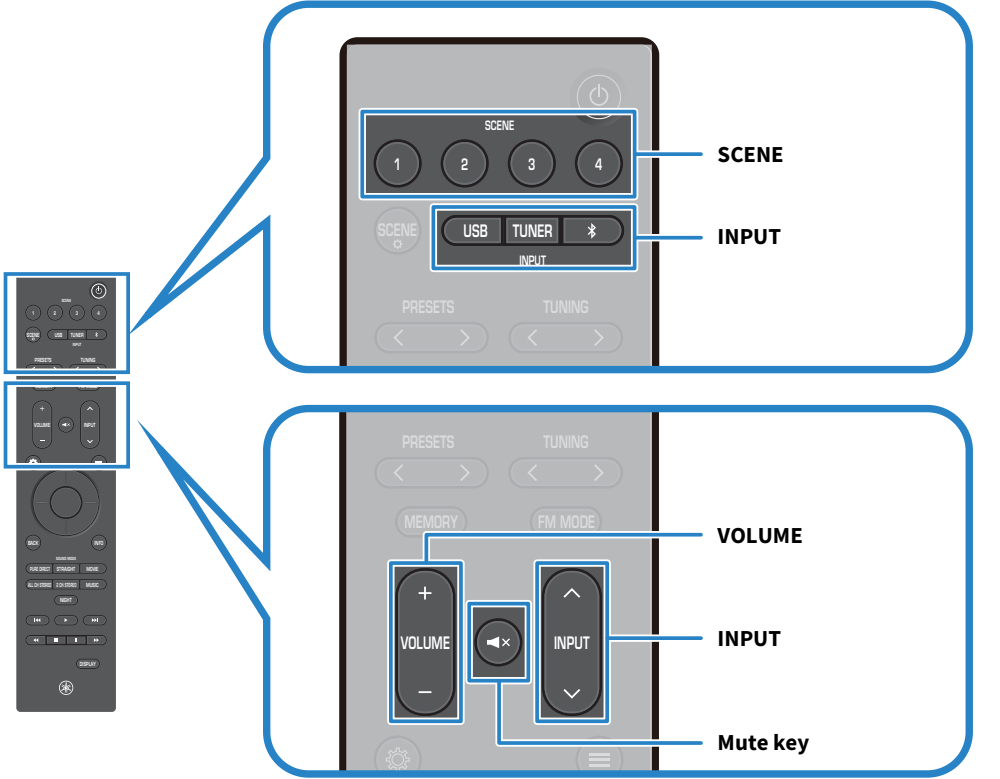
- Use the INPUT keys to select an input source.
- Start playback on the external device, or select a radio station.
- Use the VOLUME keys to adjust the volume.
When the SCENE key input settings are at their default values, pressing SCENE keys 1-4 will select HDMI inputs 1-4.
NOTE
- Press the | (Mute) key to mute the sound. Press it again to cancel muting.
- For information on operating your external device, refer to its user’s manual.
 RX300A