- MGX16V MGX16 MGX12V MGX12
- Other operations
Assigning functions to the user defined knobs
- Touch
 in the toolbar and touch [User Defined Knobs] in the menu that’s shown.
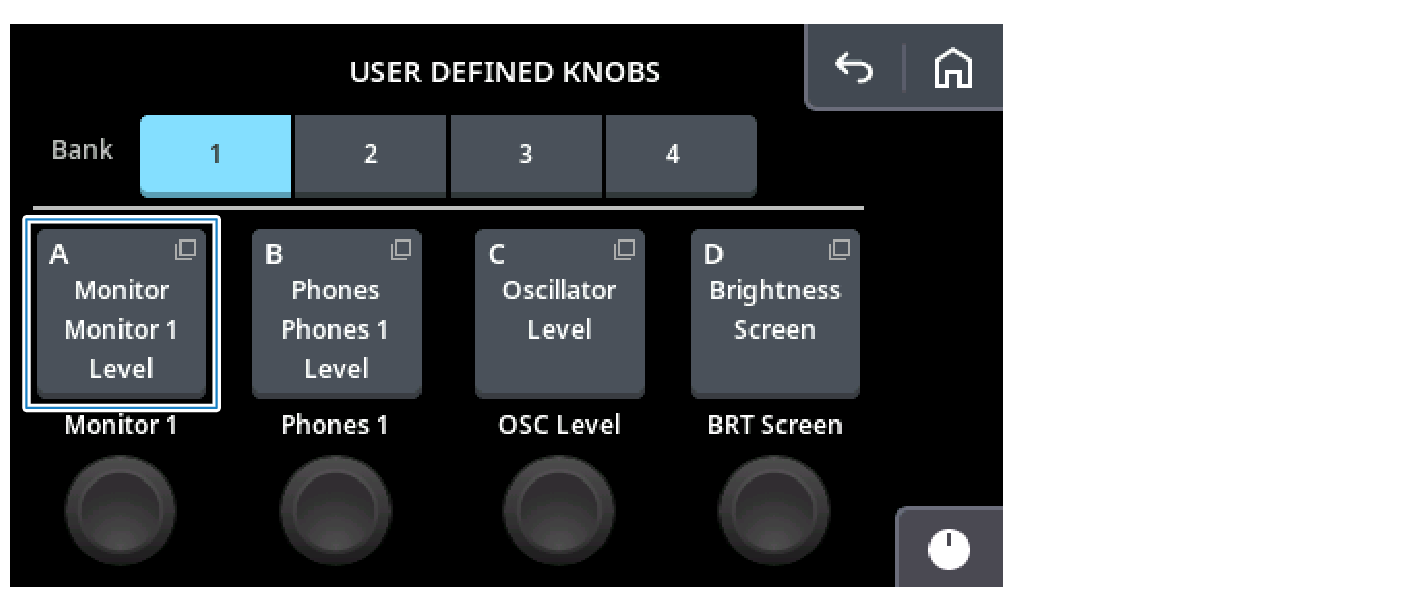
- Touch the bank number you want to set from [Bank].
- When the knob ID (A–D) of the bank you selected is shown, touch the knob ID you want to set.
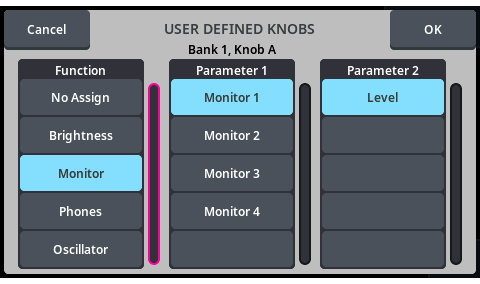
- Select the function to assign from the screen that’s shown. Once you’ve finished making the settings, touch the [OK] button to close the dialog box.

- Follow the same steps to set the functions for knobs ID (B–D).



 MGX16V MGX16 MGX12V MGX12