

Using wireless surround speakers (MusicCast Surround function)
Using devices that support the MusicCast Surround function, you can enjoy a 5.1.2-channel or 5.1-channel system with wireless surround speakers and subwoofer.
NOTE
- For details on the 5.1.2-channel or 5.1-channel system, see the following:
- Refer to the instruction manual of the devices that support the MusicCast Surround function for details on settings and operations.
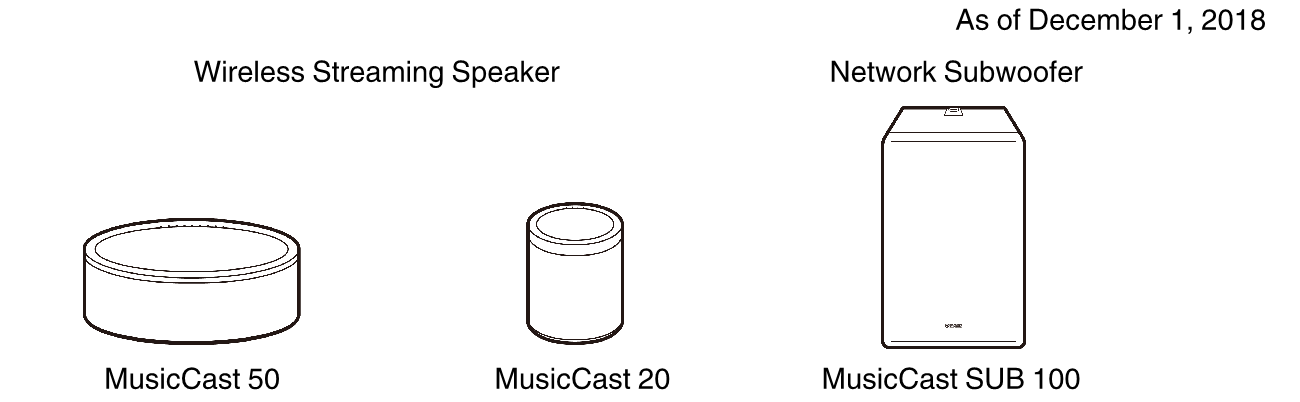
Devices supporting MusicCast Surround
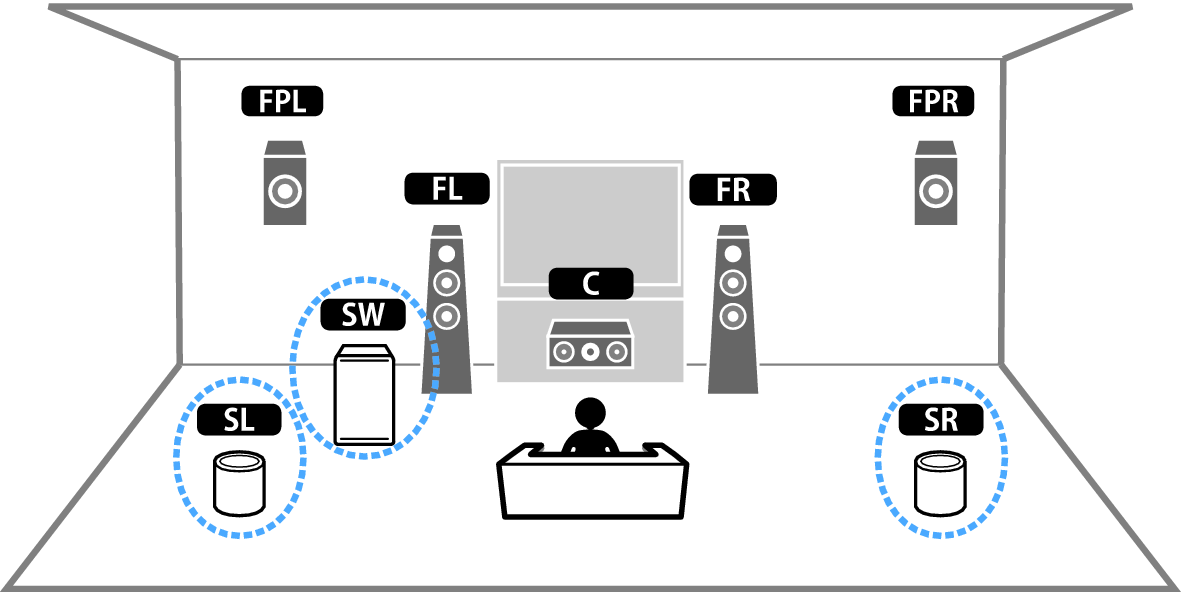
Sample speaker layout
The following is a 5.1.2-channel system using two MusicCast 20 speakers as the surround speakers and one MusicCast SUB 100 as the subwoofer.
NOTE
- In a 5.1.2-channel or 5.1-channel system, the surround speakers and subwoofer can be wireless. With other systems, only the subwoofer can be wireless.
- With wireless surround speakers
- Sound will not be output from the speaker terminals (SURROUND) on the unit.
- Surround back speakers cannot be used.
- With a wireless subwoofer
- One subwoofer can be wireless.
- Sound will not be output from the pre-out jacks (SUBWOOFER 1 and 2) on the unit. Therefore, another subwoofer cannot be used by connecting it with an audio cable.
- The following audio cannot be output from the wireless surround speakers and subwoofer.
- DSD audio
- DVD-Audio and Super Audio CD (SACD) from HDMI input
- The unit and the devices supporting MusicCast Surround must be registered with the same location on the MusicCast CONTROLLER app.
- Follow the app’s on-screen instructions to complete setup of the MusicCast Surround function.
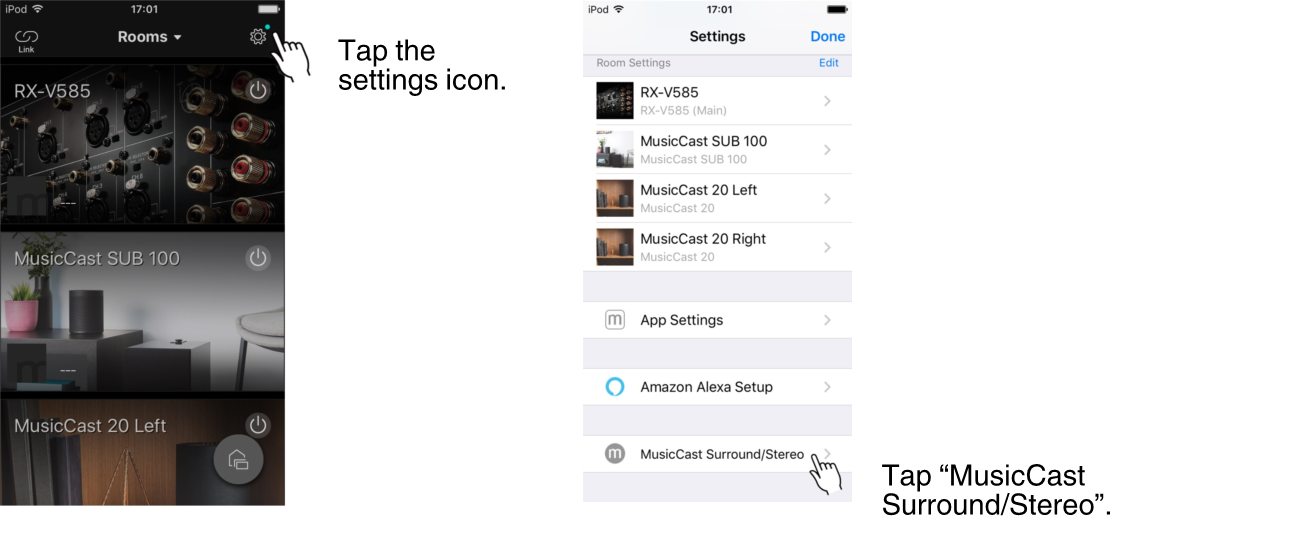
- For detailed setup instructions, refer to the following.
- Adjust the speaker settings automatically (YPAO).
NOTE
- For details on YPAO, see the following:
- Check the settings.
- And then, you can enjoy content playback with the MusicCast CONTROLLER app.