


List of indicator displays
The indicators of this product (the sound bar) display information primarily in the following ways:
NOTE
- This document shows indicator glowing status as follows:

Power off state

Normal playback state
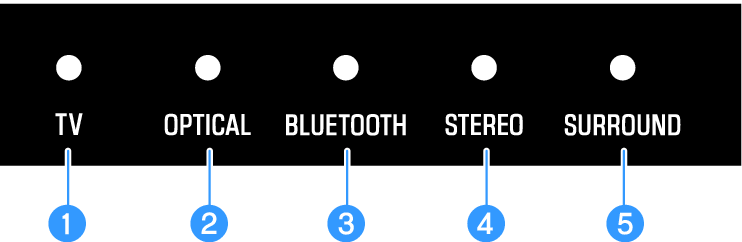
a | TV Glowing: Playing audio from the TV |
b | OPTICAL Glowing: Playing audio from the OPTICAL input jack |
c | BLUETOOTH Glowing blue: Bluetooth device connection established Flashing white: Bluetooth device connection wait status |
d | STEREO Glowing: Stereo playback |
e | SURROUND Glowing green: Surround playback (3D surround enabled) Glowing white: Surround playback (3D surround disabled) Off: Stereo playback |
Muted state

An error occurred

NOTE
- When the brightness of the indicators is set to “Off”, the indicators glow only during control operations.
- See the description of each setting for what the indicators will show when the setting is changed.
 SR-B20A