


Connecting to a Device Already Paired
Here’s how to connect to a Bluetooth device to which this product has already been paired.
- Activate Bluetooth on the Bluetooth device.
- Turn this product on.
- The product automatically connects to the last Bluetooth device to which it was connected. Once connected, the indicators light up as shown below.
- If the connection cannot be automatically made, this product enters pairing standby mode. Try connecting to this product from the Bluetooth device instead.
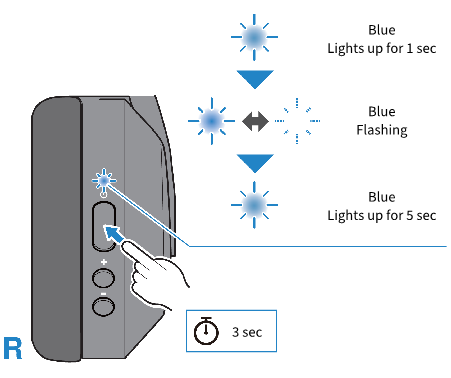
- Once connected, you will hear the “Connected” audio message on this product.
- Pairing is now complete.
NOTE
- This product does not support multi-point connectivity (connection to multiple devices at the same time).
 YH-E700B