


CH LINK screen
The CH LINK screen allows you to configure channel links for input channels.
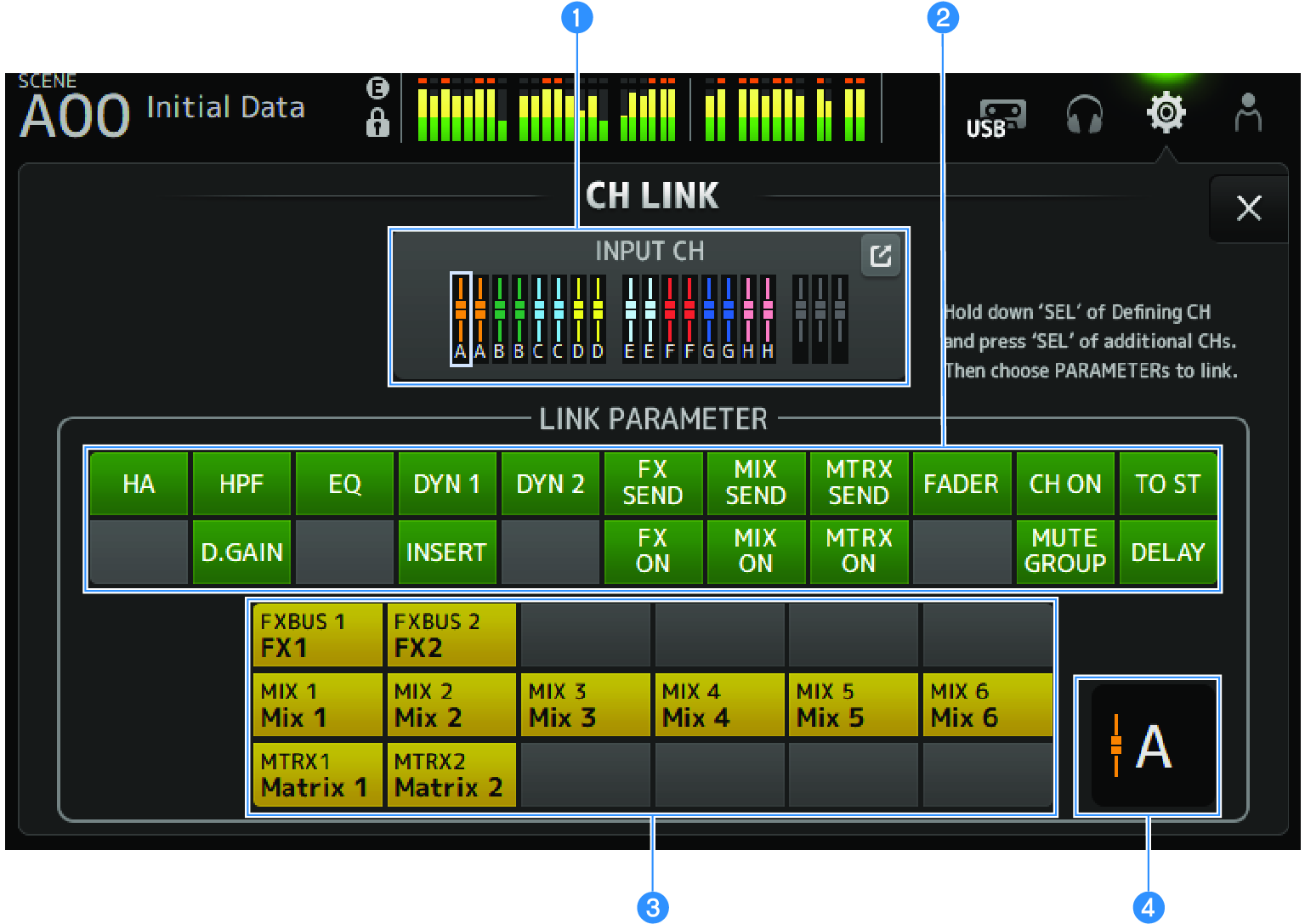
a | Link group Displays each link group of the input channel with colored labels. Touch the jump button to open the CH LINK SET screen. |
b | Link parameters button Sets link parameters for each group. Frame a is the selected channel. Touch the button to select the parameters to link. The bus to be linked can be selected for send parameters. |
Button | Link Parameters | |
HA | HA gain setting | |
HPF | High-pass filter setting | |
D.GAIN | Digital gain setting | |
EQ | EQ settings | |
DYN1 | GATE/DUCKING setting | |
INSERT | INSERT setting | |
DYN2 | COMP setting | |
FX SEND | FX send setting | |
FX ON | FX ON setting | |
MIX SEND | MIX send setting | |
MIX ON | MIX ON setting | |
MTRX SEND | MTRX send setting | |
MTRX ON | MTRX ON setting | |
FADER | FADER setting | |
CH ON | Channel ON setting | |
MUTE GROUP | MUTE GROUP setting | |
TO ST | TO ST setting | |
DELAY | DELAY setting |
|
c | Link bus button Selects the bus to link. |
d | Link group Displays the link group of the selected channels. |
CH LINK screen menu
Swipe left on the menu swipe indicator on the right of the CH LINK screen to open the following menu.
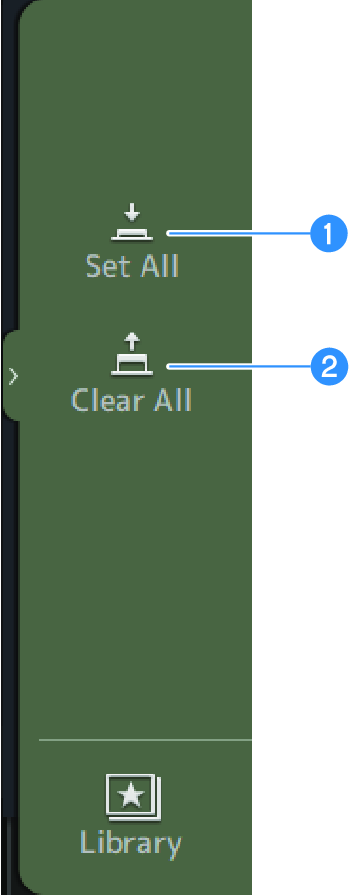
a | Set All Selects all link parameters at once. |
b | Clear All Clears all link parameters at once. |
 DM3 Series