


CH LINK SET screen
The CH LINK SET screen allows you to configure channel groups to link.
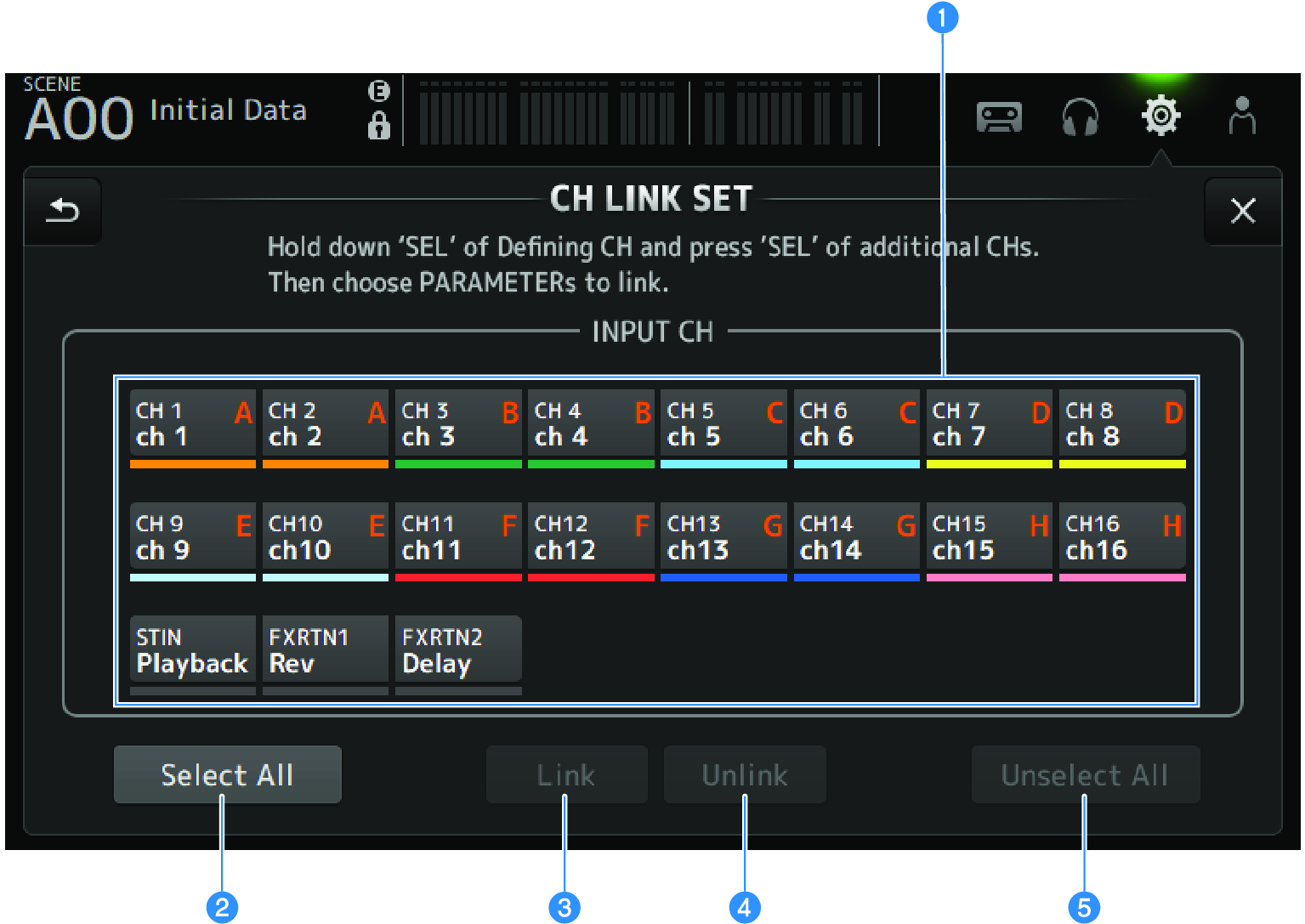
a | Channel selection buttons Touch to switch between selected (blue) and unselected (gray). Displays the linked group of channels with labels and colored bars. |
b | Select All button Selects all channels at once. |
c | Link button Links the selected channels. |
d | Unlink button Clears the links of the selected group. |
e | Unselect All button Clears all channels at once. |
 DM3 Series