


MIDI (Program Change) screen
Screen for assigning scene memories to MIDI program changes.
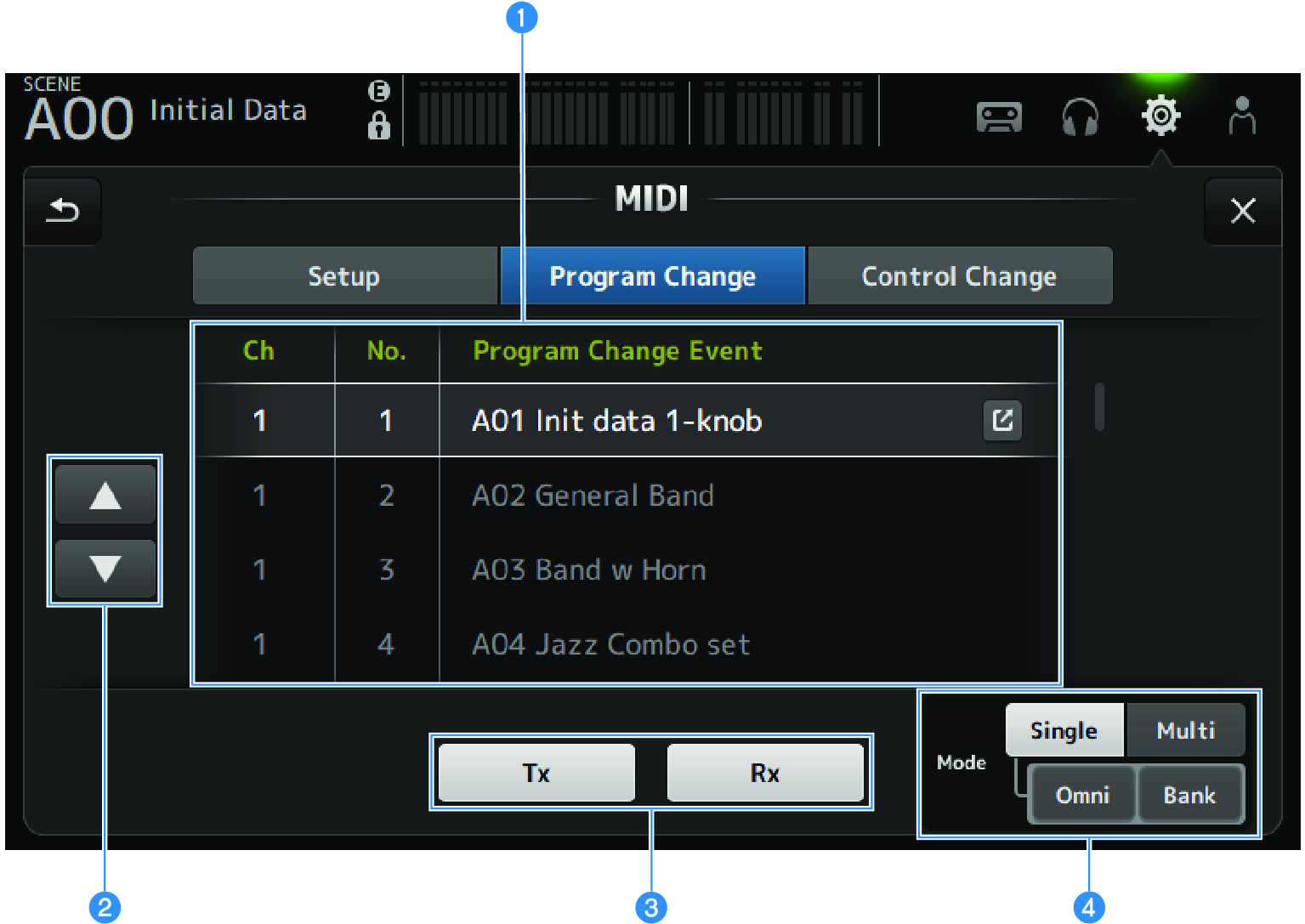
a | Program change list Displays a list of scenes assigned to program changes.
|
b | UP/DOWN buttons Moves the channels or banks in the program change list up/down. |
c | Program change selection buttons Turns the program change communication signals ON/OFF. Functions the same as the program change selection buttons on the Setup screen. |
d | Mode selection buttons
|
Scene selection screen
The Scene selection screen is for assigning scene memories to program changes.
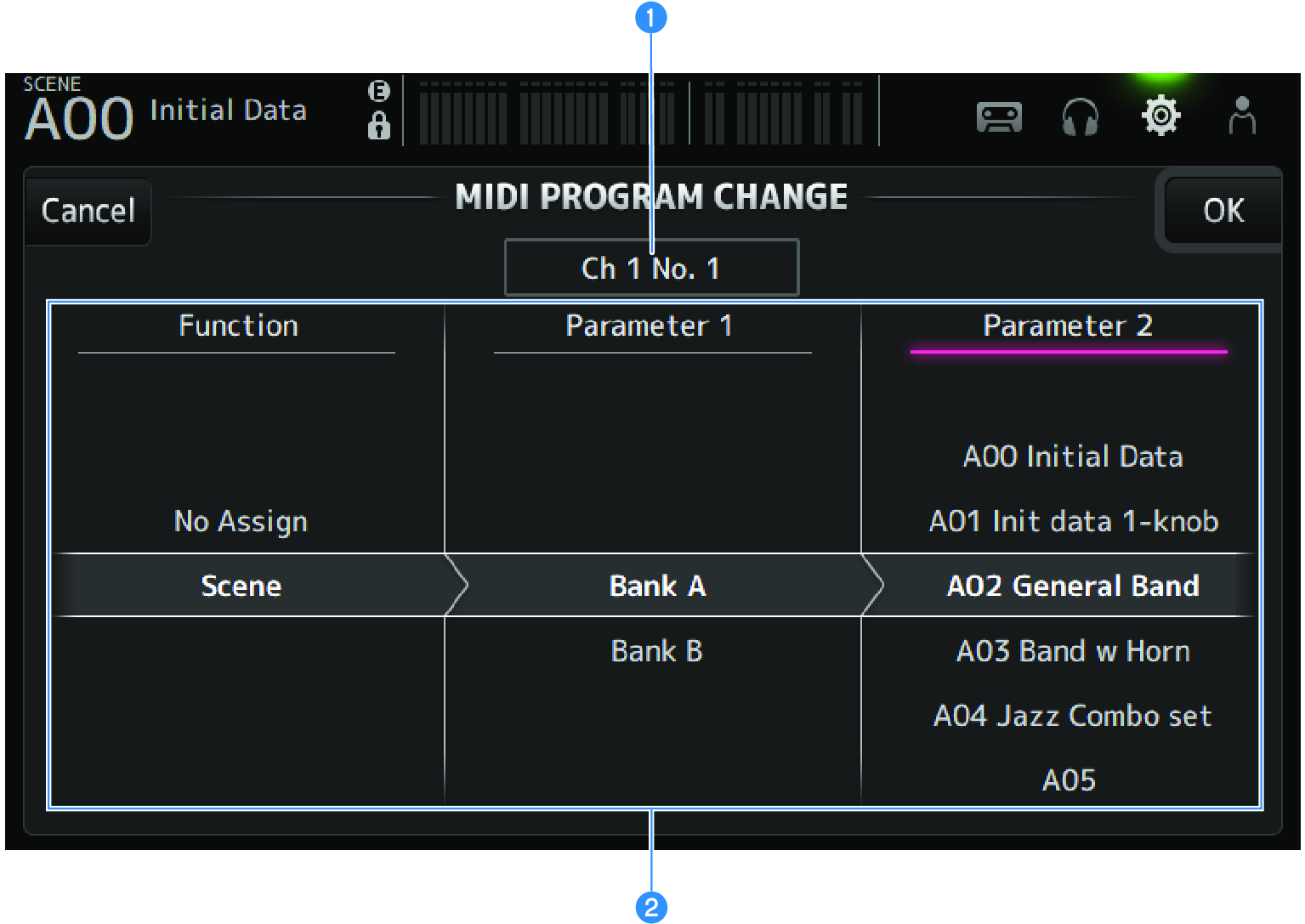
a | Program change display Displays the MIDI channel numbers and program change numbers assigned to scenes. Displays the bank and program change numbers when Single and Bank are selected. |
b | Scene list For selecting the scene assigned to program change. If no scene is assigned, select No Assign via Function. |
MIDI PROGRAM CHANGE screen menu
Swipe left on the menu swipe indicator on the right of the MIDI PROGRAM CHANGE screen to open the following menu.

a | Clear All Clears all scenes assigned to program change. |
b | Default All Sets the program change assignment to the default. |
 DM3 Series