


ACCESS PERMISSION screen
The ACCESS PERMISSION screen allows you to select parameters for permitting access and sets access restrictions for Guest users.
It only opens when logged in as the administrator.
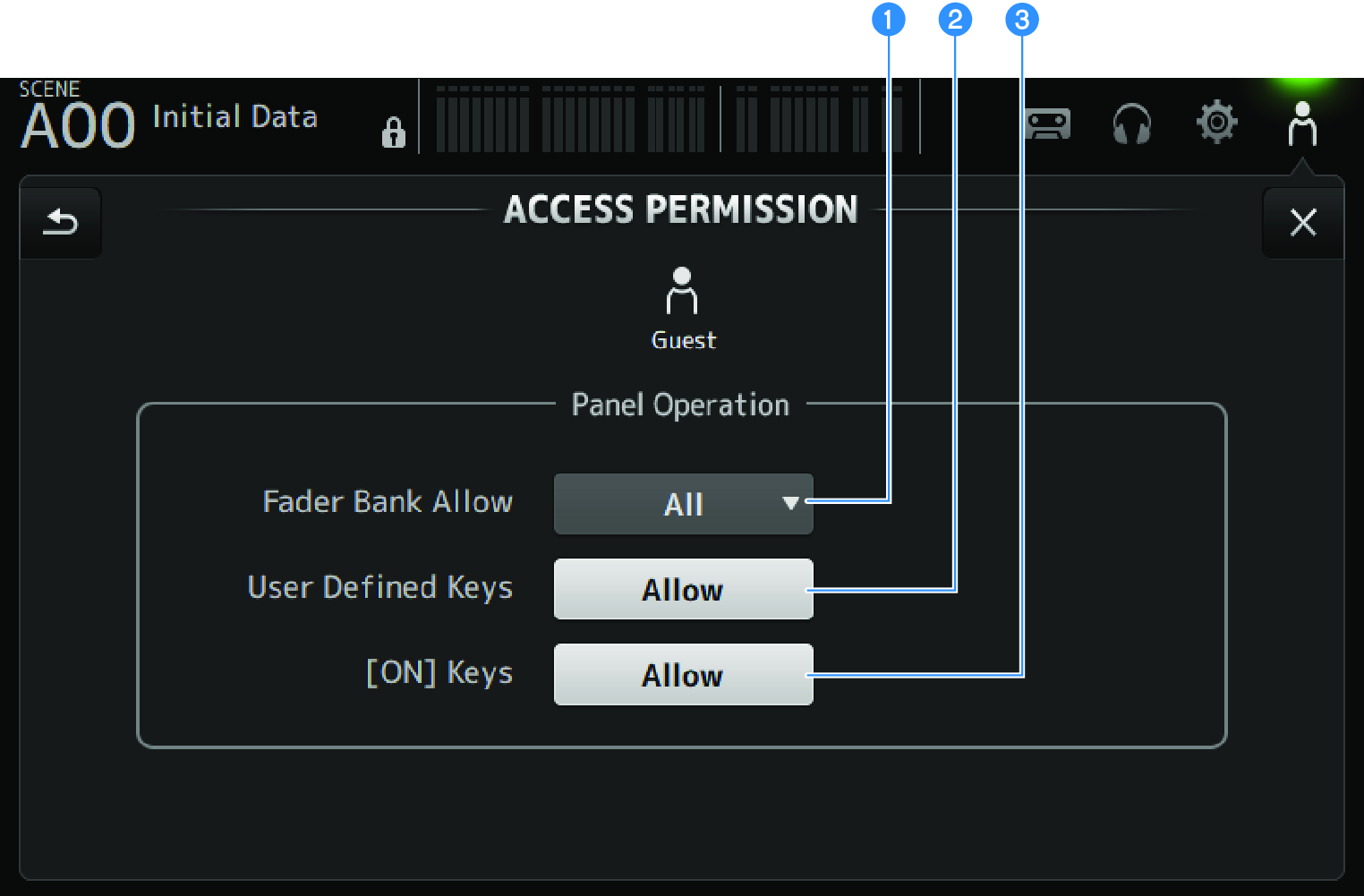
a | Fader Bank Allow selection button Sets what fader banks to allow Guest to operate.
|
b | USER DEFINED KEYS button For allowing or blocking use of [USER DEFINED KEYS] keys. |
c | [ON] Keys For allowing or blocking use of [ON] keys on the channel strip. |
 DM3 Series