


STEREO
Following is a description of the CH VIEW screen for STEREO channels.
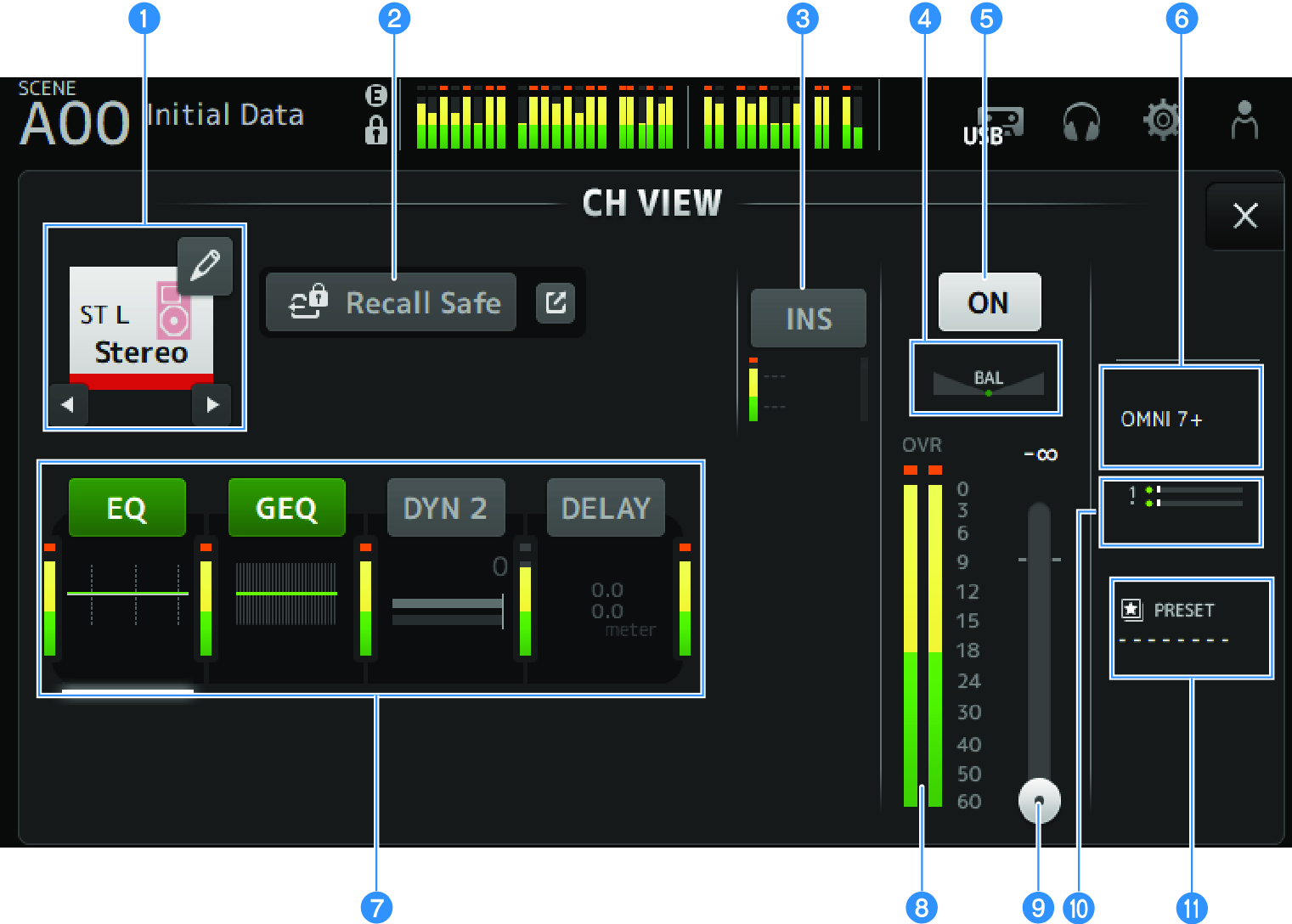
a | Channel name Touch to display the CH NAME screen. Touch the left/right buttons to display information for a different channel. |
b | Recall Safe button Touch to turn recall safe ON/OFF for that channel. Touch the jump button on the right of the Recall Safe button to open the RECALL SAFE screen. |
c | INSERT box The INS button turns INSERT ON/OFF. Touch while selected to open the INSERT screen. The meters at the bottom display the input and output signal levels of the insert. |
d | BAL slider Adjusts the left/right volume balance of the channel. |
e | Channel ON/OFF button Turns the displayed channel ON/OFF. |
f | OUTPUT box Touch while selected to open the OUTPUT screen. |
g | Boxes Touch to display the configuration screen for the corresponding feature. Touching the buttons of the EQ, GEQ, DYN2 or DELAY boxes turns the corresponding function ON/OFF.
|
h | Channel output level meter Displays the channel's output level. |
i | Channel fader level slider Adjusts the fader level for the selected channel. |
j | SEND TO box Touch while selected to open the SEND TO screen. Uses a white line to indicate the amount of signal from the selected channel that is sent to the MATRIX channels. Send levels, the selected channel's fader levels, and the actual send levels are indicated by horizontal bars. The information displayed here indicates whether the signal sent to the MATRIX channel is a pre- or post-fader signal. If the indicator is green, it is a pre-fader signal; if gray, post-fader. |
k | LIBRARY box Touch while selected to open the LIBRARY screen. |
 DM3 Series