


BUS SETUP Screen
Change basic bus settings (stereo/mono switching, Pan Link, etc.).
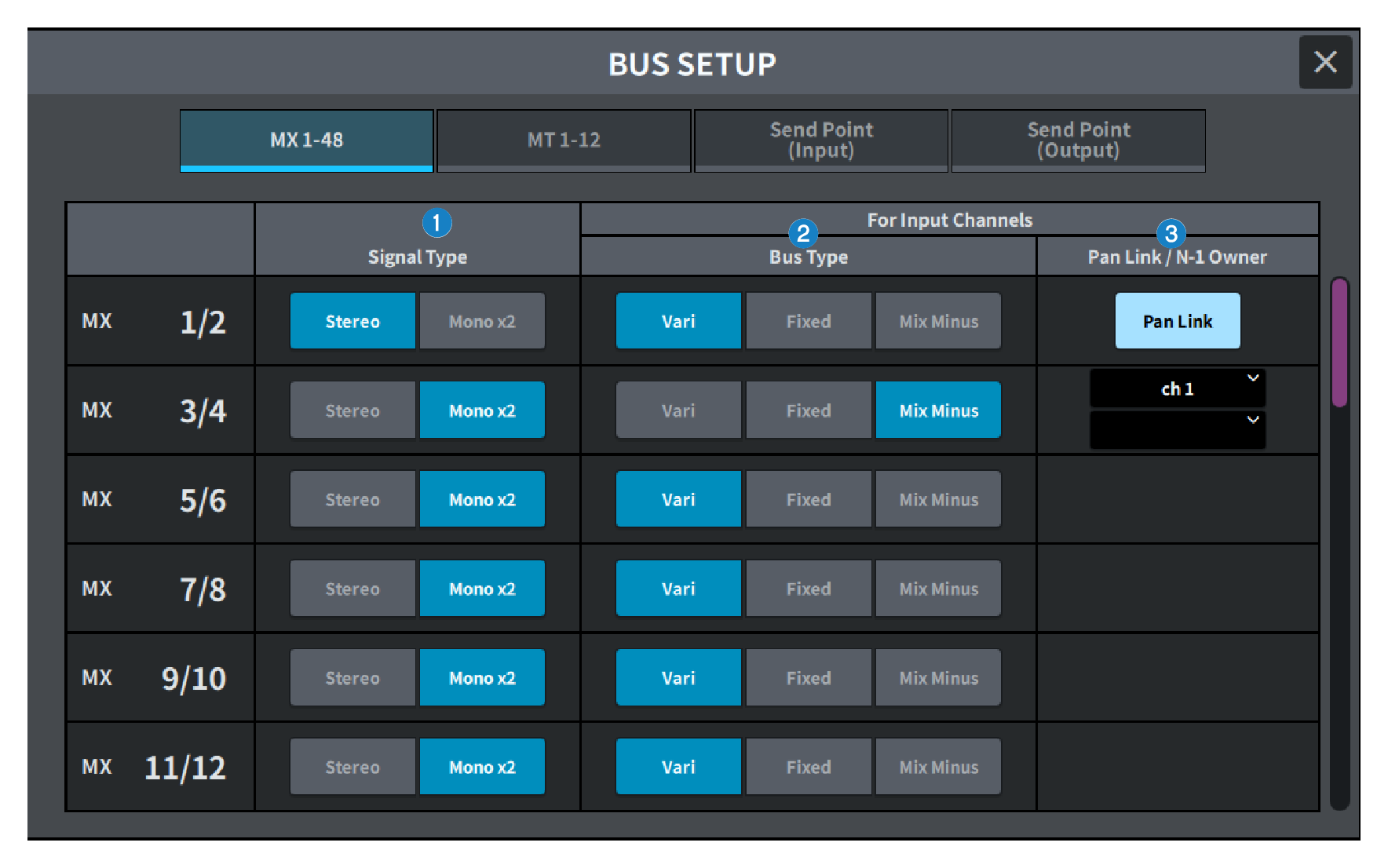
a | Signal type switch buttons This allows you to select how signals are processed for every adjacent pair of buses. You can select Stereo (stereo signal) or Mono × 2 (monaural signal × 2 systems). |
b | Bus type selection buttons This selects the bus type for every adjacent pair of buses. You can select Vari (variable send level), Fixed (fixed send level), or Mix Minus (Broadcast Package compatible). |
c | Pan Link button This button appears when the Signal Type is Stereo and set to Vari. When the button is on, the signal sent to the corresponding channel will be linked to the To Stereo pan. N-1 Owner button This appears when Mix Minus (Broadcast Package compatible) is selected. If you press this button, a screen where you can select the Owner channel for mix minus settings (input channels that use mix minus) will be displayed. |
 DM7 Series