


Delay screen
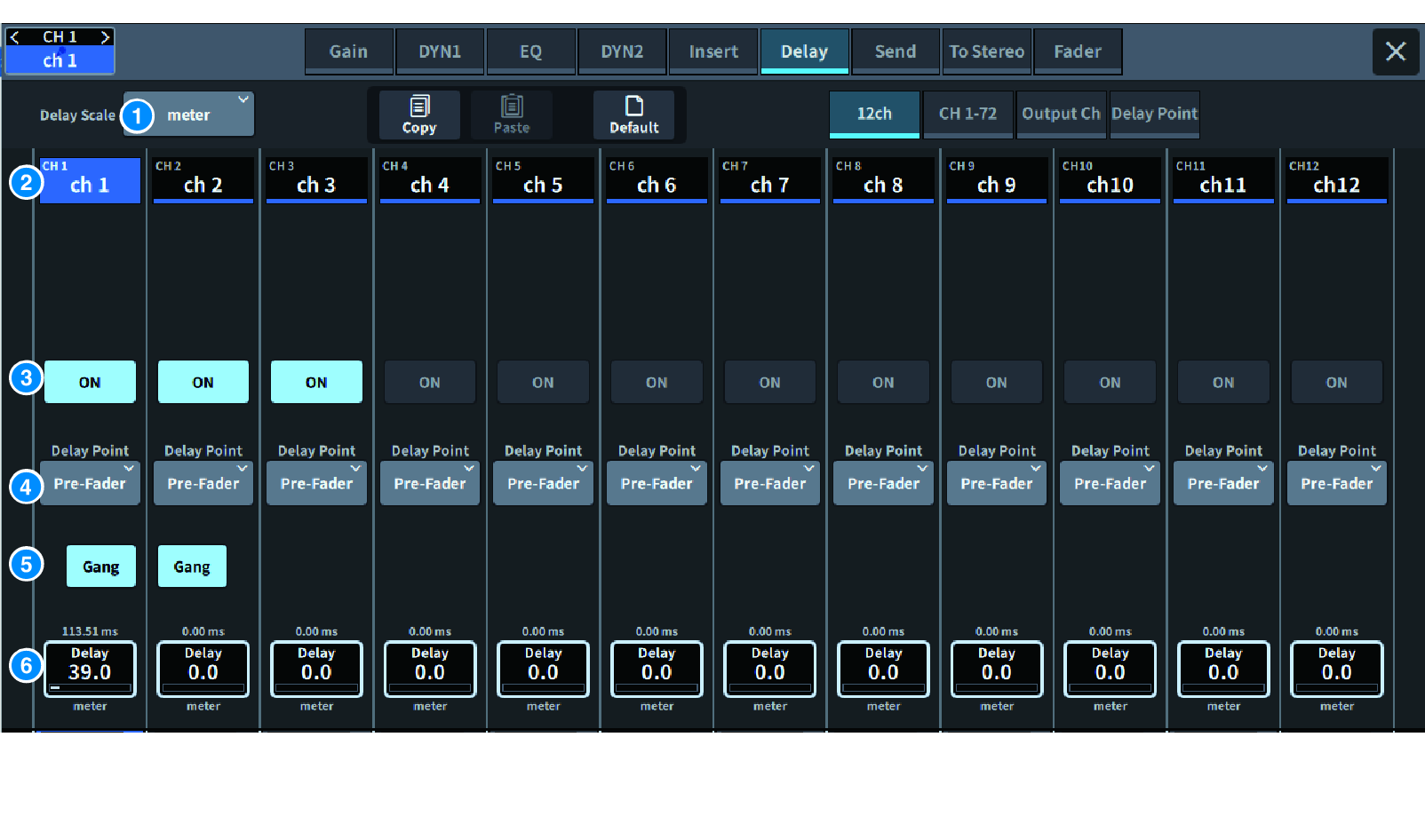
The screen contains the following items.
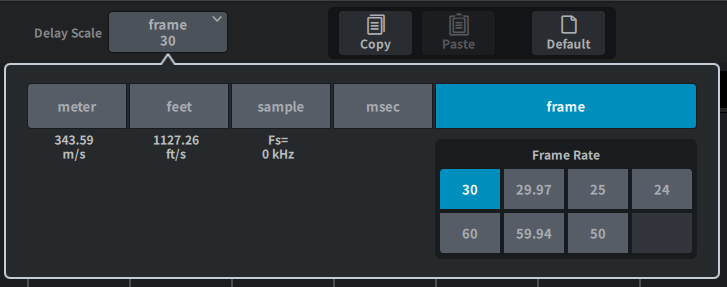
a | DELAY SCALE popup window Press this to display the DELAY SCALE popup window where you can set the unit for the delay time.
|
b | Channel select button Each button will light to indicate that the corresponding channel is selected. Press to select that channel. |
c | DELAY ON buttons Switches delay on/off. |
d | Delay insert point select buttons Allows you to select the delay insert point from the following: Pre Filter, Pre DYN1, Pre Fader and Post Fader |
e | Gang button This button is displayed when channels are paired. If this is on, the difference between the delay time values are maintained and linked. |
f | Delay setting Displays the channel delay value. When the screen is pressed to select, the value can be changed by sliding vertically or horizontally or using the [TOUCH AND TURN] knob. You can view the current value immediately above the knob (always shown in unit of ms) and below the knob (shown using the currently-selected scale). NOTE
|
 DM7 Series