


DANTE SETUP (Device Mount) screen
This selects and mounts a device from among multiple I/O DEVICES on the Dante audio network.
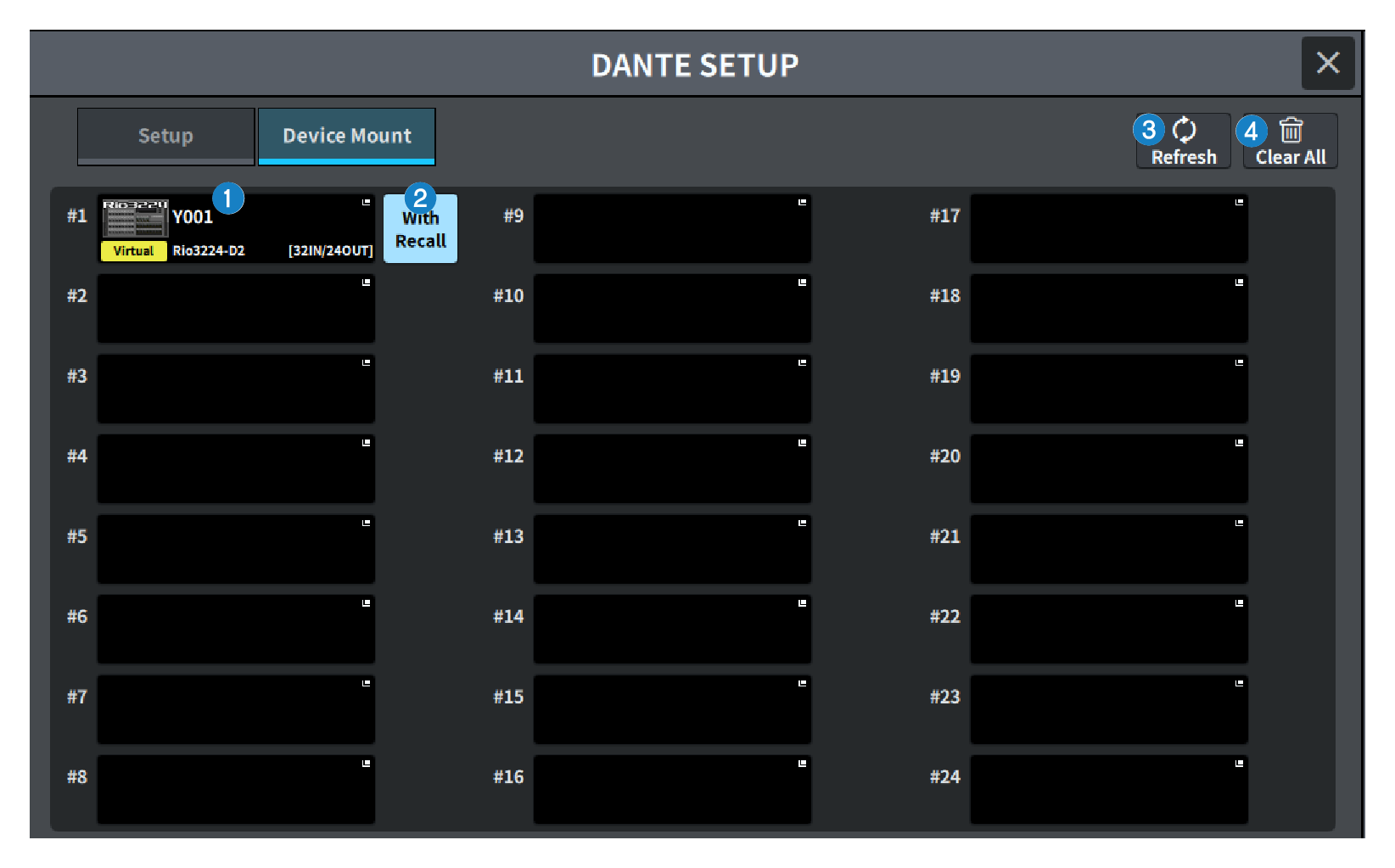
a | I/O DEVICE select button This displays I/O DEVICE model name and number of inputs/outputs. Press to display the DEVICE SELECT screen to mount the I/O DEVICE or the corresponding DANTE I/O DEVICE screen. |
b | With Recall button When on, the information saved in the DM7 Series unit is applied to the HA device when scene recall is performed while connected to the applicable I/O DEVICE. If the R series START UP MODE is set to "REFRESH", mute is canceled after the initial HA parameter synchronization is completed. |
c | Refresh button Press this to update the I/O DEVICE information on the Dante audio network to the latest state. |
d | Clear All button Press this to unmount (cancel the mount) for all displayed I/O DEVICES. |
 DM7 Series