


Updating the firmware using a USB flash drive
You can update the product’s firmware using a USB flash drive.
- Download the latest version of the firmware for the product to your computer from the Yamaha website.
- For more information, visit the product information page on the Yamaha website at “https://www.yamaha.com/”.
- Extract the downloaded compressed file, and save the firmware data file to the USB flash drive.
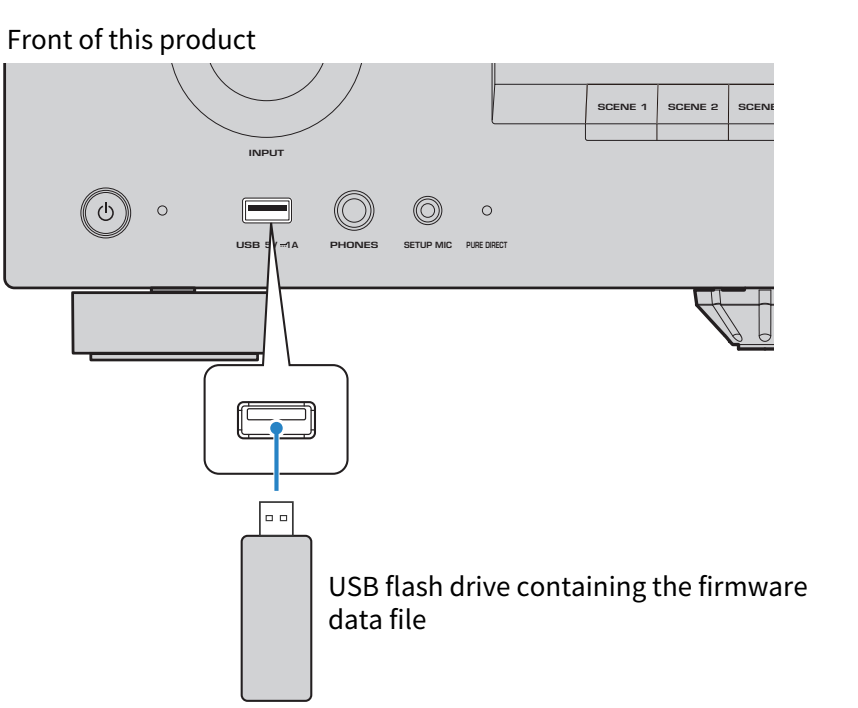
- Connect the USB flash drive to the USB port on the front panel.
- In the SETTINGS menu, select “Function” > “Firmware” > “USB Update”.
- Select “Execute”.
- The firmware update will start. Never turn off the power while updating the firmware.
- When the firmware update process is complete, the power of this product turns off automatically.
- Make sure that this product is turned off, and then remove the USB flash drive.
- This completes the firmware update.
NOTICE
- Do not operate the product or unplug the power cord while updating the firmware. If the process is interrupted, this product may become unusable. In that case, the product will require servicing.
 RX500A