


Connecting an AV device to the sound bar
- Before connecting devices, be sure to read the following precautions.
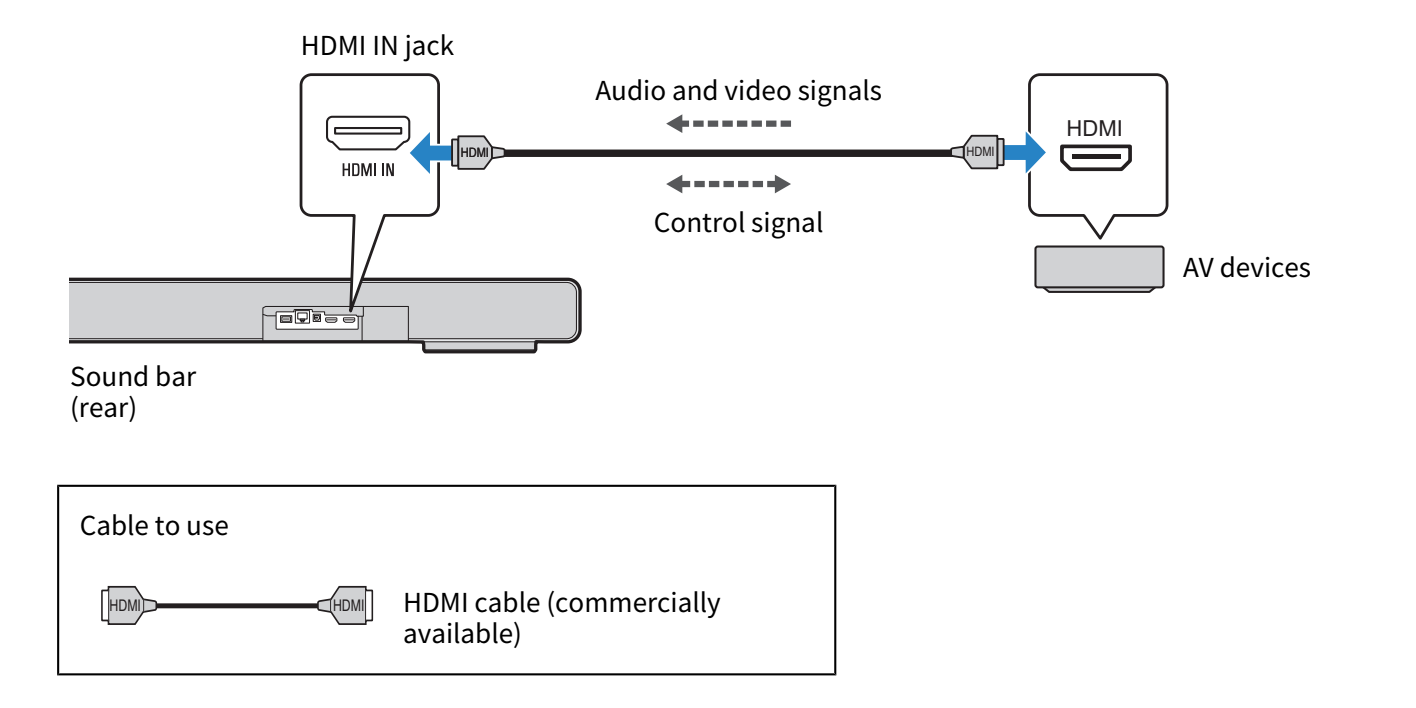
Connect an AV device (such as a Blu-ray Disc player or a set top box) to the sound bar using an HDMI cable (commercially available).
NOTE
- To play audio from an AV device via the sound bar, set the input sources as follows:
- Sound bar’s input source: HDMI
- In the sound bar’s Setup menu, under “HDMI”, set “Pass Through” to “On” or “Auto” to play back video and audio from an AV device on a TV even when the sound bar is turned off (HDMI signal pass-through). The default setting is “Auto”.
- Use a 19-pin HDMI cable with an HDMI logo.
- Use an HDMI cable that is as short as possible to prevent any degradation in signal quality.
- For playback of 3D and 4K Ultra HD video, use a Premium High Speed HDMI cable or a Premium High-Speed HDMI cable with Ethernet.
Next steps
- Cable connection to a network:
- Wireless connection to a network:
 TRUE X BAR 90A (SR-X90A)