


Connecting a subwoofer manually
Manually connect the subwoofer to the sound bar as described below.
- Hold down SETUP button on the rear of the subwoofer for at least five seconds.
- Turn on the sound bar.
- Press the ~ (Setup) key and select “Speaker” to select “Registration” in the “Registration” screen.
- When the connection is established, the CONNECT indicator on the rear of the subwoofer glows.
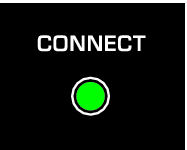
If the CONNECT indicator on the subwoofer does not glow after following the procedure above, do the following and then connect the subwoofer manually again.
- Move the subwoofer and/or the sound bar so that they are closer to each other.
- Install the sound bar and subwoofer in positions where they are not obstructed from each other by metal furniture.
- If a device emitting electromagnetic waves (such as a microwave oven or a wireless LAN device) is located nearby, place the subwoofer and sound bar farther away from such a device.
NOTE
- Check the connection status of the subwoofer with the indicators on the front display of the sound bar.

- To disconnect the sound bar from the subwoofer, select “Clear” in the “Speaker” > “Registration” screen from the Setup menu. Selecting “Clear” will delete all speaker registrations made to the sound bar.
 TRUE X BAR 90A (SR-X90A)