


Checking the current status information
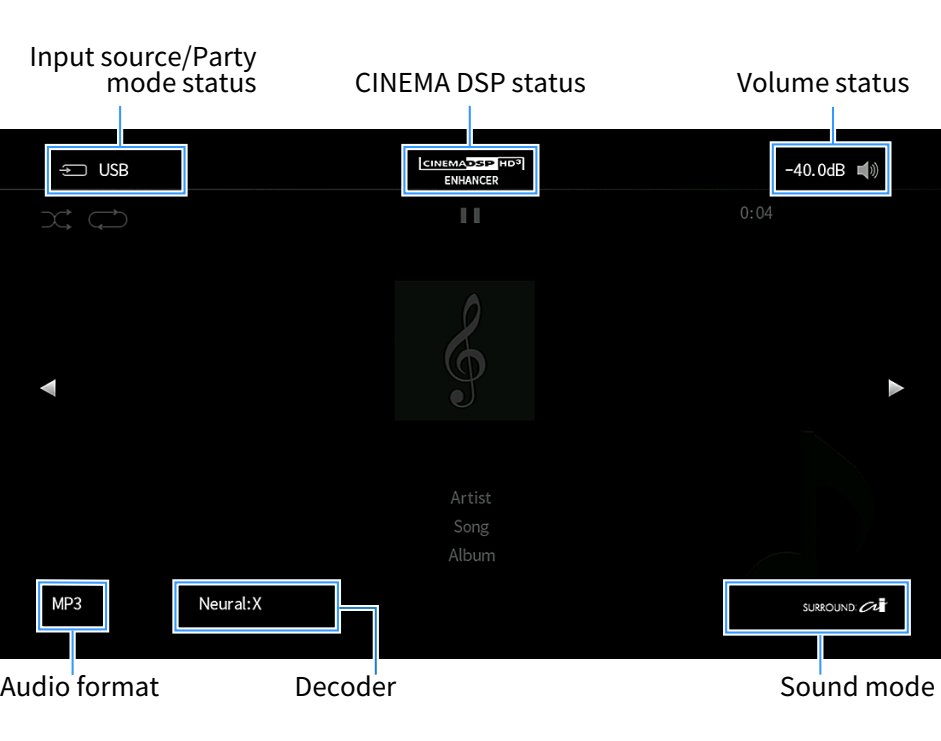
Displays the current status information on the TV. Use the left/right cursor keys to display other information on each hierarchy of the “Setup” menu.
Option menu
“On-screen Information”
NOTE
- The figure shows the location where each status information is displayed on the TV and is different from an actual information display.
- When SURROUND:AI is enabled, you can display the SURROUND:AI status information.
- You can use the PROGRAM keys on the remote control to display the current status information on the TV.
- To close the information display, press RETURN on the remote control.
 RX-A6A