


App settings
This explains the settings and items you can check using the Headphones Controller app.
[Search tag] #Q03 App
NOTE
- The app screen and items may differ, depending on your product.
Main screen
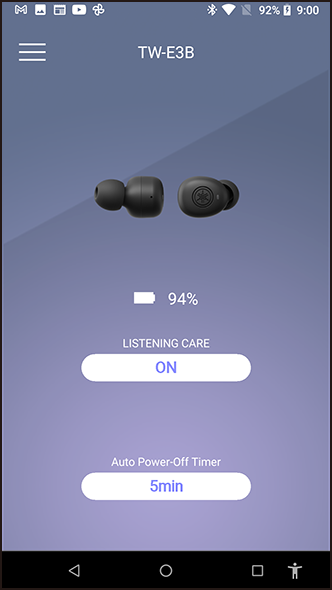
- LISTENING CARE
- When LISTENING CARE is enabled, this product will automatically adjust the sound quality according to the playback volume. This feature adjusts the frequency balance, offering rich sound quality playback even at a low volume.
- Settings
- ON (default setting): enables LISTENING CARE
- OFF: disables LISTENING CARE
- Auto Power Off
- Sets the time it takes for the power to turn off after Bluetooth has been disconnected.
- Settings
- OFF
- 5min (default setting)
- 30min
- 1h
- 3h
Menu screen
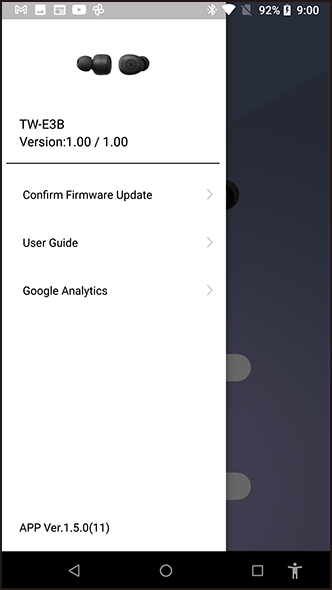
- Confirm Firmware Update
- Checks whether new firmware has been released, and performs updates.
- User Guide
- Accesses the User Guide
- Google Analytics
- Displays information regarding Google Analytics.
 TW-E3B