


Updating the firmware of this product
New firmware may be provided to add features or fix bugs. The firmware can be updated with the Sound Bar Controller app installed on your smartphone.
[Search tag]#Q04 Update
NOTICE
- Do not operate the sound bar or unplug the power cord or network cable while updating the firmware.
- The firmware update may fail, depending on the connection status, such as if the Internet connection is not fast enough or when the sound bar is connected to a wireless network. In this case, try again at a later time.
- For more information about the firmware, visit the Yamaha website.
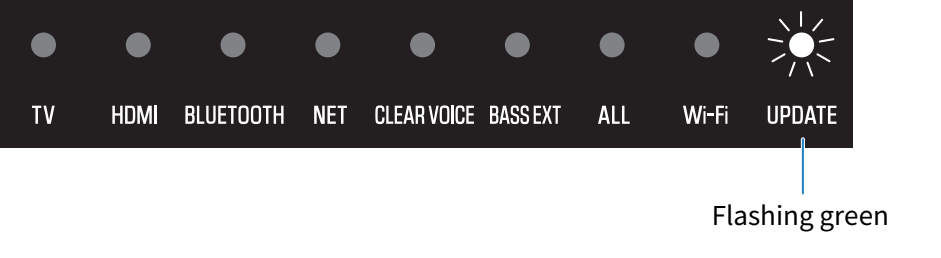
When a new firmware is released, the UPDATE indicator on the sound bar flashes green when the sound bar is turned on. Follow the Sound Bar Controller app screen instructions to update the firmware.
NOTE
- The firmware can also be updated using a USB flash drive. For details, see the following Firmware Update Guide.
https://manual.yamaha.com/av/fwupdate/21/sr_ws/
 TRUE X BAR 40A (SR-X40A)