


Connecting to a TV not compatible with ARC
- Before connecting devices, be sure to read the following precautions.
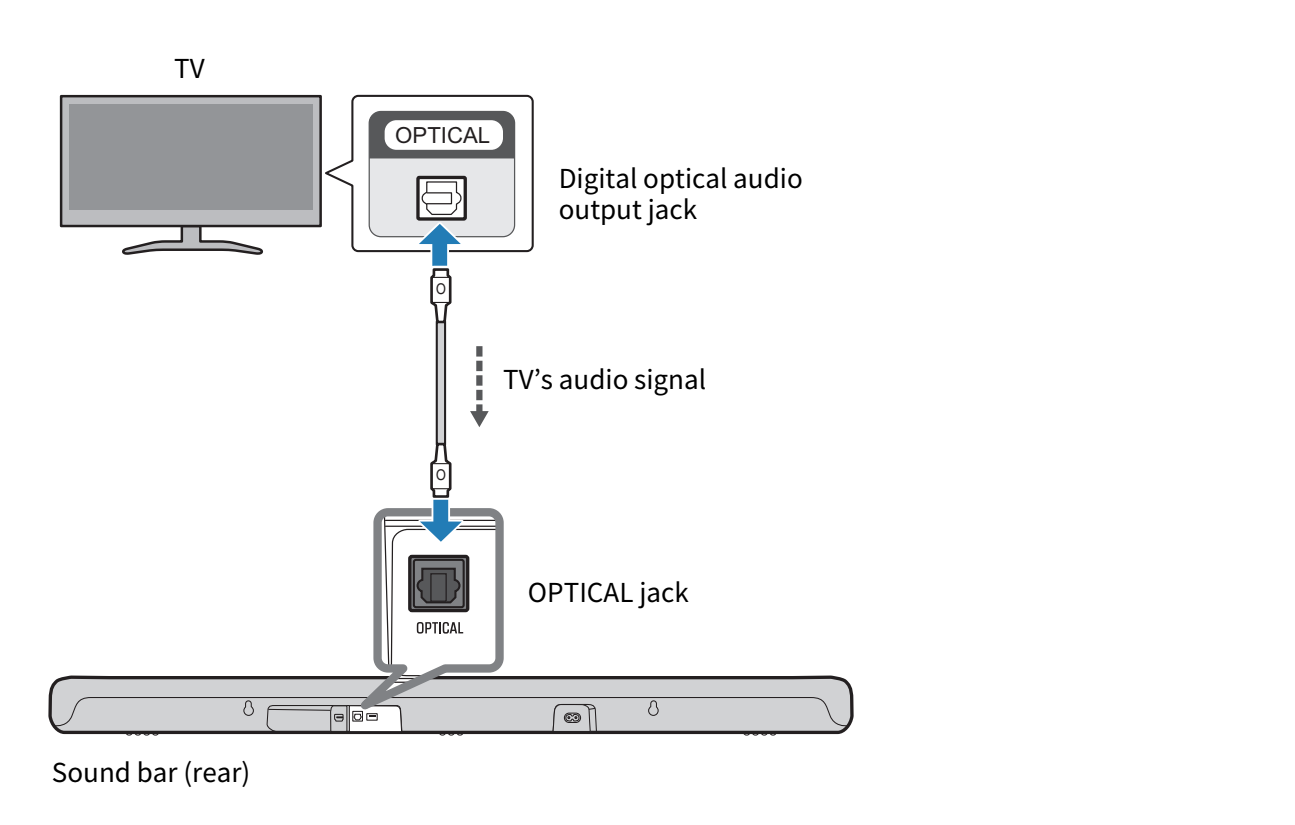
Connect to the TV using a digital optical audio cable (commercially available).
The digital optical audio cable transmits the TV’s audio signal to the sound bar.
- Connect the sound bar to a TV.
- Connect to the digital optical audio output jack of the TV.
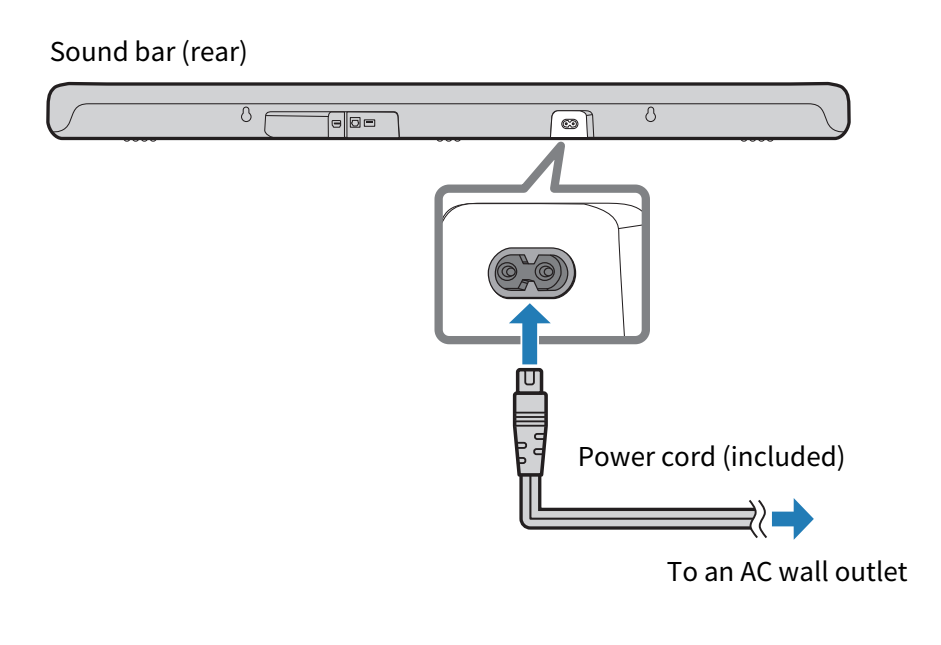
- Connect the sound bar to power.
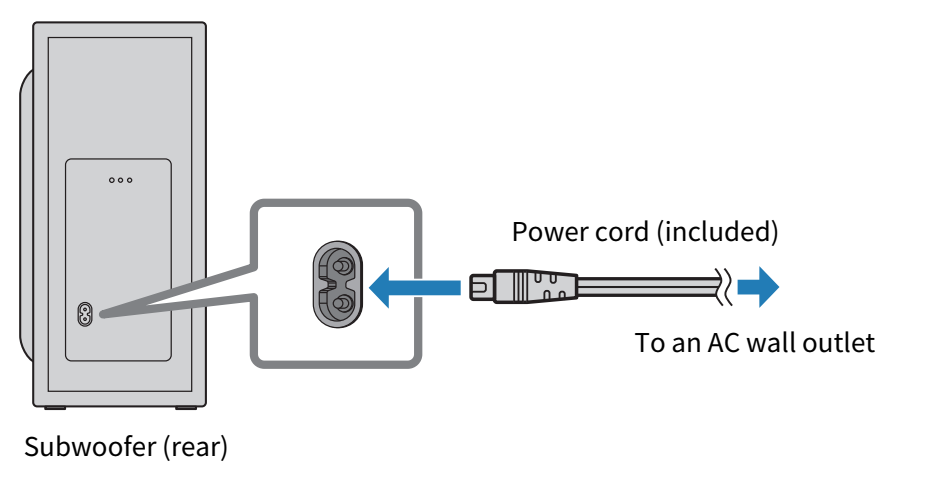
- Connect the subwoofer to power.
NOTE
- To play audio from a TV via the sound bar, set the input source as follows:
- Sound bar’s input source: OPTICAL
- HDMI Control cannot be used when a TV is connected with a digital optical audio cable.
- Dolby Atmos audio cannot be played when a TV is connected with a digital optical audio cable.
 SR-B40A