


No sound is coming from both of the wireless speakers
If no sound is coming from both of the wireless speakers, the following could be the cause.
- The wireless speakers are not turned on.
- Check that the power lamps on the tops of the wireless speakers are glowing. If the lamps are not glowing, hold down the power buttons of the wireless speakers to turn them on.
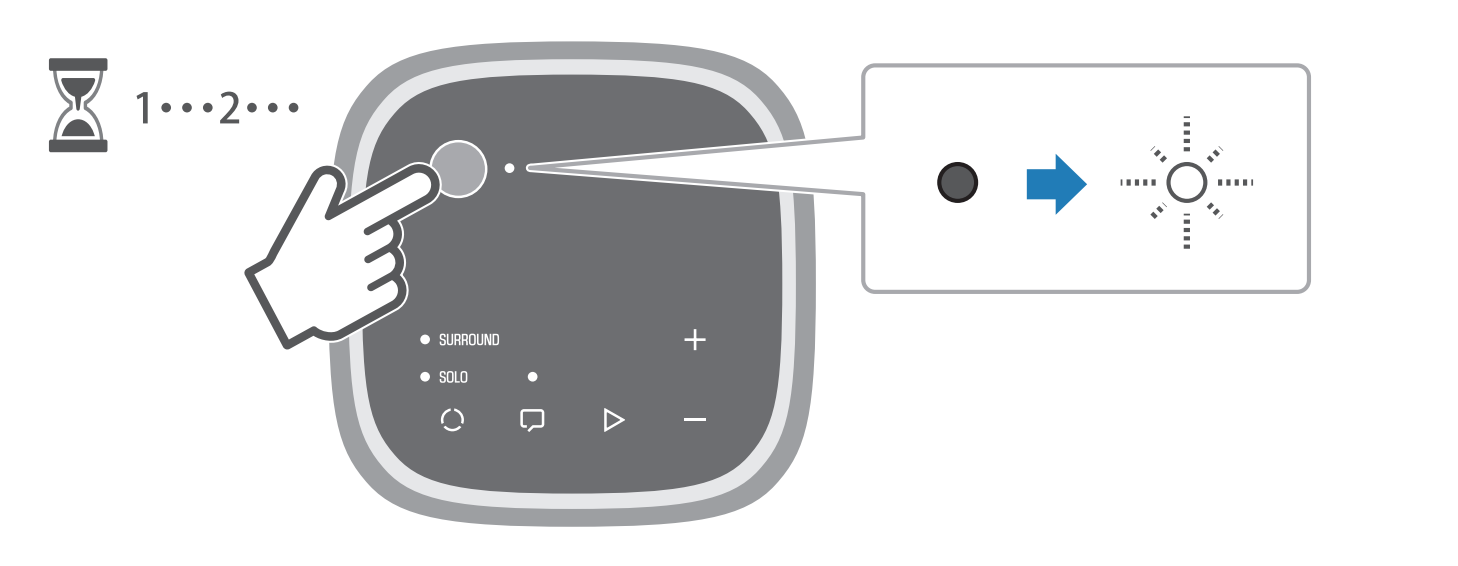
- The mode is not set to SURROUND on the wireless speakers.
- Check that the SURROUND lamps on the tops of the wireless speakers are glowing. If the SOLO lamp is glowing or flashing, press P (mode) to switch the mode to SURROUND.
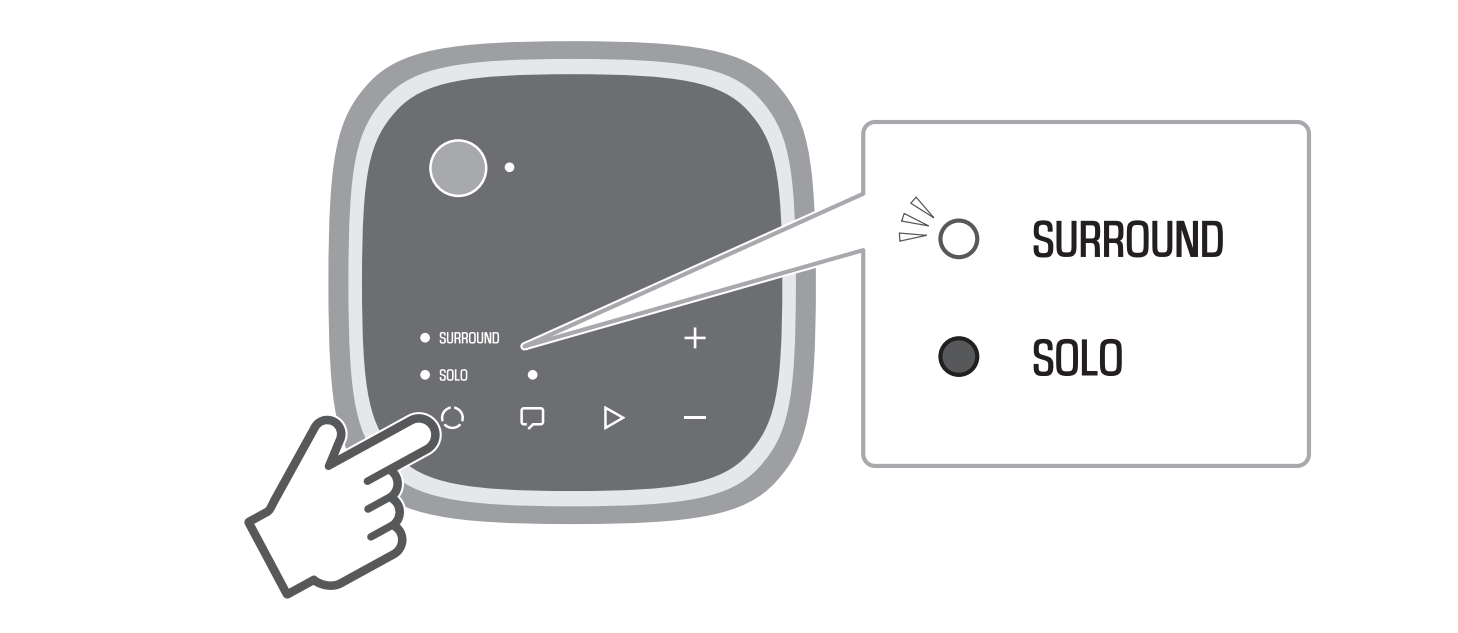
- If SURROUND cannot be selected by pressing P (mode) on the wireless speakers, it is possible that the registration of the wireless speakers is not completed. In this case, complete the registration.
- Audio output from the sound bar is not played in surround.
- Press STANDARD, MOVIE, or GAME on the sound bar’s remote control to switch to surround playback.
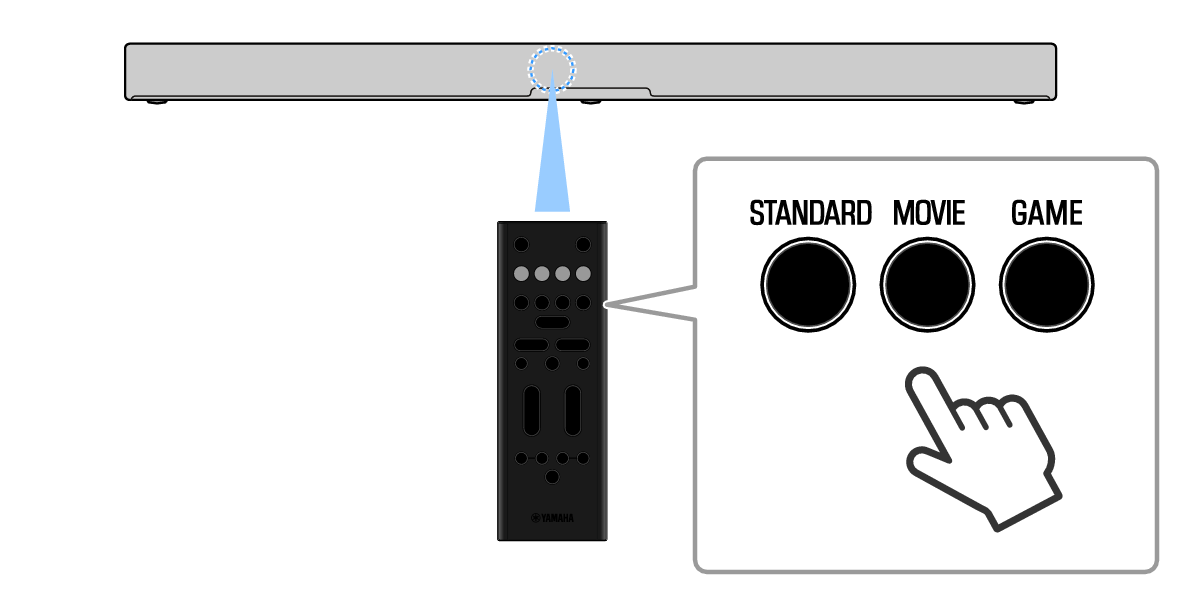
- The volume of the wireless speakers is too low.
- Point the sound bar’s remote control at the sound bar and press SURROUND LEFT (+/-) or SURROUND RIGHT (+/-) on the sound bar’s remote control to adjust the volume of each of the wireless speakers.
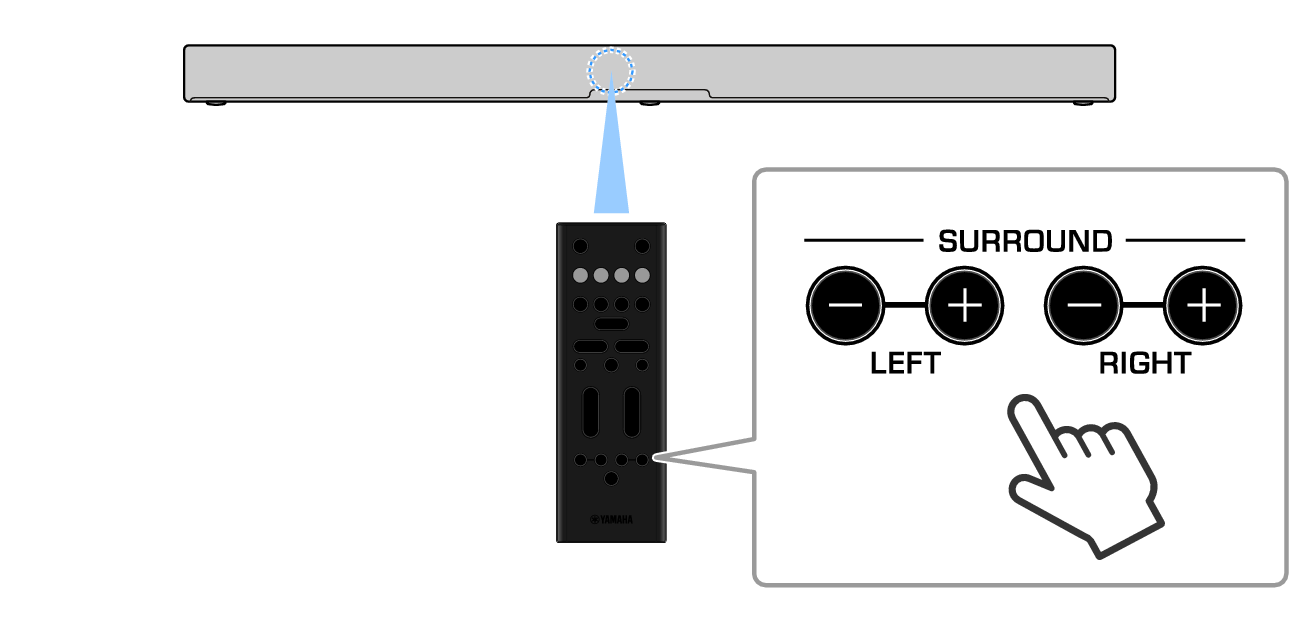
- The content being played does not contain surround channel audio.
- Change the playback content to something that definitely contains surround channel audio, such as a movie that contains multi-channel audio, and check that audio is output from the wireless speakers.
- The firmware of the wireless speakers is being updated.
- If the L and R lamps on the rears of the wireless speakers are glowing alternately, their firmware is being updated. Wait while the update is processing, and do not operate the controls of the wireless speakers until the update is completed.
- The condition of the connection between the sound bar and wireless speakers is bad.
- Check that there is no device emitting strong radio waves or interrupting radio waves placed between the sound bar and wireless speakers.
- The registration of the wireless speakers was removed from the sound bar.
- If the SURROUND lamps on the tops of the wireless speakers keep flashing slowly, the registration of the wireless speakers to the sound bar may have been removed. Register the wireless speakers to the sound bar again.
 TRUE X SURROUND