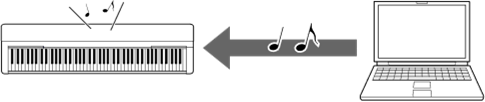
Playing Back Songs (MIDI, Audio) on a Computer with the Instrument
This section covers the basic procedure.
1. Connect the instrument to a computer with a USB cable.
Refer to the “Connecting a Computer to the Instrument.”
2. Start the file playback software/application on the computer.
For detailed instructions, refer to the manual of your particular playback software.
3. Have a playback file ready on the computer.
• MIDI files
• Audio files
4. From the playback software, select the connected instrument as the output destination.
5. Start playback of the file on the playback software.
Song playback from the computer is output through the speakers of your instrument.
NOTE
• If the MIDI file includes Voices that are not available on the instrument, no sound may be produced, or the intended sound may not be produced correctly.
• Not all models are equipped with audio playback functions; refer to the "USB Audio" column in the “Target Models and Functions” or the Owner’s Manual of your instrument for specific information.