


Basic connections
This example shows how to make connections to enjoy voice chats while playing a game, by using a voice chat app for your computer. You can play the game’s audio using the ZG01, either from your home gaming device connected via HDMI or from your computer connected via USB.
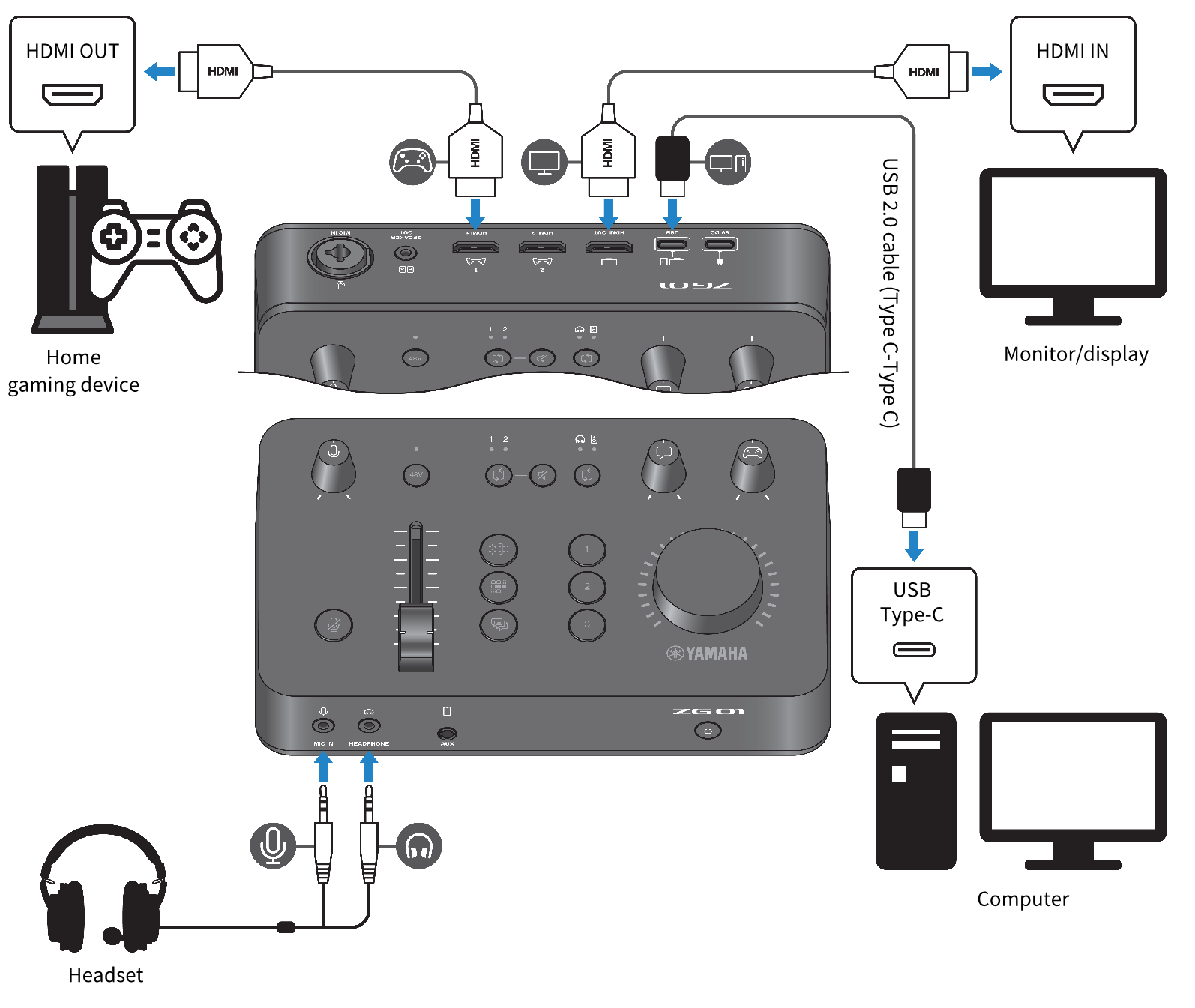
What you need
- Home gaming device that supports HDMI output
- Monitor/display that supports HDMI input
- HDMI cables (× 2)
- Computer (with a USB Type-C™ port)
- Included USB 2.0 cable (Type C-Type C)
- Headset (with analog connection)
- When using a headset that has a TRRS (4-conductor) stereo mini plug, you’ll need an audio cable that splits off into a mic plug and a headphones plug.
Connecting
- Use an HDMI cable to connect the [HDMI 1] jack (or the [HDMI 2] jack) of the ZG01 from the HDMI output of your home gaming device.
- Use an HDMI cable to connect the [HDMI OUT] jack of the ZG01 to the HDMI input of your monitor/display.
- Use the USB 2.0 cable (included) to connect the [USB] jack of the ZG01 to the USB port on your computer.
- Connect the headset (to the [MIC IN] jack and the [HEADPHONE] jack on the front panel).
When using a headset that has a TRRS (4-conductor) stereo mini plug, connect with an audio cable that splits off into a mic plug and a headphones plug.
 ZG01
ZG01