


Front panel of the control surface
CS-R10
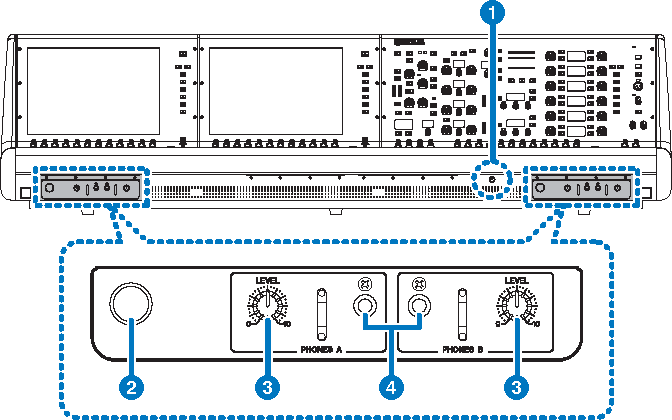
CS-R10-S
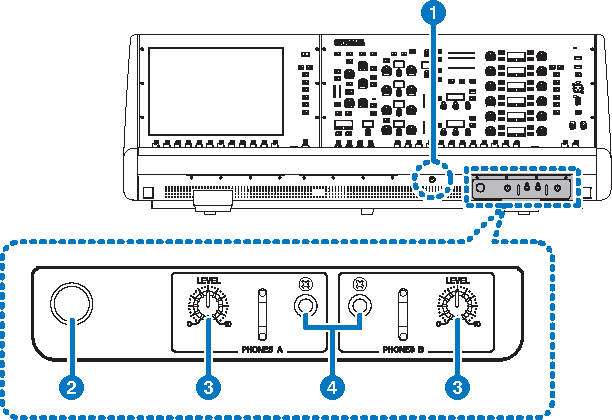
CSD-R7
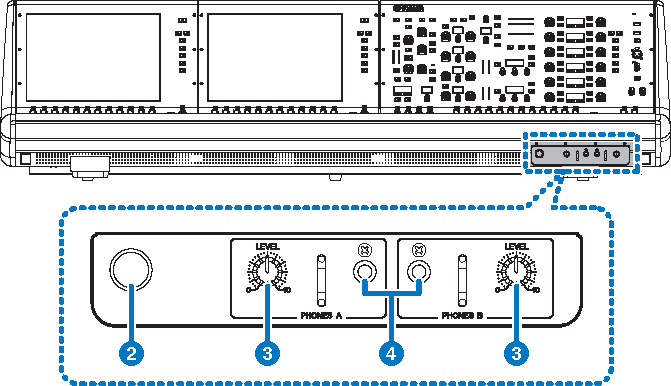
a | Brightness control knob Adjusts brightness of the light below the console. |
b | Headphone hanger To use the hanger, pull out the knob, and then turn it counter-clockwise. (The hanger will be locked in place.) To put away the hanger, turn the knob clockwise to unlock it, and then push it in. |
c | PHONES A/B [LEVEL] knobs Adjust the level of the signal output from the PHONES OUT jacks respectively. |
d | PHONES A/B output jacks These are headphone jacks for monitoring the MONITOR or CUE signal. |
 RIVAGE PM Series