


Controlling the Buss Comp 369 plug-in parameters
Buss Comp 369 emulates a standard bus compressor that has been used in recording studios and broadcasting stations since the 1980s. It produces smooth, natural compression that does not interfere with source signal nuances, in contrast with the aggressive compression of the U76. Buss Comp 369 includes a compressor and a limiter that you can use individually or in combination. The rich overtones generated by the audio input and output transformers and discrete class-A circuitry are modeled too, adding depth and unity to the sound.
Stereo mount
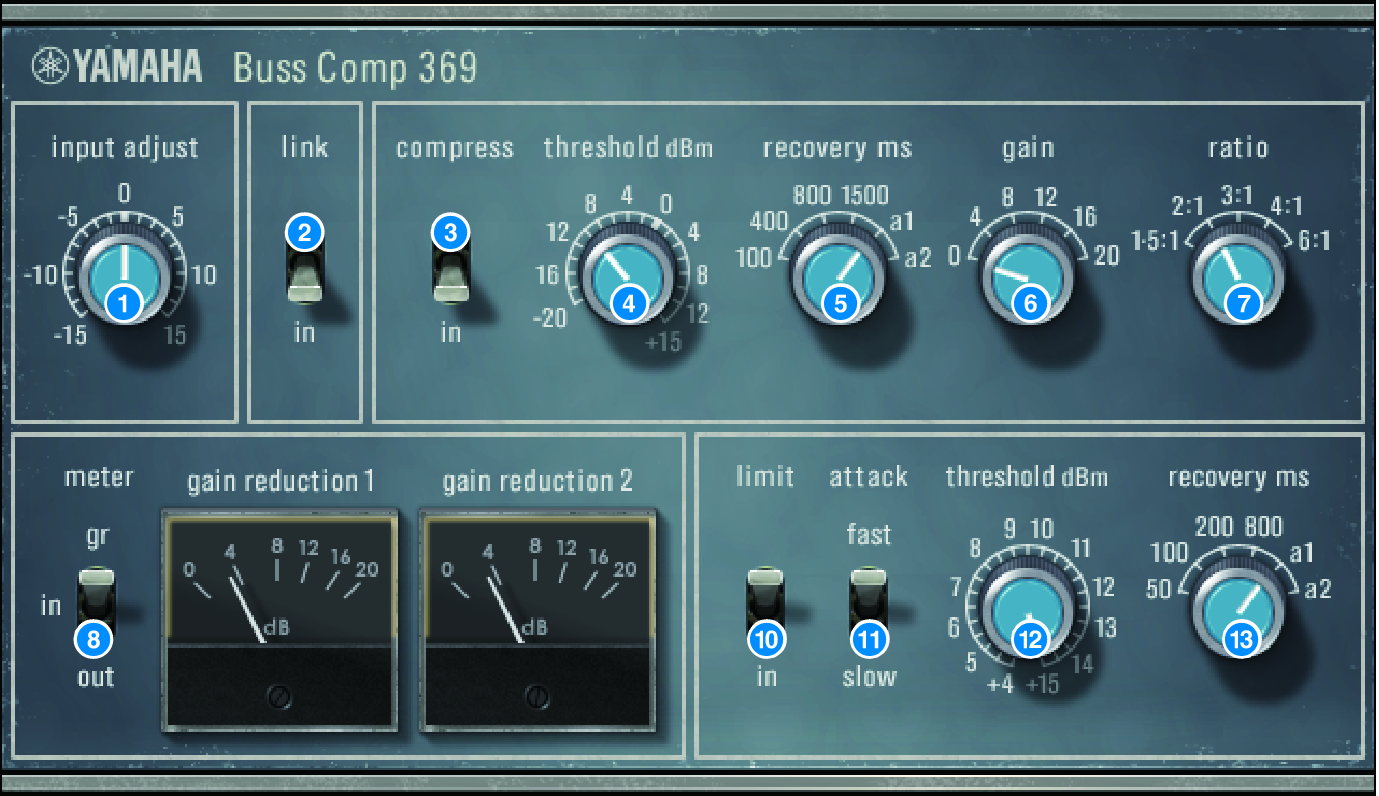
Dual mount
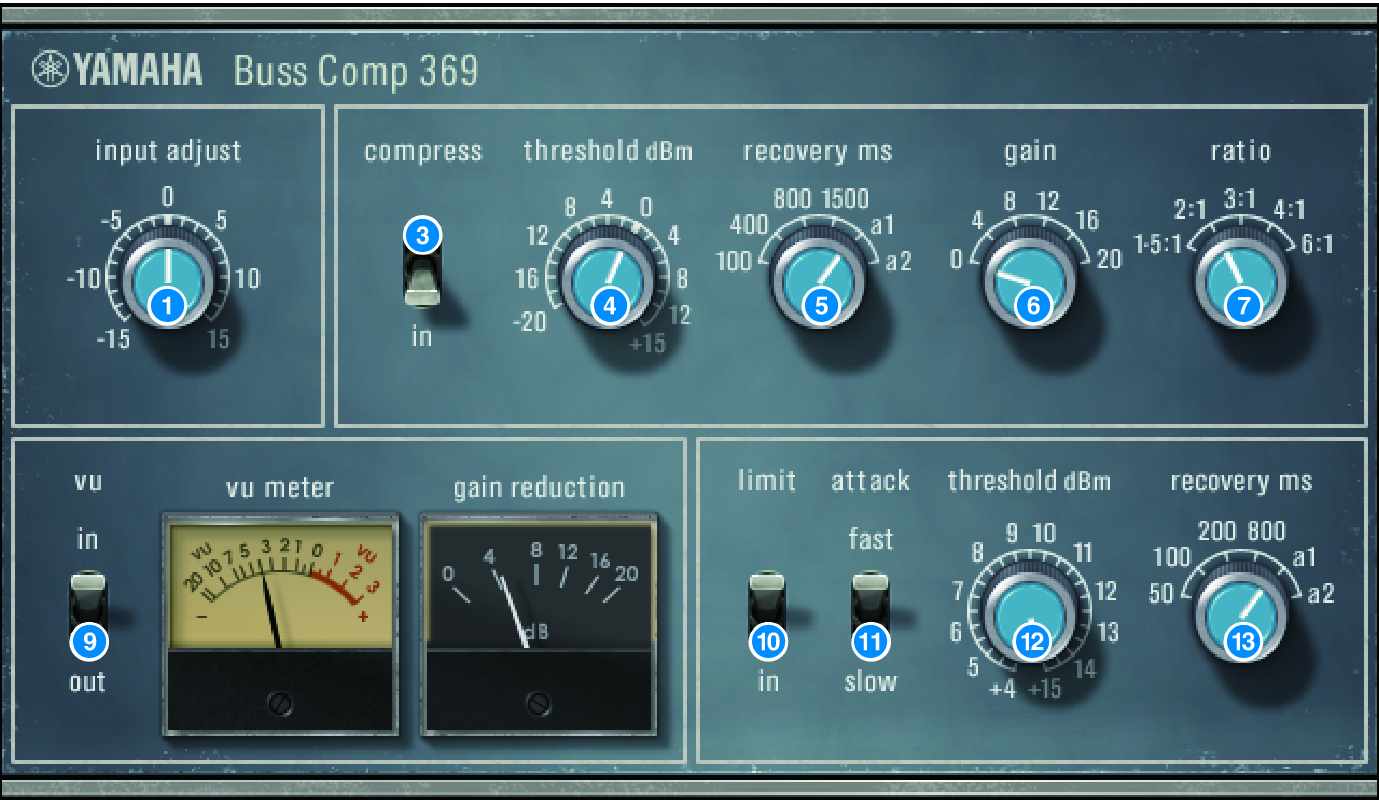
a | INPUT ADJUST knob Adjusts the input gain. However, the output gain changes inversely in tandem with the level of this knob so that the volume remains the same as the pass-through volume (the volume obtained when COMP IN and LIMIT IN are off). For example if INPUT ADJUST is +5 dB, the input gain is +5 dB and the output gain is –5 dB. |
[How INPUT ADJUST works]
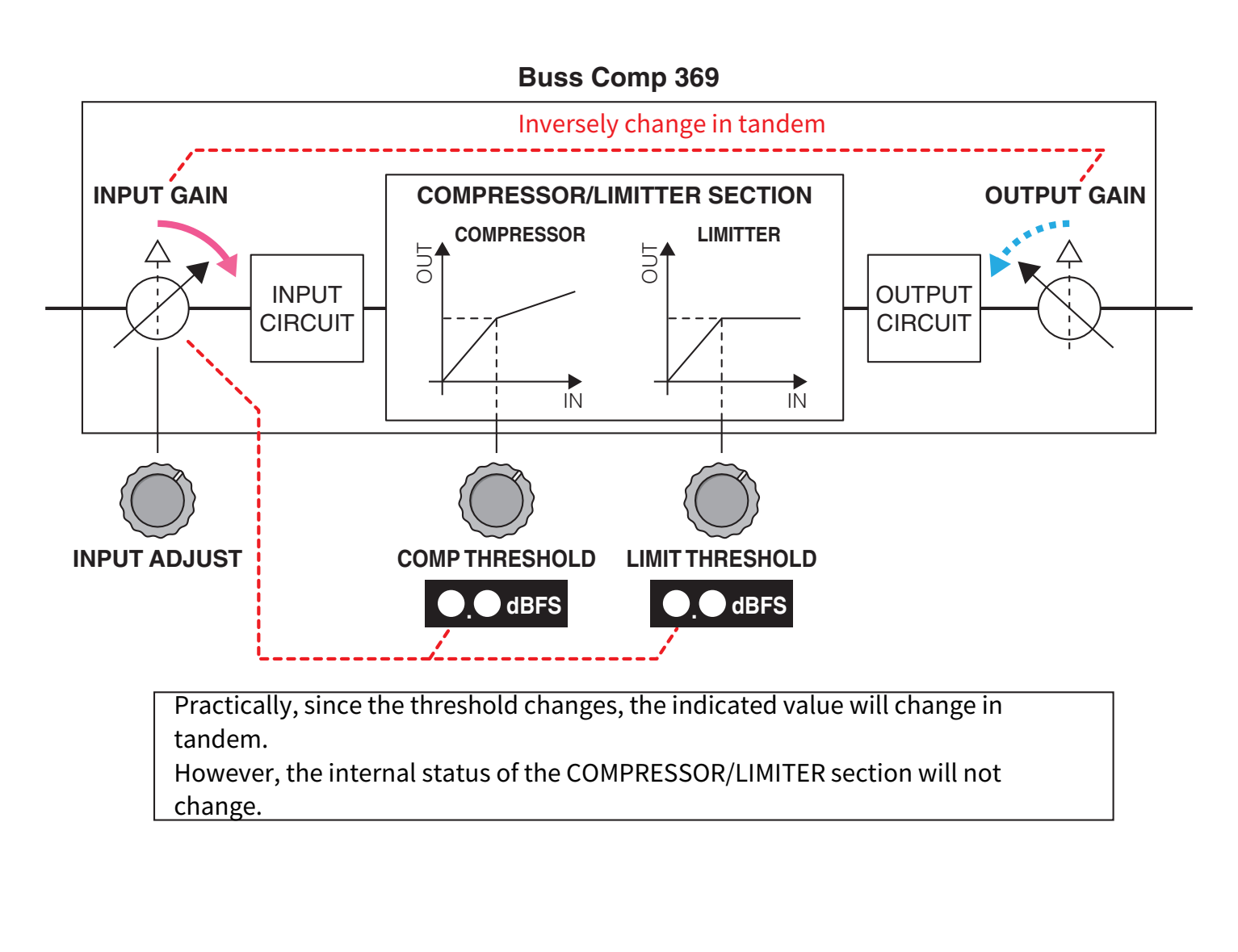
Practically, since the threshold changes, the indicated value will change in tandem. However, the internal status of the , COMPRESSOR/LIMITER section will not change. |
b | LINK switch (for Stereo mount) Turns the stereo link on/off |
c | COMP IN switch Turns the compressor on/off. |
d | COMP THRESHOLD knob Adjusts the threshold of the compressor. Note that the value changes in tandem with the INPUT ADJUST setting. |
e | COMP RECOVERY knob Adjusts the release time of the compressor. For a1 (auto 1) and a2 (auto 2), the release time changes automatically. a1: automatically changes in the range of 100 ms to 2sec. a2: automatically changes in the range of 50 ms to 5 sec. |
f | COMP GAIN knob Adjusts the makeup gain of the compressor. This applies before the limiter stage. |
g | COMP RATIO knob Specifies the compressor ratio. |
h | METER SELECT switch (for Stereo mount) Selects the signal source of the meter. You can select from IN (input level) /GR (gain reduction) / OUT (output level). If you change this selection, the meter design also changes to VU, GR, or VU respectively. |
i | VU SELECT switch (for Dual mount) Selects the signal source for the VU meter. You can select either the input level or output level. |
j | LIMIT IN switch Turns the limiter on/off. |
k | LIMIT ATTACK switch Specifies the attack time of the limiter. FAST: 2 ms SLOW: 4 ms |
l | LIMIT THRESHOLD knob Adjusts the threshold of the limiter. Note that the value changes in tandem with the INPUT ADJUST setting. |
m | LIMIT RECOVERY knob Selects the release time of the limiter. For a1 (auto 1) and a2 (auto 2), the release time changes automatically. a1: automatically changes in the range of 100 ms to 2sec. a2: automatically changes in the range of 50 ms to 5 sec. |
 RIVAGE PM Series