


MONITOR SOURCE SELECT popup window (INPUT)
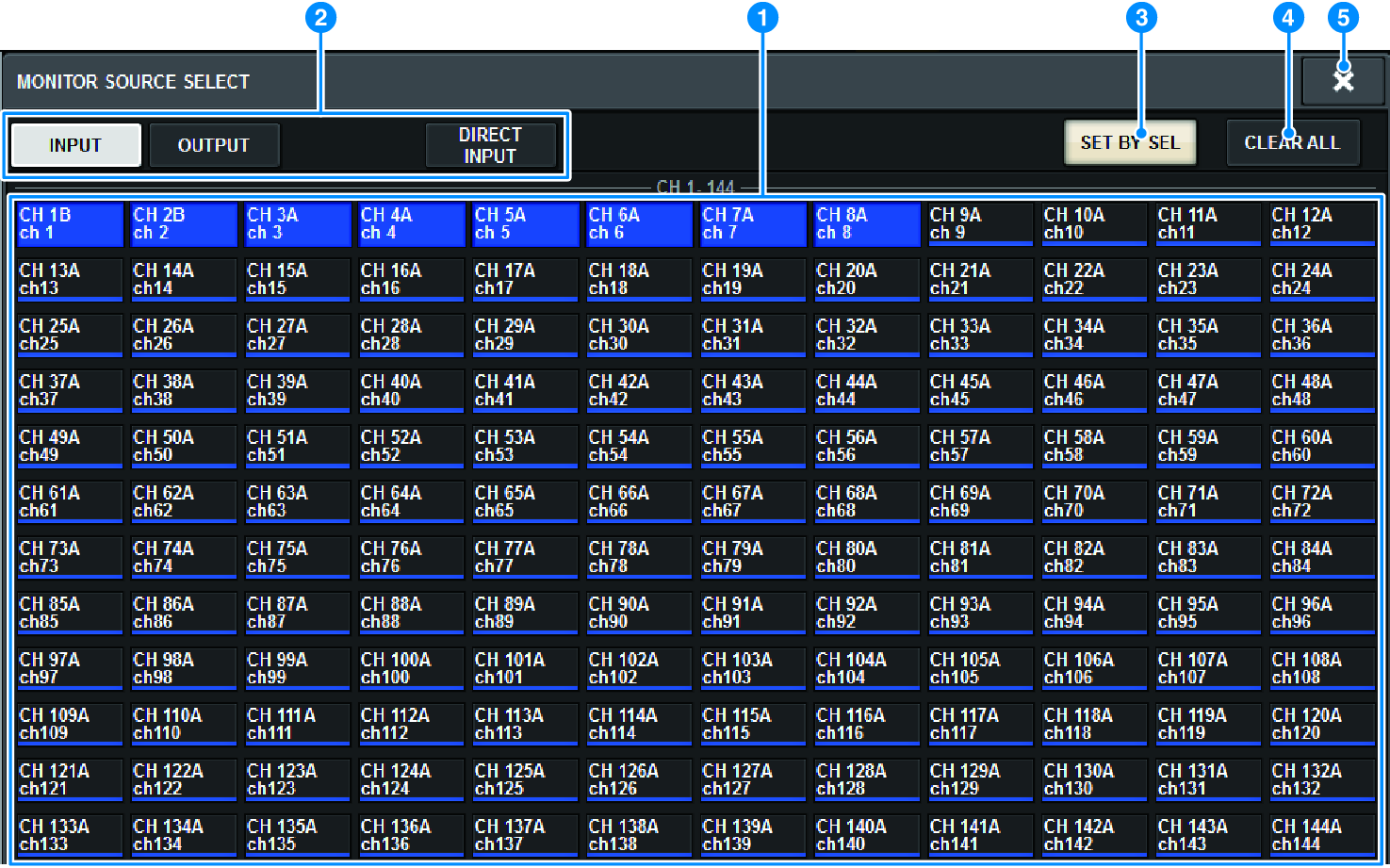
This screen contains the following items.
a | Monitor source selection buttons Enable you to select monitor sources that will be assigned to the DEFINE buttons. The selected monitor sources will be highlighted. Press the same button again to cancel the selection. NOTE
|
b | Display switching tabs Use these tabs to select the type of channels, buses, output jacks, etc. that you want to view on the screen. |
c | SET BY SEL button If this button is on, you will be able to add a channel by using the corresponding [SEL] key. |
d | CLEAR ALL button Press this button to clear all selections. |
e | CLOSE button Press this button to close the popup window and return to the previous screen. |
 RIVAGE PM Series