


SAVE/LOAD popup window
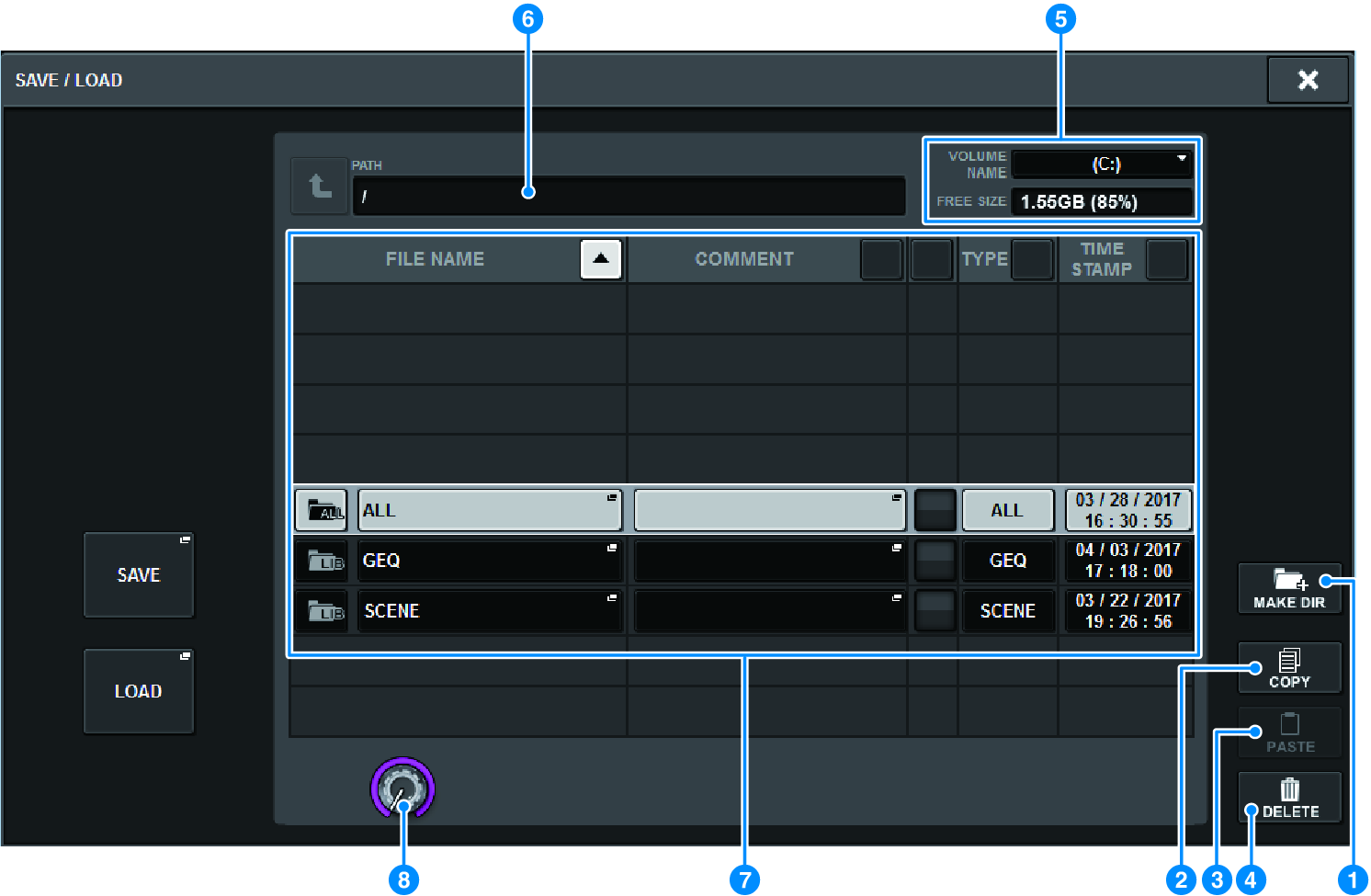
This screen contains the following items.
MAKE DIR button
Creates a new directory.
a | MAKE DIR button Creates a new directory. |
b | COPY button Copies a file into a buffer memory (a temporary storage area). |
c | PASTE button Pastes the file from the buffer memory. |
d | DELETE button Deletes the currently-selected file. NOTE
|
e | VOLUME NAME/FREE SIZE Indicates the volume name and the amount of free space on the USB flash drive. |
f | PATH Indicates the name of the current directory. Press the arrow button to move to the next higher level. If the current directory is the top level, the arrow button is dimmed. |
g | File List This area lists files that are saved on the USB flash drive.
|
h | Scroll knob Scrolls up/down through the file list. |
 RIVAGE PM Series