


PORT NAME tab
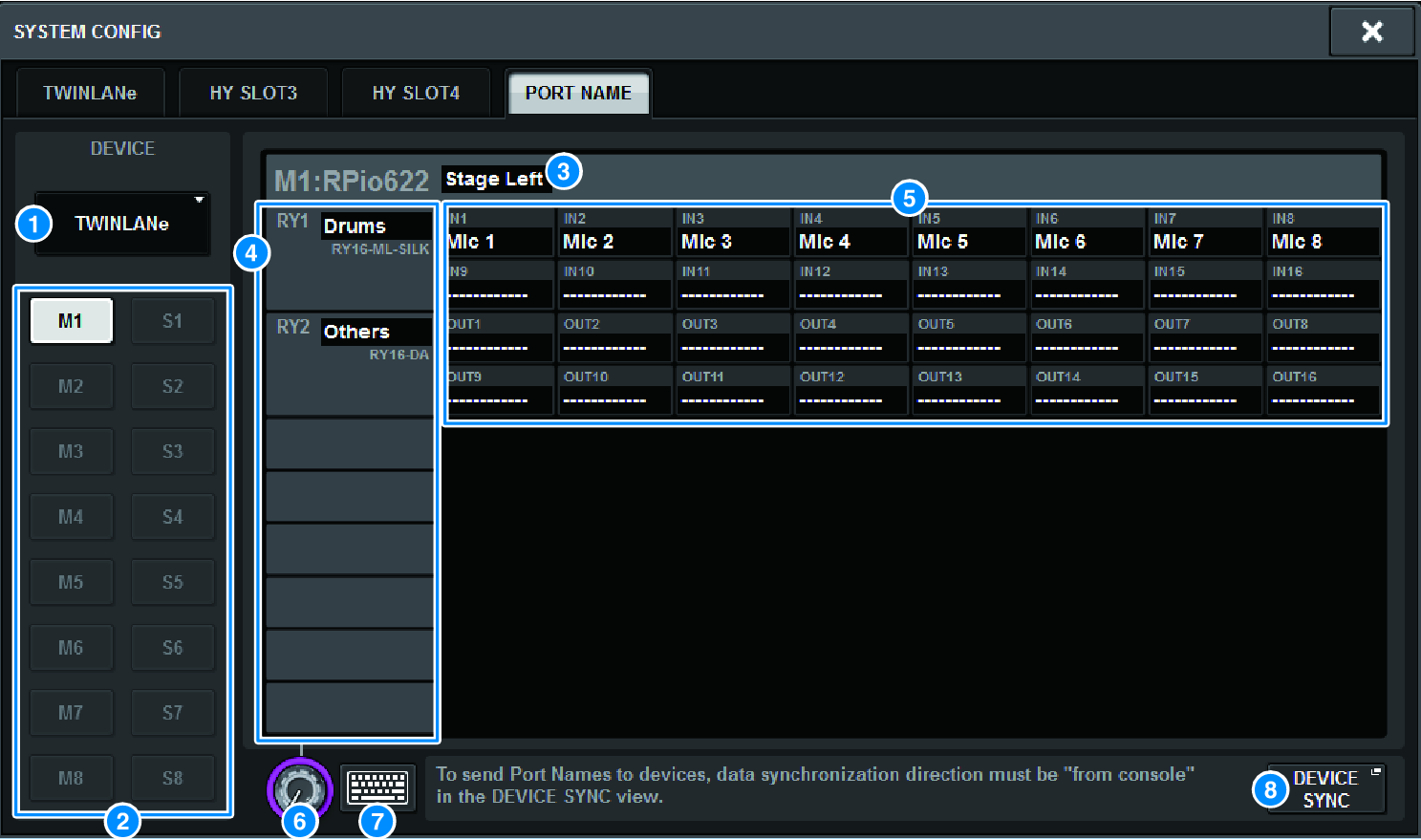
This screen contains the following items.
a | Network selection tab Press this tab to select the device network. TWINLANe, DANTE, DSP/CS |
b | Device selection buttons Press these buttons to select the device to edit. |
c | Device label Press this to input the device name. |
d | Slot list Press a slot label to input a slot name. |
e | Port list Press a port label to input the port name. |
f | List selection tab Use the screen encoder or the [TOUCH AND TURN] knob to select a slots and ports. |
g | Keyboard button Press this to toggle between direct input and inputting using the NAME EDIT popup window. |
h | DEVICE SYNC/DANTE SETUP popup button Press this button to access the DEVICE SYNC popup window, where you can sync the port names and so on. |
NOTE
- To enable the label you set, synchronize data from the control surface to the device side. Synchronizing in the opposite direction will overwrite the labels you set.
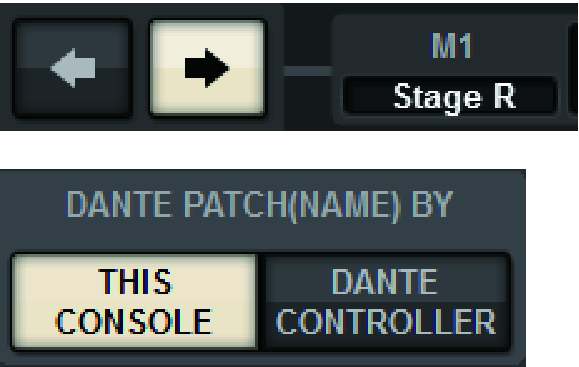
- When a Dante network is selected, this displays the DANTE SETUP popup window. When THIS CONSOLE is on, the label set using the control surface will be enabled, and the label set on the device side will be overwritten. When DANTE CONTROLLER is on, the label set on the device side will be enabled.
 RIVAGE PM Series