


DCA GROUP ASSIGN window (ALL DCA)
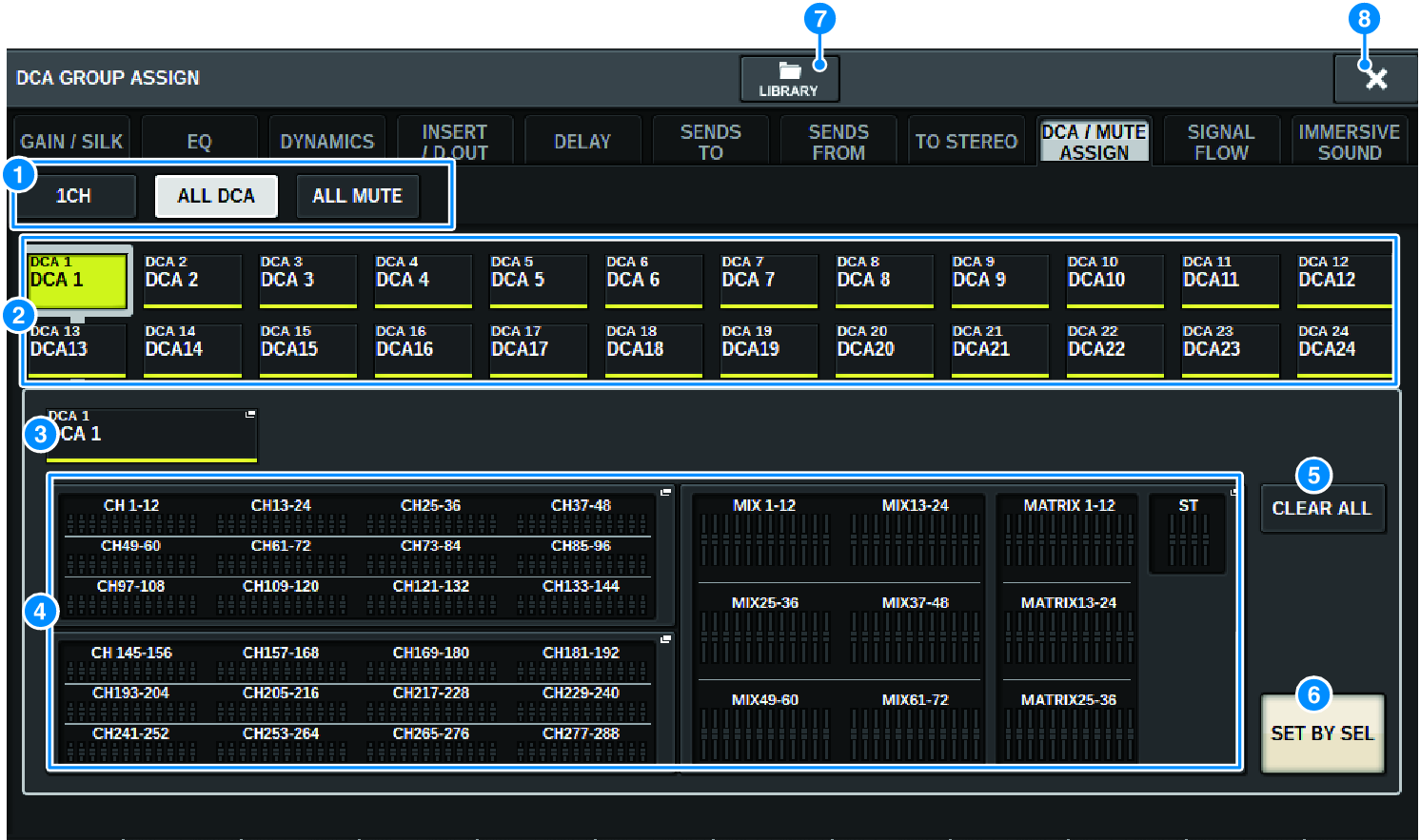
a | Tabs Use these tabs to select 1CH, ALL DCA, or ALL MUTE window. |
b | DCA select buttons Enable you to select a target DCA. |
c | NAME EDIT popup button Indicates the name of the currently-selected DCA. Press this button to display the keyboard window or icon edit window, in which you can edit the DCA name. |
d | DCA assign popup field Highlights in yellow the channels that are assigned to the currently-selected DCA. Press this field to open the assign popup window. |
e | CLEAR ALL button Press this button to clear all selections. |
f | SET BY SEL button If this button is on, you will be able to add a channel by using the corresponding [SEL] key. To select more channels, turn the SET BY SEL button on, and then press the corresponding [SEL] keys for the desired channels. |
g | LIBRARY button Press this button to open the DCA NAME/ASSIGN library window. |
h | CLOSE button Press this button to close the popup window and return to the previous screen. |
 RIVAGE PM Series