


Assigning channels to the TWINLANe network
This section describes how to select channels from the DSP engine and I/O rack that will be output to the TWINLANe network, and to make settings to reserve the network bandwidth.
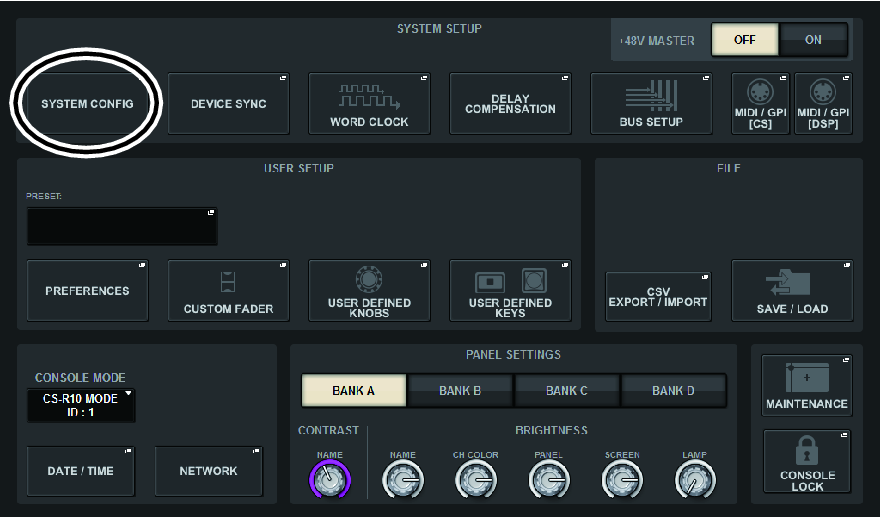
- Press the SYSTEM CONFIG button in the SETUP screen.
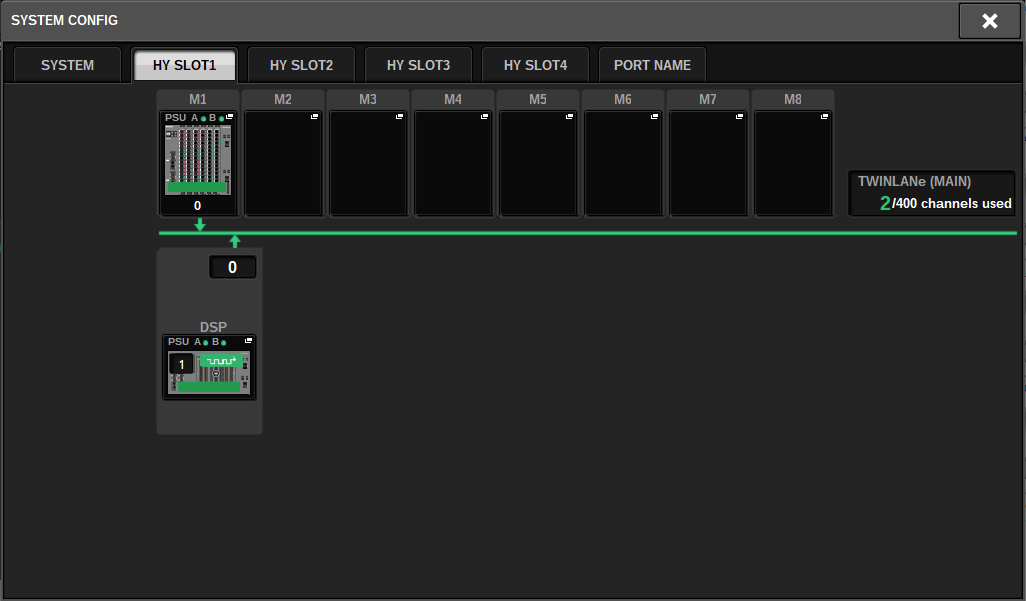
- Press the DSP button on the HY SLOT1 tab.
- The DSP popup window will appear.
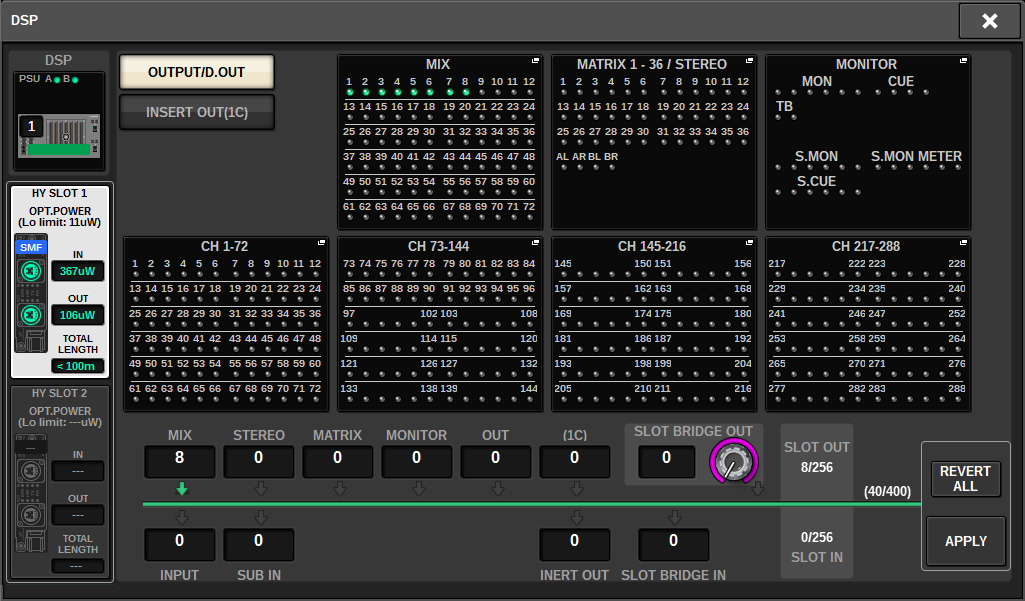
- Press a desired channel assign popup button.
- In this case, select STEREO. The TWINLANe CONFIGURATION popup window appears.
- Turn on the desired channel select buttons.
- In this case, select STA L and STA R.
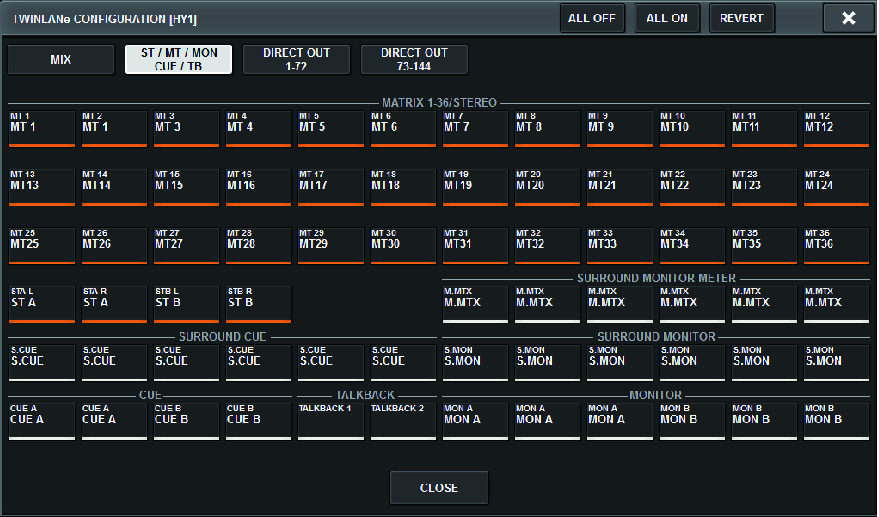
- To close the TWINLANe CONFIGURATION popup window, press the CLOSE button.
- You will return to the DSP popup window.
- If you turn on different channel select buttons, press the APPLY button.
- The setting for the outpout from the DSP engine to the TWINLANe network is applied.
- When a confirmation screen appears, press the OK button.
- To close the DSP engine setting screen, press the “x” symbol located in the upper right.
- Select an I/O rack.
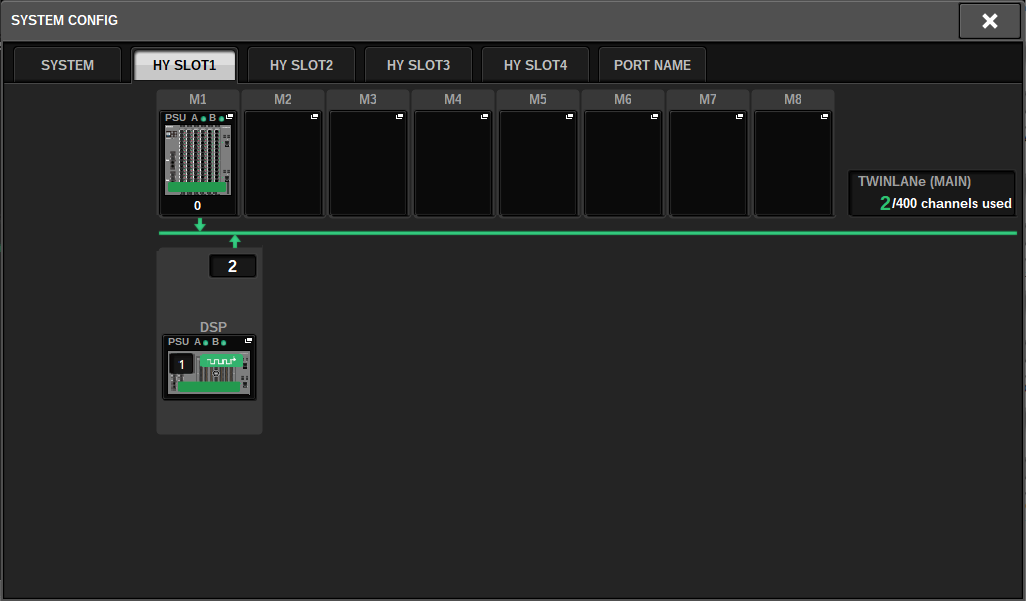
- Press an I/O rack select button (in this case the M1 button). The I/O rack settings popup window will appear.
- Press desired channel assign popup buttons to assign channels to the TWINLANe network.
- In this case, select RY card slot 1.
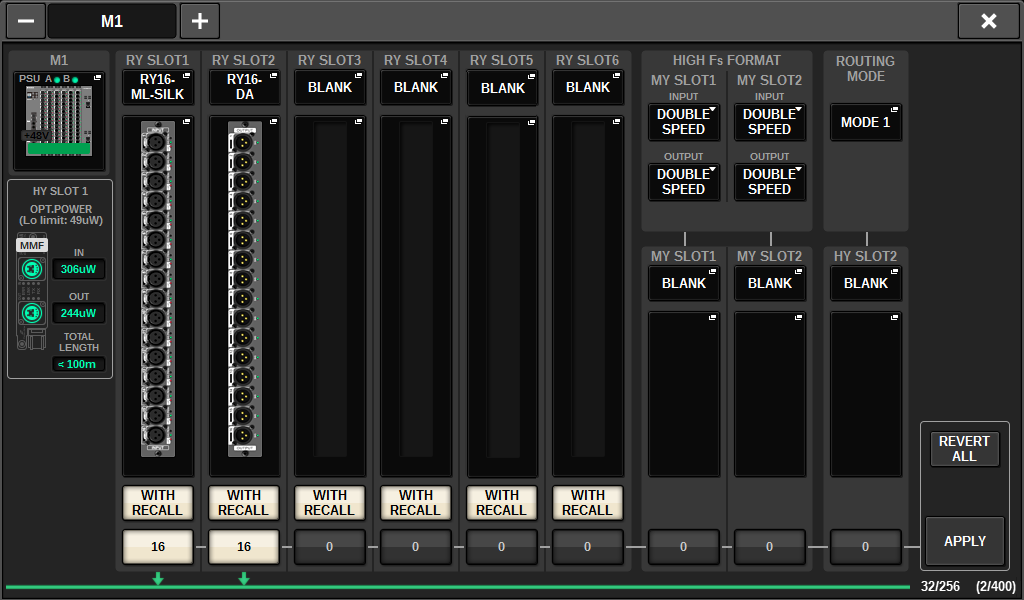
- Press the APPLY button.
- The setting for the output from the I/O rack to the TWINLANe network is applied.
- When a confirmation screen appears, press the OK button.
 RIVAGE PM Series