


CH LINK popup window
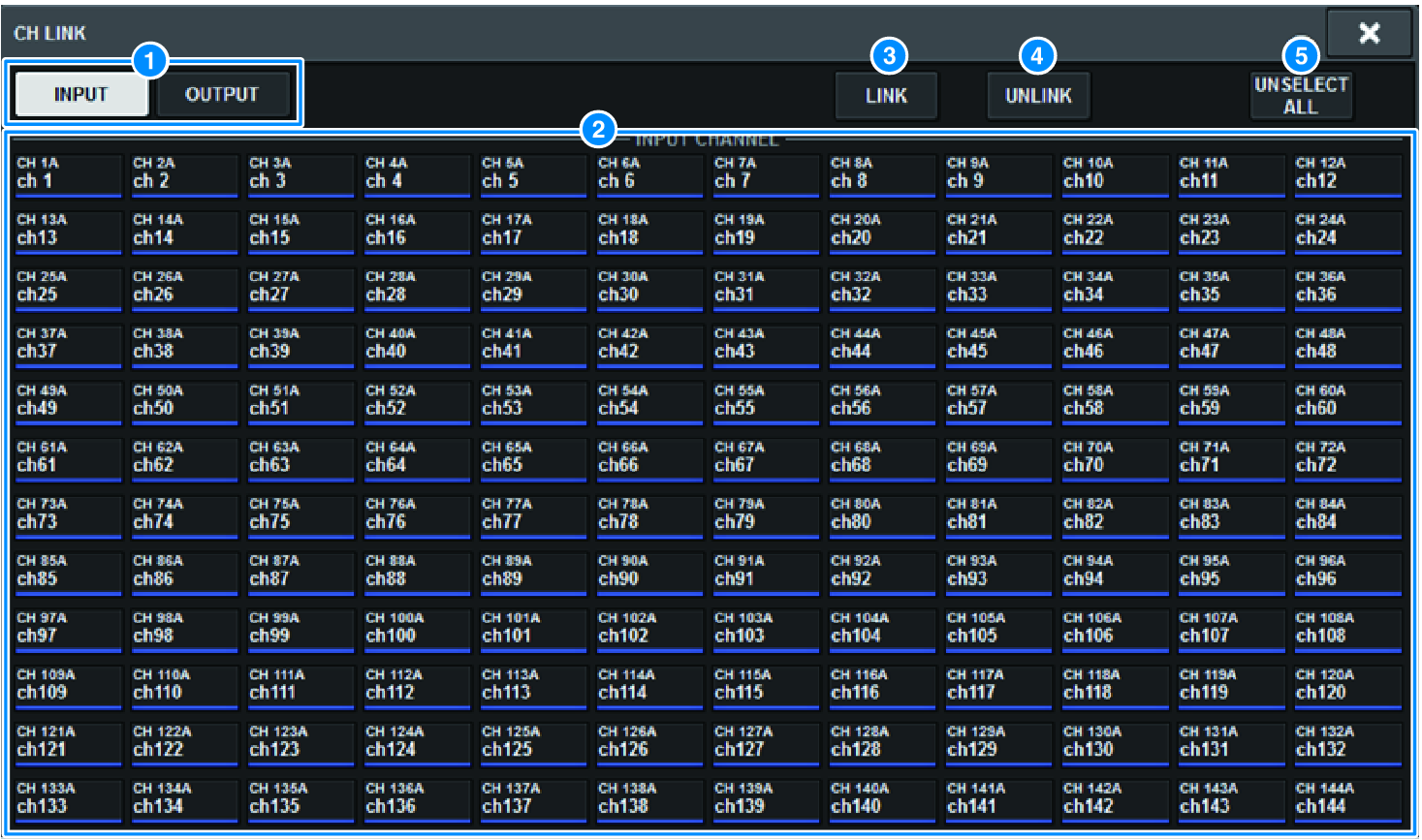
a | INPUT/OUTPUT buttons These buttons switch between the input channel page and output channel page. |
b | Channel select buttons Use these buttons to select the channels that you want to link. Linked channels will show an alphabetical character that indicates the link group. |
NOTE
- When you select a linked channel, all channels of the same group are selected.
- If you want to add a channel to a group, select the group and the channel that you want to add, and then press the LINK button.
- By selecting two groups and pressing the LINK button, you can combine two groups into one group. In this case, the subsequent group is combined into the preceding group. (If you combine group A and group B, the result will be group A.)
- To unlink a channel, select the group and then press the channel that you want to remove, deselecting it.
c | LINK button Links the channels that you selected in b. |
d | UNLINK button Unlinks the channels that you selected in b. |
e | UNSELECT ALL Clears all channel selections. |
 RIVAGE PM Series