


Configuring a Dante Virtual Soundcard
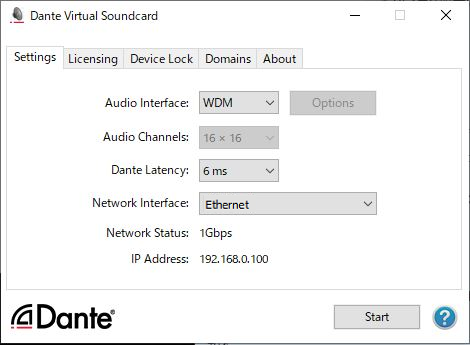
Install a Dante Virtual Soundcard (DVS) and Dante Controller on the computer that you will use for audio recording. And then, make the following settings before you turn on the DVS.
- Connect the GbE-compatible network port of the computer to a GbE-compatible network switch.
- Configure the computer to obtain an IP address automatically (this is the default setting).
- Specify the Dante latency. (Choose a larger value for stable multi-channel recording/playback.)
- In the Advanced settings, select the number of channels to be used for recording and playback (the default is 8 x 8).
NOTE
- Please refer to the Dante Virtual Soundcard User’s Guide for more information on ASIO settings (Windows OS).
 RIVAGE PM Series