


NUENDO Live SETUP Screen
In this window, choose one of the following methods by which to specify DVS or Dante Accelerator.
- NO ASSIGN ............................. Not assigned
- DVS LIST ............................................ Select a DVS from the device list
- SPECIFIED IP ADDRESS ...... When using Dante Accelerator, specify the IP address of the computer
■DVS LIST
To choose from a list of the I/O devices on the Dante audio network, press the DVS button to display the DEVICE LIST field.
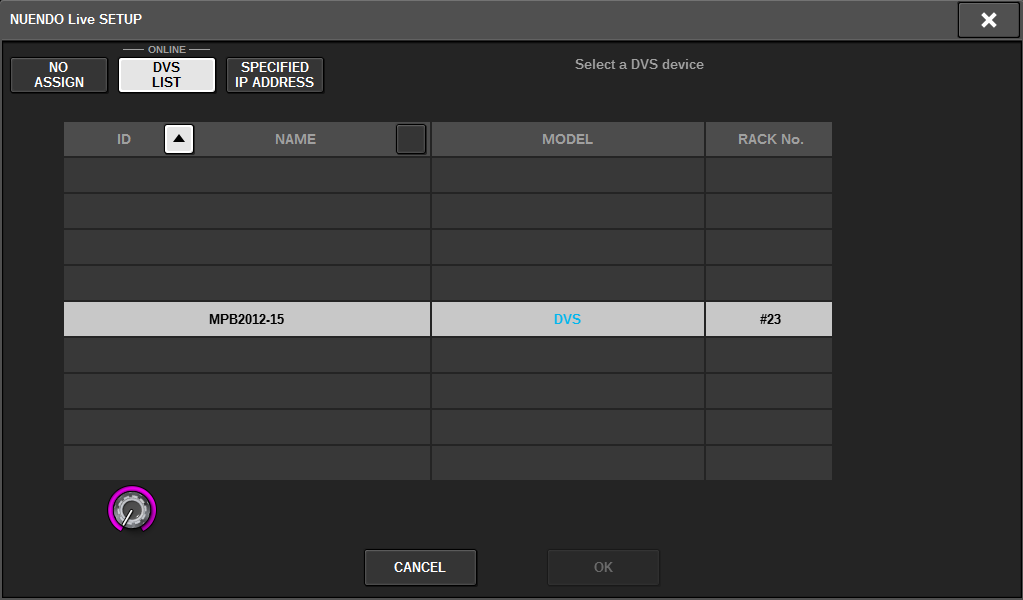
Shows a list of the DVS on the Dante audio network. From the list, choose the DVS that you want to use with Nuendo Live.
■SPECIFIED IP ADDRESS
If you want to specify an IP address, press the SPECIFIED IP ADDRESS button to display the SPECIFIED IP ADDRESS field.

When using an interface other than DVS such as Dante Accelerator, specify the IP address of the Ethernet port of the computer running NUENDO Live in the SPECIFIED IP ADDRESS field. Since the IP address of Dante Accelerator will differ from the IP address used by Yamaha Console Extension, you must enter the IP address manually. Enter the IP ADDRESS and select the HY SLOT button or NETWORK [PC] button that connects the Ethernet port of the computer running NUENDO Live. When using the NETWORK [PC] terminal, turn on the ENABLE button of the DSP ENGINE IP SETTING.
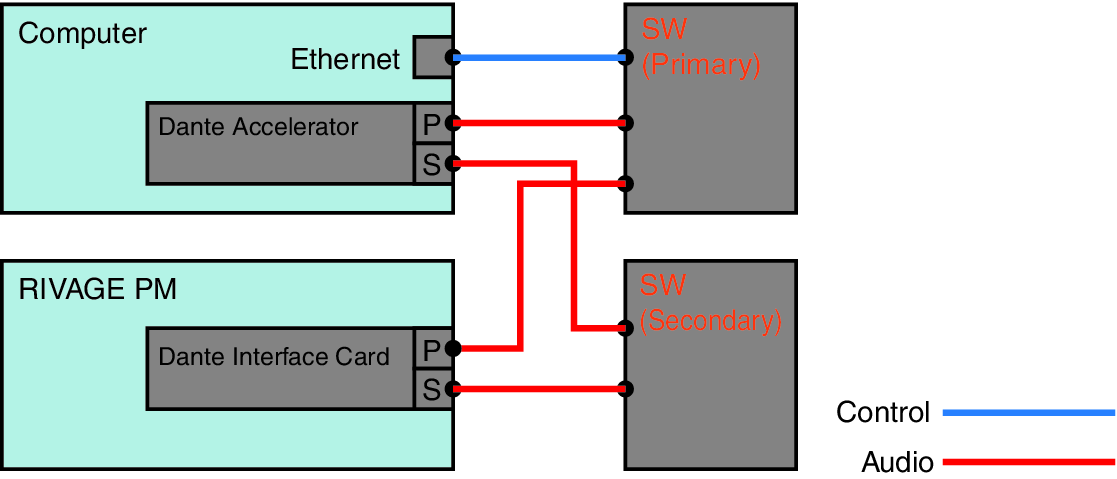
Connection example when controlling NUENDO Live from HY SLOT
To control NUENDO Live from HY SLOT, connect your computer's Ethernet port to the Dante Primary network as shown in the following connection diagram.
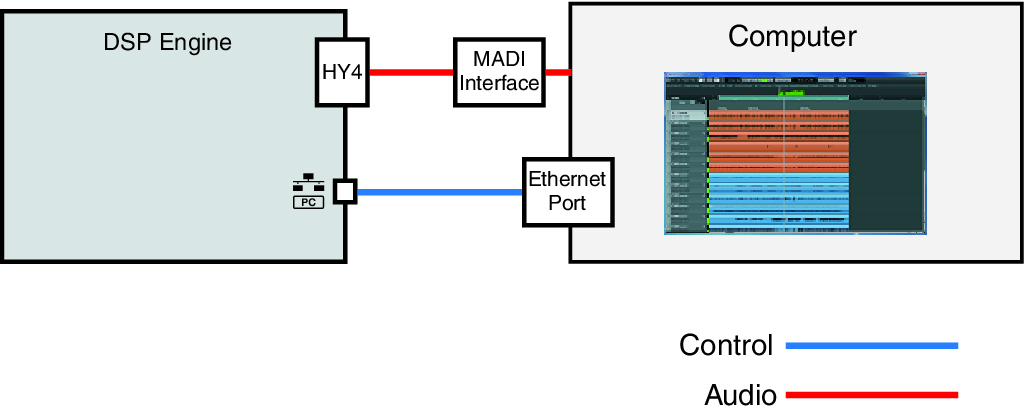
Connection example when controlling NUENDO Live from the NETWORK [PC] terminal of the SP engine
When controlling NUENDO Live from the external control computer connection terminal, connect the Ethernet port of the computer to the NETWORK [PC] terminal of the DSP engine as shown in the connection diagram below. NUENDO Live linkage can be performed using HY128-MD by controlling from the NETWORK [PC] terminal.
 RIVAGE PM Series