


Recall presets
This explains how to recall presets stored in the console.
- Display the menu and touch the Library button.
- The LIBRARY screen opens.
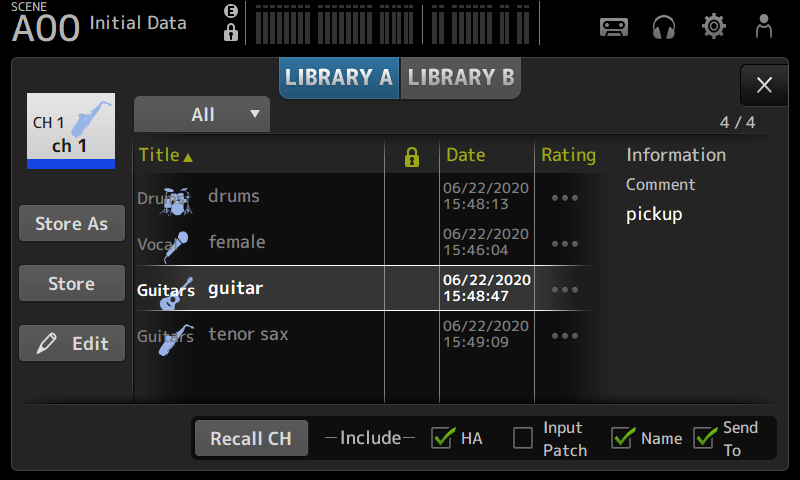
- Touch a library selection button to select the tab that contains the desired preset.
- A list of presets is displayed.
- You can touch a header in the list to sort the items by that header (except for Information).
- Touch the desired preset to select it.
- The selected preset is highlighted.
- Select the items that will be recalled.
- Turn the checkboxes on for items that you want to recall.
- Touch the Recall CH button.
- Recalls the preset to the selected channel.
 DM3 Series