


Editing presets
You can save the settings of the current channel as a preset.
This explains how to save presets.
- Display the menu and touch the Library button.
- The LIBRARY screen opens.
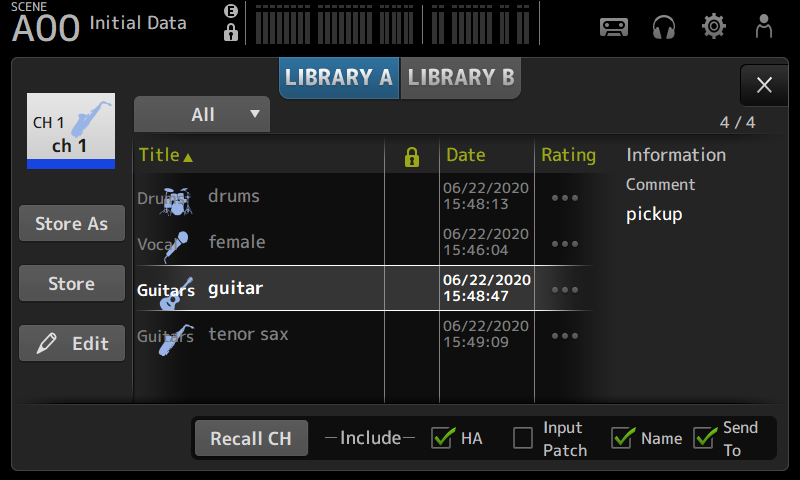
- Touch the Store or Store As button.
- Store button:
Overwrites the current channel settings to the preset selected in the list.
- Store As button:
Saves the settings for the current channel as a new preset.
- Touch the Edit button to edit the title and/or comments.
 DM3 Series