


MUTE GROUP ASSIGN screen
The MUTE GROUP ASSIGN screen allows you to configure a mute group for each input channel.
Six mute groups can be used with the DM3 series. A mute group is a function that switches mute ON/OFF for multiples channels as a group.
Such groups can be used when you wish to cut out more than 1 channel at the same time. You can also mix the same channel in different groups.
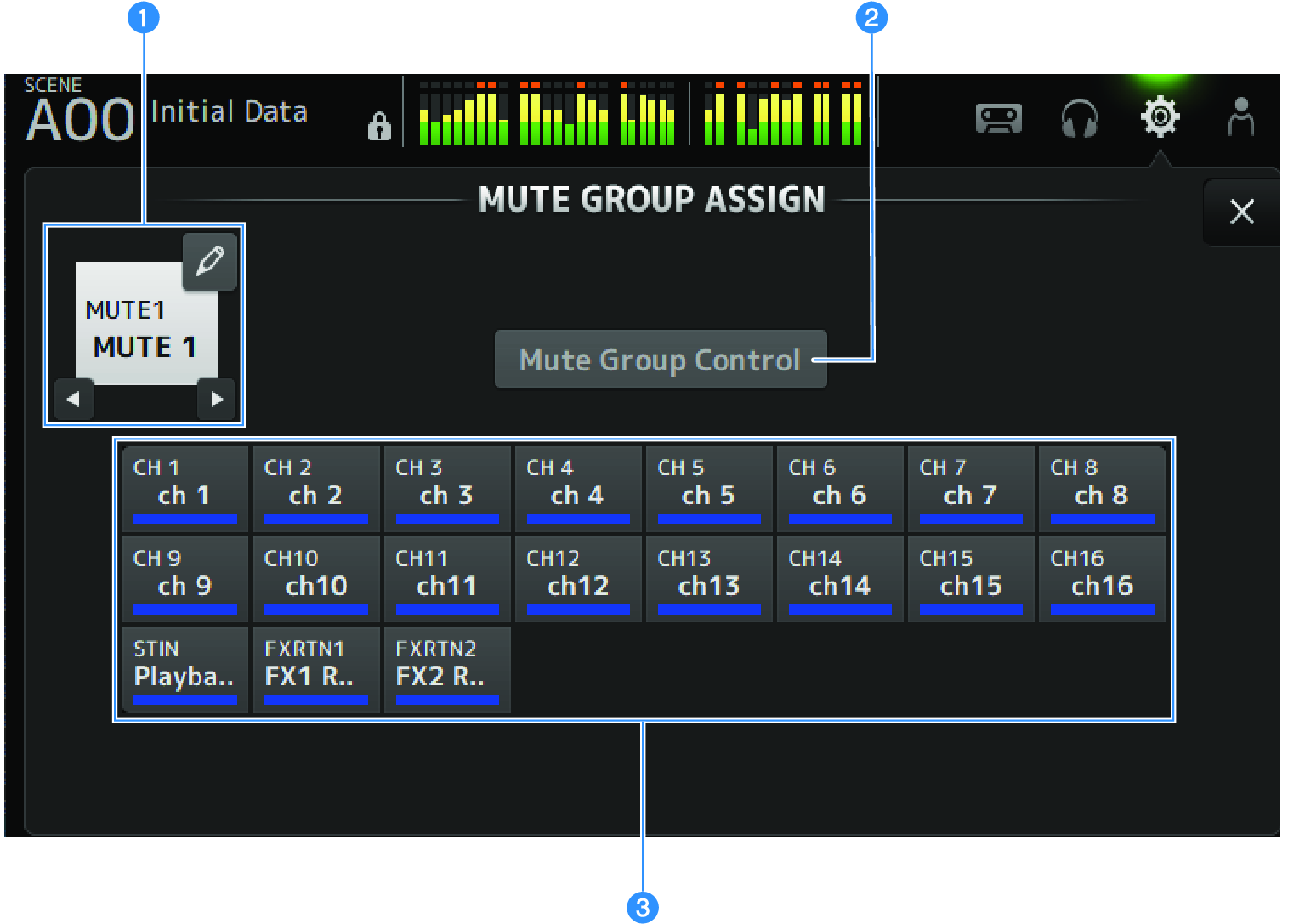
a | Mute group name Displays the configured mute group name. Touching the jump button at top-right allows the name of the mute group to be edited. Touch ◀ ▶ buttons to switch the mute group. |
b | Mute Group Control button Switches the displayed mute group ON/OFF. When this button is OFF, the corresponding mute group is disabled. |
c | Channel selection buttons Select the input channels that will be assigned to the mute group. |
MUTE GROUP ASSIGN screen menu
Swipe left on the menu swipe indicator on the right of the MUTE GROUP ASSIGN screen to open the following menu.
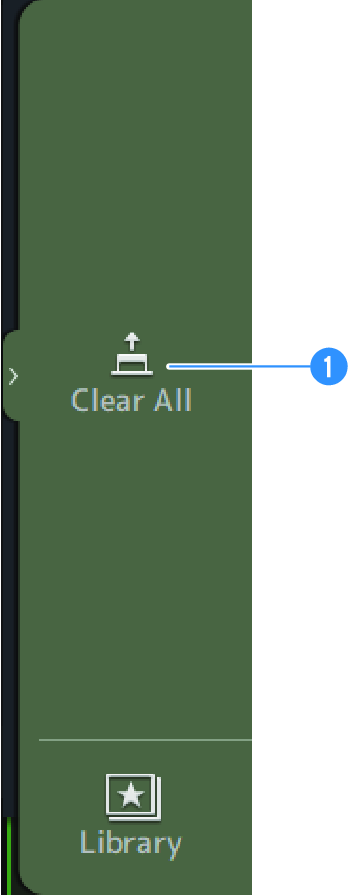
a | Clear All Unassigns all channels assigned to the mute group. |
 DM3 Series