


USER ACCOUNT screen
The USER ACCOUNT screen is for setting the administrator password and access restrictions for Guest users.
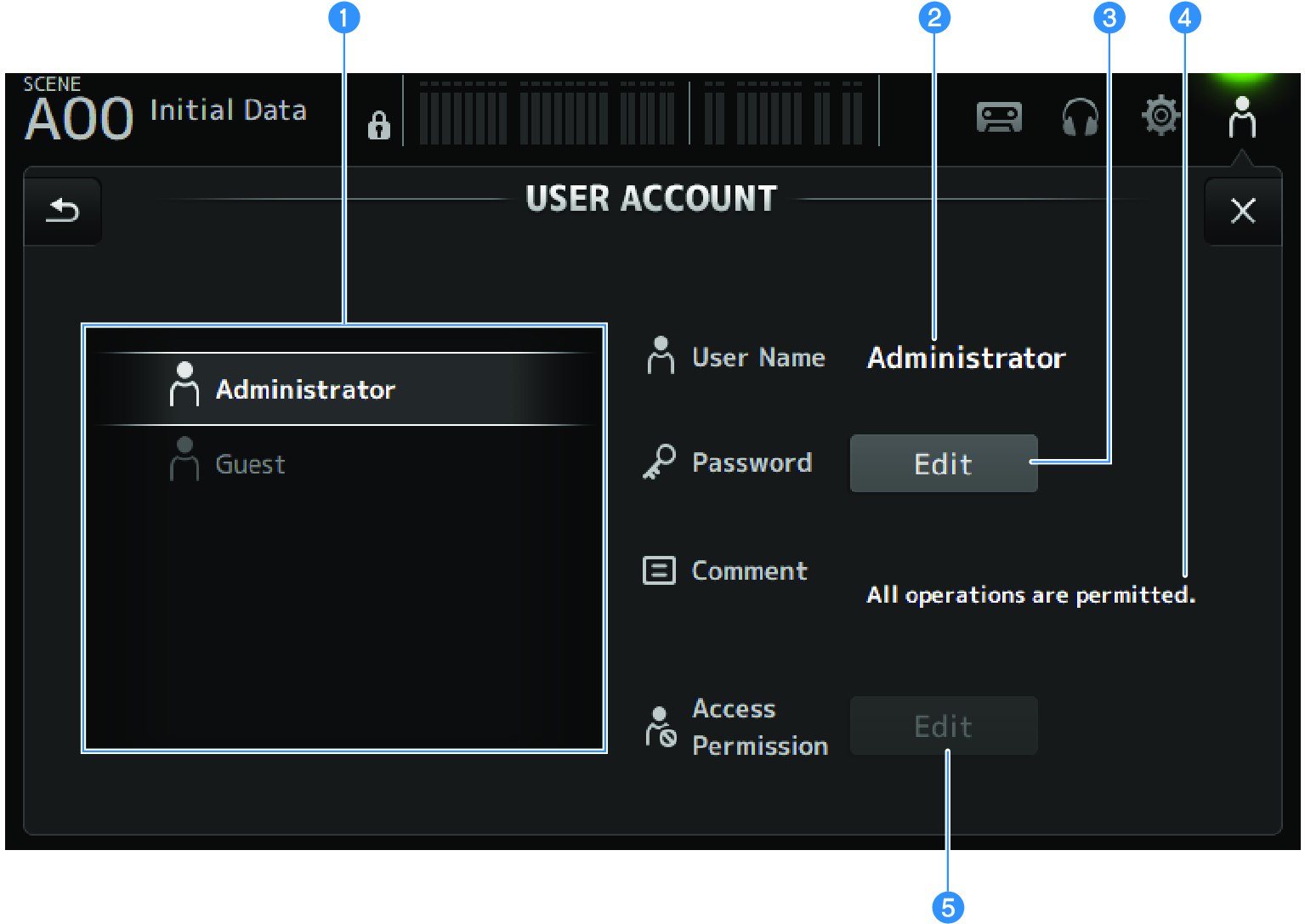
a | User selection area For selecting a user and editing their access restriction settings. Information on the selected users is displayed on the right side. |
b | User Name The name of the user whose access restriction settings are to be edited are displayed. |
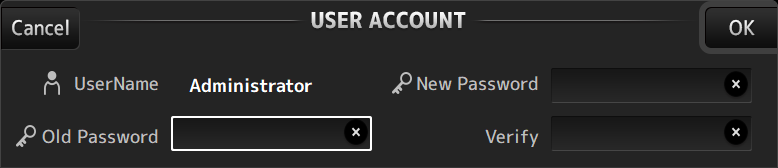
c | Password Edit button Sets the password for the Administrator. There is no password for Guest. Select Administrator in the user selection area and touch the Edit button to open the SOFT KEYBOARD screen for setting the password. The first time a password is configured, enter it in the Verify text box and then enter it again in the New Password box to confirm it. To change the existing password, enter the current password in the Old Password box and then set the new password.
|
d | Comment text box This is for comments displayed on the LOGIN screen. Selecting Guest in the user selection area allows you to edit the Guest comments. Touch the text box to open the SOFT KEYBOARD for entering comments. |
e | Access Permission Edit button Sets access permission for Guest users. Select Guest in the user selection area and touch the Edit button to open the ACCESS PERMISSION screen. |
 DM3 Series