


NETWORK (For Device Control) screen (DM3 only)
The NETWORK (For Device Control) screen is for setting the network address required when controlling devices in a Dante audio network.
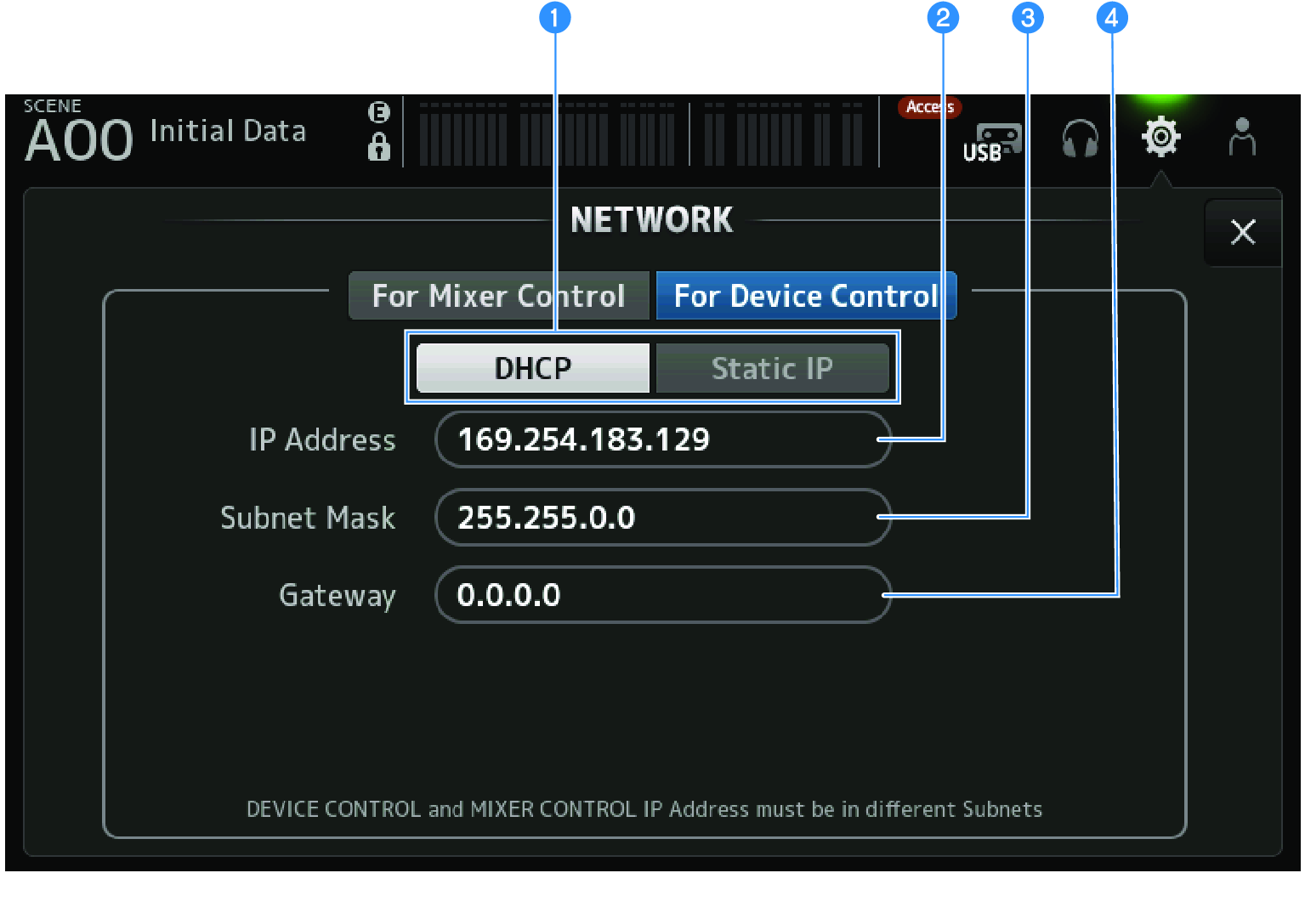
a | IP address acquisition method buttons For selecting the method of acquiring an IP address.
|
b | IP Address Sets the address that identifies an individual device within the Dante audio network. |
c | Subnet Mask Defines how many bits of the IP address used in the Dante audio network are used in the network address, which identifies the network. |
d | Gateway Within a Dante audio network, this sets the address that identifies the device (gateway) that converts data of different media or protocols to each other. |
NOTE
- When DHCP is selected as the IP address acquisition method, settings b to d are not necessary. If Static IP is selected, a screen opens for setting b to d. Enter the values for each item.
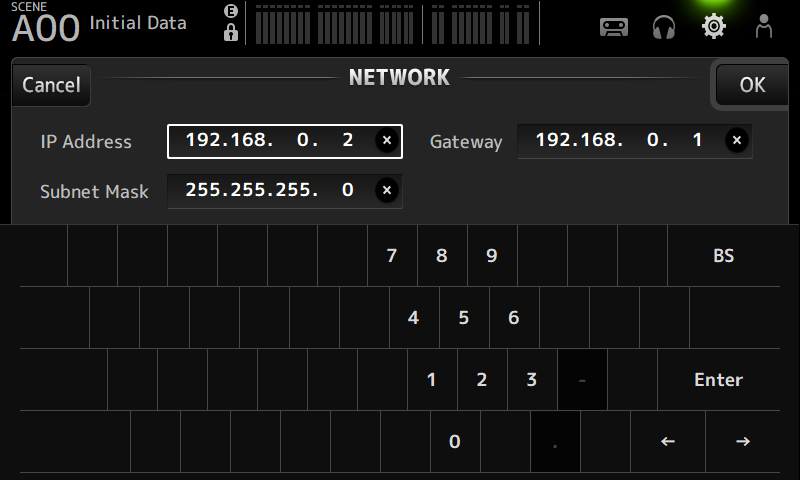
- Set different subnets for For Mixer Control and For Device Control.
- If the subnets of the IP address set with For Device Control and the IP address of the PRIMARY port of the DM3 recognized with Dante Controller are not the same, DM3 will not be able to find devices in the Dante audio network. As such, the current Dante patch status display, Dante Auto Setup, Dante patch library auto setup, and remote HA functions cannot be used. To set Dante patches in this state, use Dante Controller. At such time, if you touch the Dante Patch button on the DANTE (Setup) screen, a message is displayed at the bottom of the screen indicating the subnet settings are different.
 DM3 Series