External Device Speakers
1. Overview
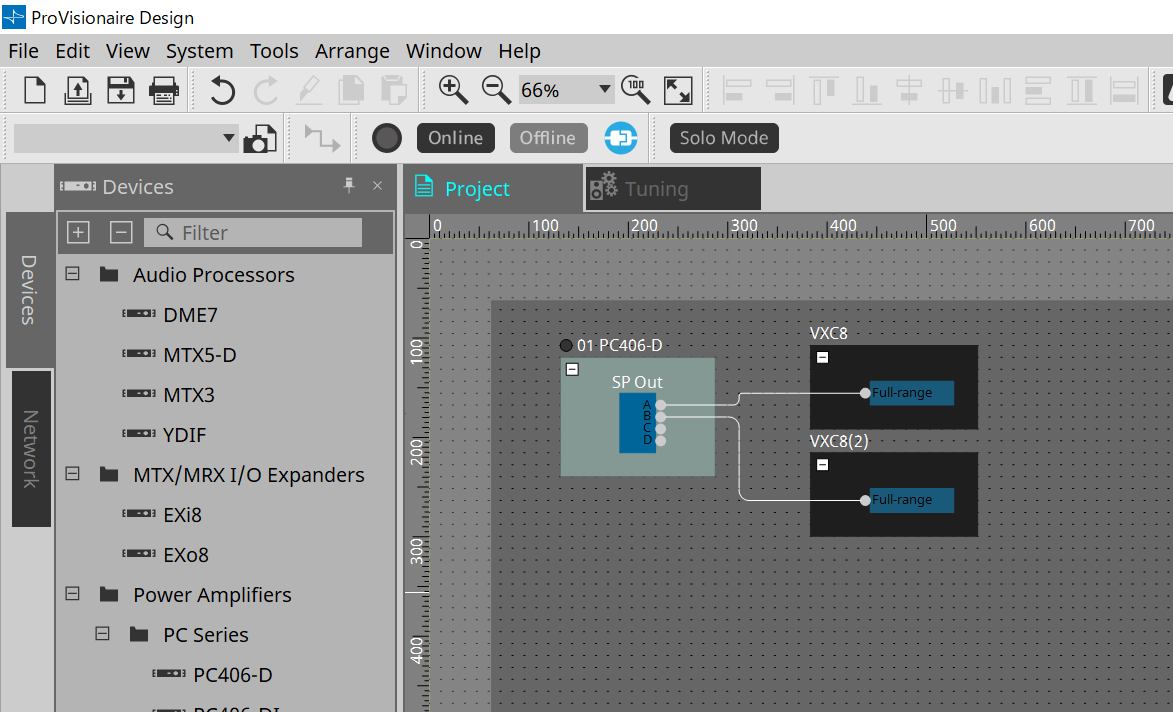
For speakers placed on the Project sheet, by connecting to a PC Series or other amplifier, the speaker processor can be opened.
2. "Project" sheet
This is the sheet on which devices are placed.
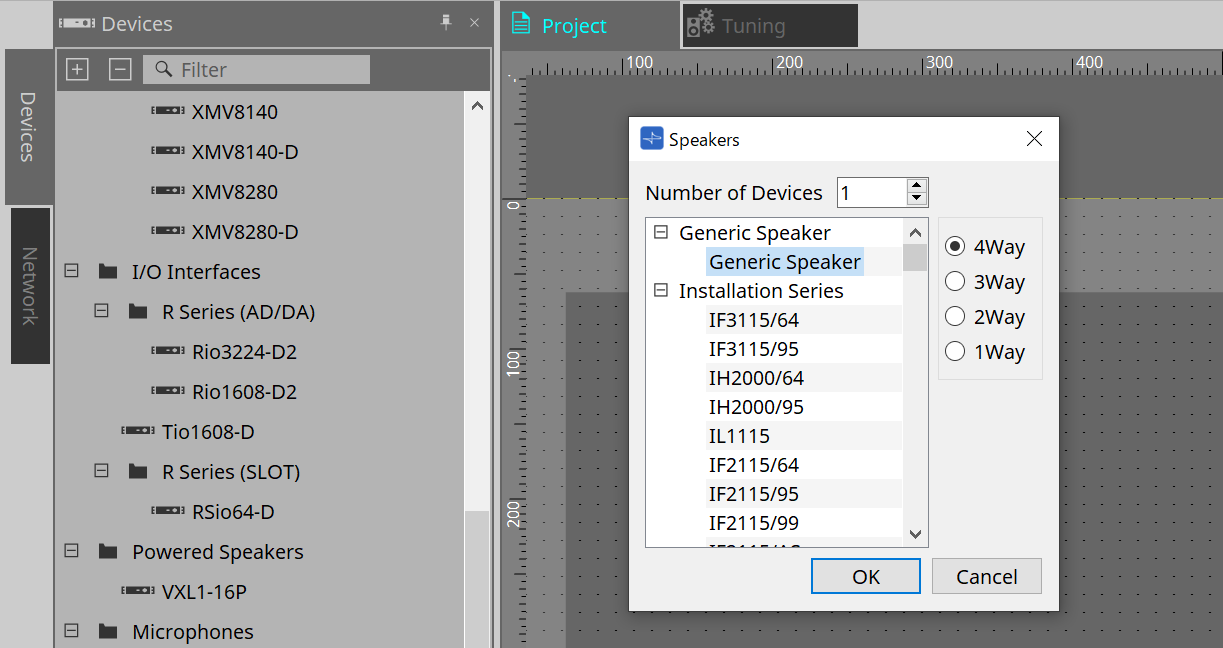
When placing the speaker, the Settings screen shown below is displayed.
-
Number of Devices
Selects the number of speakers placed on the sheet. -
[Parallel] check box
For a parallel connection, select the check box and specify the number of speakers. -
[4way/3way/2way/1way] option button
Selects the speaker configuration.
3. "Properties" area
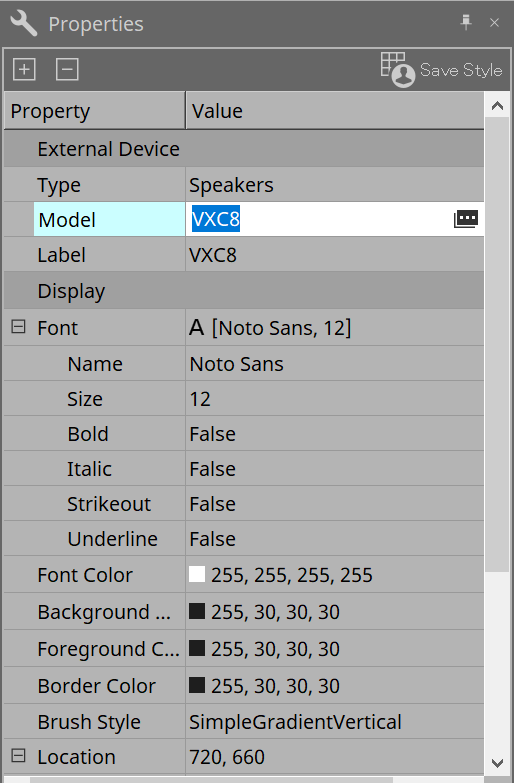
Displays/edits the speaker information.
-
Model
When clicked, the button is displayed.
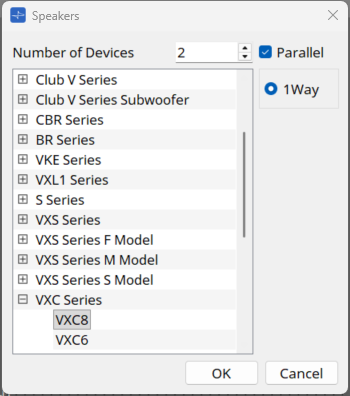
When the [image] button is clicked, the dialog is displayed, and the selected speaker type can be changed.
When the [Parallel] check box is selected, you can change the number of speakers connected in parallel using [Number of Devices].
-
Label
Any text string can be displayed or edited for the speaker.
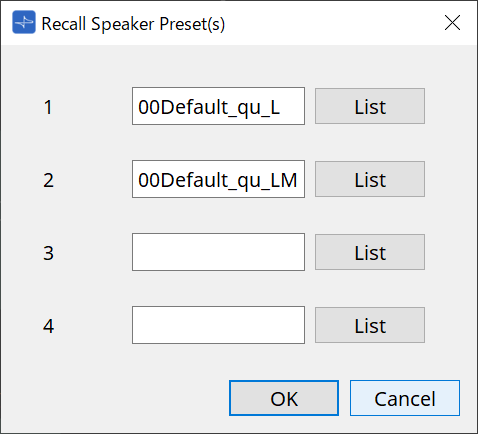
4. "Recall Speaker Preset(s)" dialog box
Here you can change the speaker library.
This dialog box appears when you right-click a speaker that is connected to a PC-series device and choose [Recall Speaker Preset(s)].
-
Library
For each connector, indicates the library item that is specified. Immediately after the dialog box appears, the default library item is shown. -
[LIST] button
Selects and shows library items. -
[OK] button
Specifies a library item and closes the dialog box. -
[Cancel] button
Closes the dialog box without specifying a library item.