


Preparing a network connection
By connecting to a network, you can listen to Internet radio through this product.
Selecting a network connection method
This product supports both wired and wireless network connections.
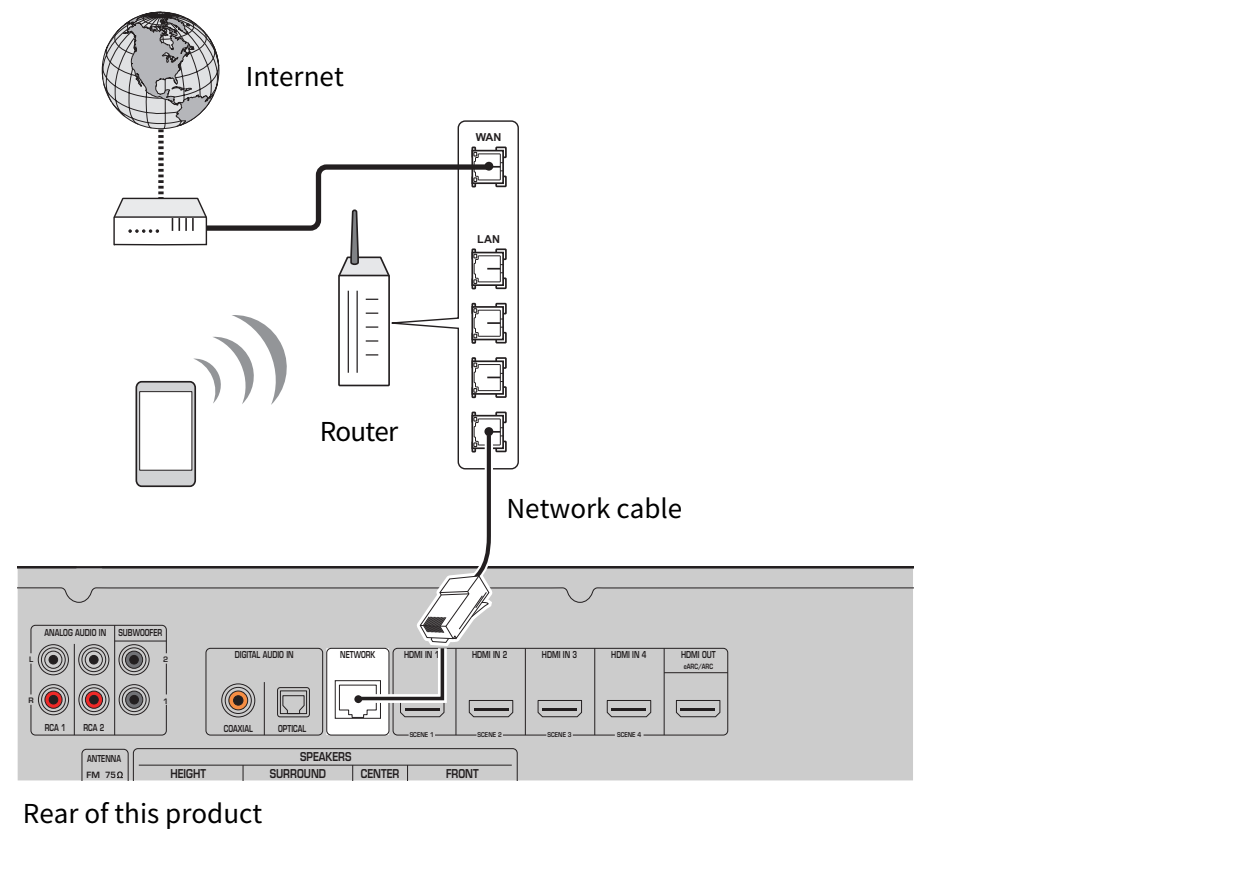
If both are available, the wired connection takes priority. To use a wired connection, see “Connecting a network cable” below. If a LAN cable is not connected to this product, a wireless connection will be used. Select a connection method that matches your network environment.
NOTICE
- Do not connect this product to a public Wi-Fi and/or Internet service directly. Set up an appropriate password for the router that it goes through. Do not connect directly to communication lines (including public LANs) of telecommunications carriers (mobile communication companies, fixed-line providers, Internet providers, etc.).
Connecting a network cable
Use a commercially available LAN cable (STP straight cable that is CAT-5 or higher) to connect this product to the router. If your router functions as a DHCP server, no network settings are required on this product.
NOTE
- To help prevent electromagnetic interference, use an STP (Shielded Twisted Pair) cable.
- If your router does not support DHCP, or if you want to configure the network parameters manually, network settings will be required.
Next step
 RX500A