


Names and functions of remote control parts
This section explains the part names and functions of the remote control.
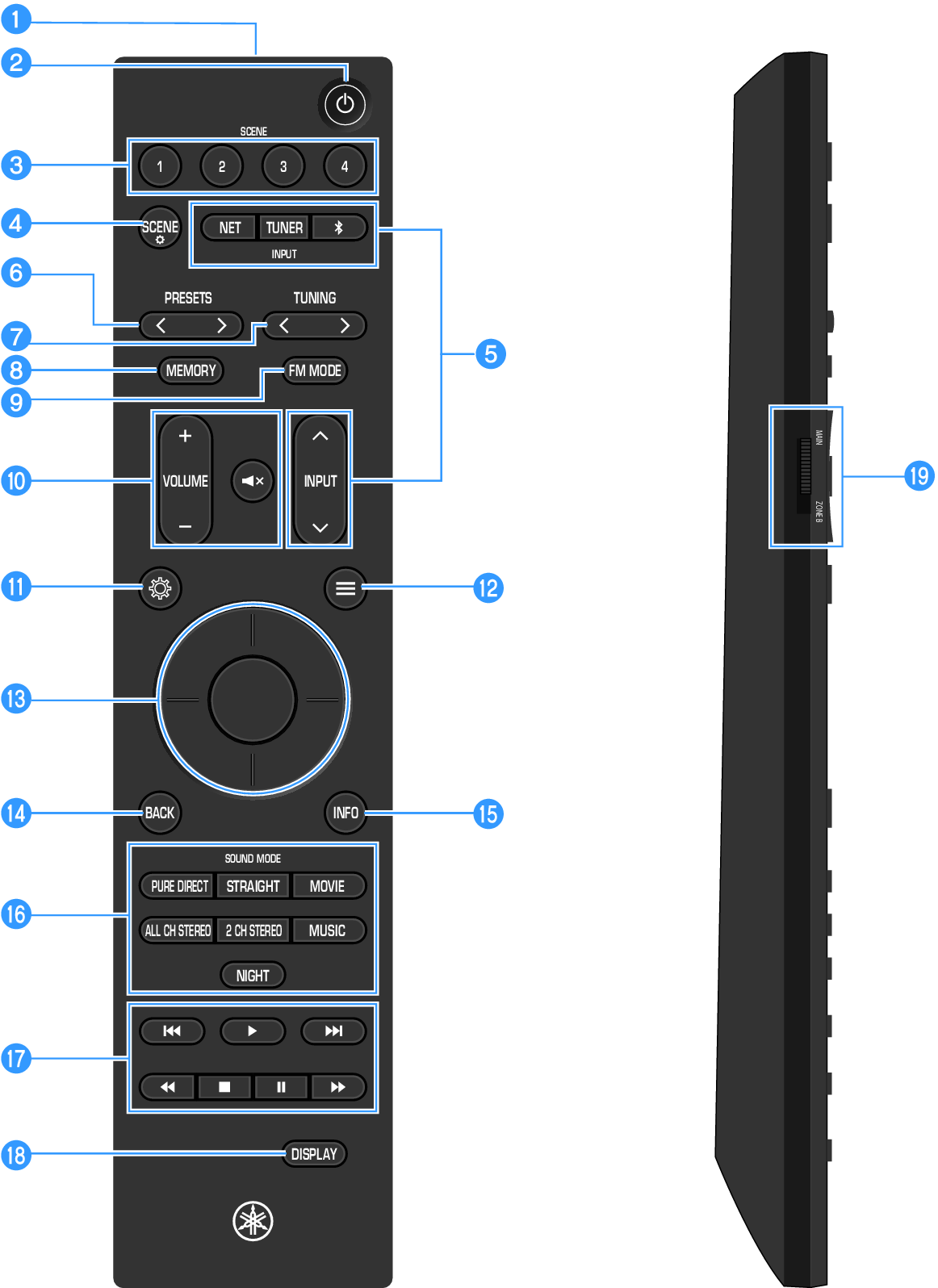
a | Remote control signal transmitter Sends infrared signals from the remote control. |
c | SCENE key Enables switching to a multiple setting configuration that was set in the Scene function with a single touch (). When the product is in standby, pressing this key also turns the power on. |
d | SCENE~ key Displays the “Scene Settings” screen on the TV and sets the items to be recalled using the Scene function (). |
e | INPUT key Used to select the input source to be played back. |
g | TUNING key Used to change the radio frequency (). Holding the key for approximately one second enables automatic tuning. |
i | FM MODE key (U.S.A. and Canada models) You can select the FM radio reception mode (stereo/mono). BAND key (U.K., Europe, and Australia models) Used to select the radio band to receive (FM/DAB). |
j | VOLUME key Adjusts the volume. | (Mute) key Mutes the sound. |
m | ENTER / Cursor key Used to operate the menus displayed on the TV screen. |
n | BACK key Used to return to the previous screen in menu operations displayed on the TV. |
q | External device operation keys Used to control playback on AV and Bluetooth devices that support HDMI Control. |
r | DISPLAY key Used to switch the information shown on the front display. |
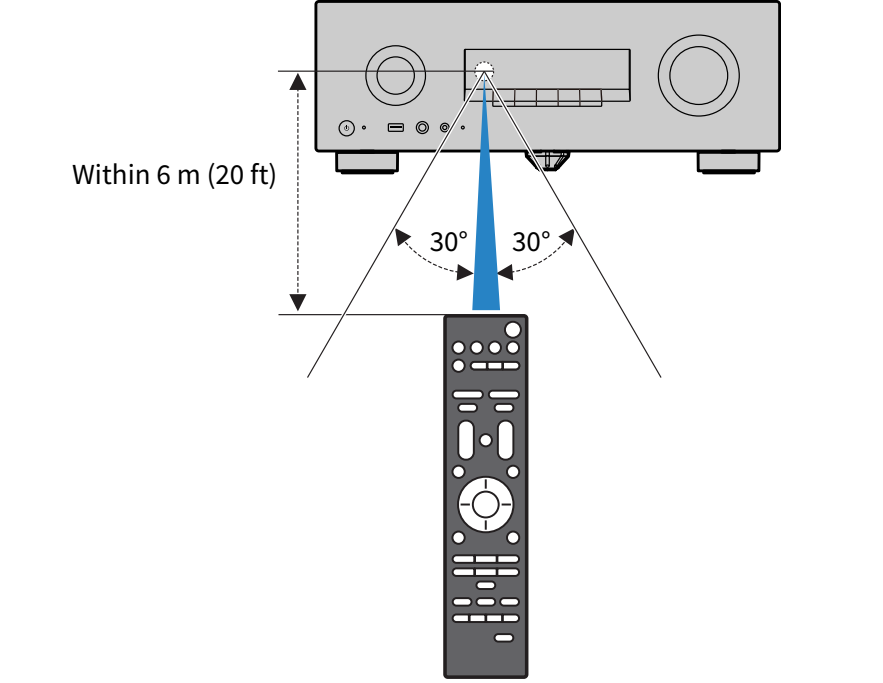
Remote control operating range
The operating range of the remote control is shown in the following illustration.
Use by pointing the remote control toward the product’s remote control sensor.
 RX500A