


HDMI Connection to a TV
- Before connecting devices, be sure to read the following precautions.
NOTE
- Use a 19-pin HDMI cable with an HDMI logo.
- Use an HDMI cable that is as short as possible to prevent any degradation in signal quality.
- When using the eARC/ARC function, use an HDMI cable that supports eARC/ARC, such as a high-speed HDMI cable that is compatible with Ethernet.
- For playback of 3D and 4K Ultra HD video, use a Premium High Speed HDMI cable or a Premium High-Speed HDMI cable with Ethernet.
- These connections may require additional settings on the TV. For details, see the instruction manual supplied with your TV.
Using the eARC/ARC function
If your TV supports the eARC or ARC function, you only need one HDMI cable to output TV audio to the sound bar. To use the ARC function, you have to turn On the HDMI Control function.
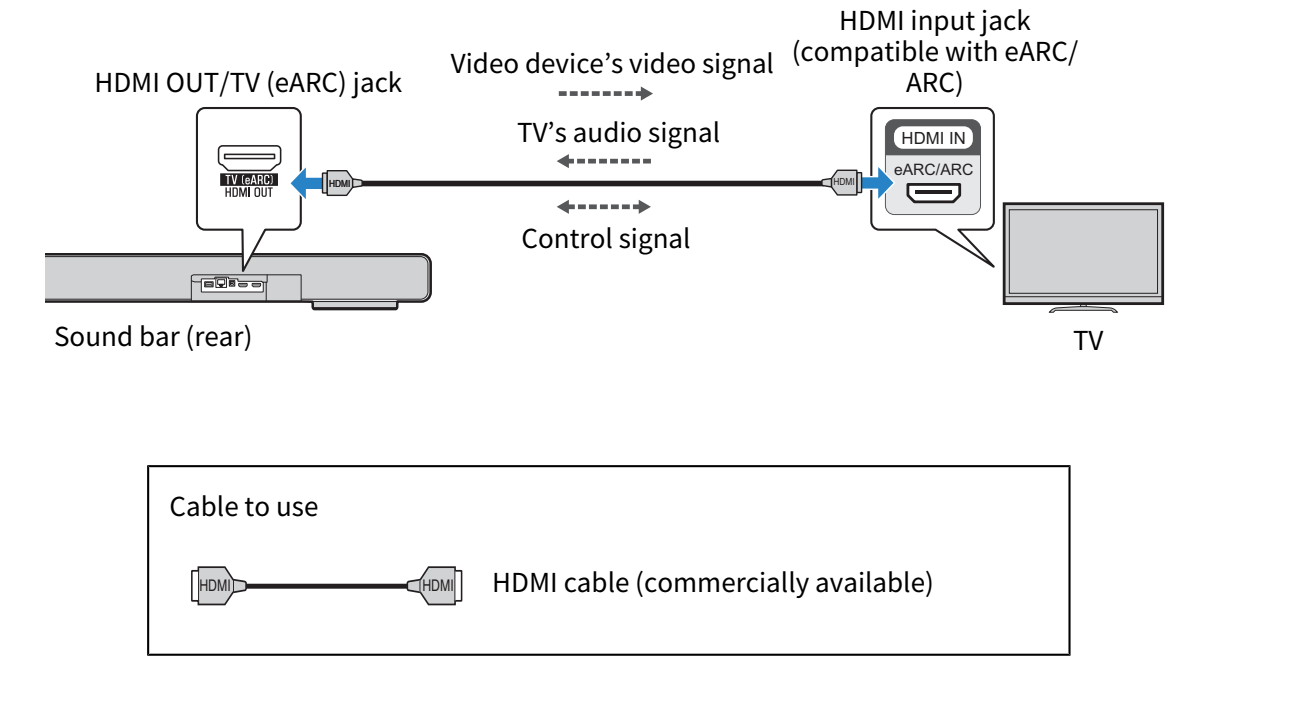
NOTE
- ARC is an abbreviation for Audio Return Channel. By connecting the ARC-compatible HDMI input jack on the TV to the ARC-compatible HDMI output jack on an AV device (such as the sound bar or an AV receiver) via an HDMI cable, audio from the TV can be played back on the AV device without using an optical cable.
- eARC is an abbreviation for Enhanced Audio Return Channel. It is an extension of ARC functionality and is capable of transmitting object-based audio signals such as uncompressed 5.1ch, 7.1ch via a TV.
Connecting a digital optical audio cable
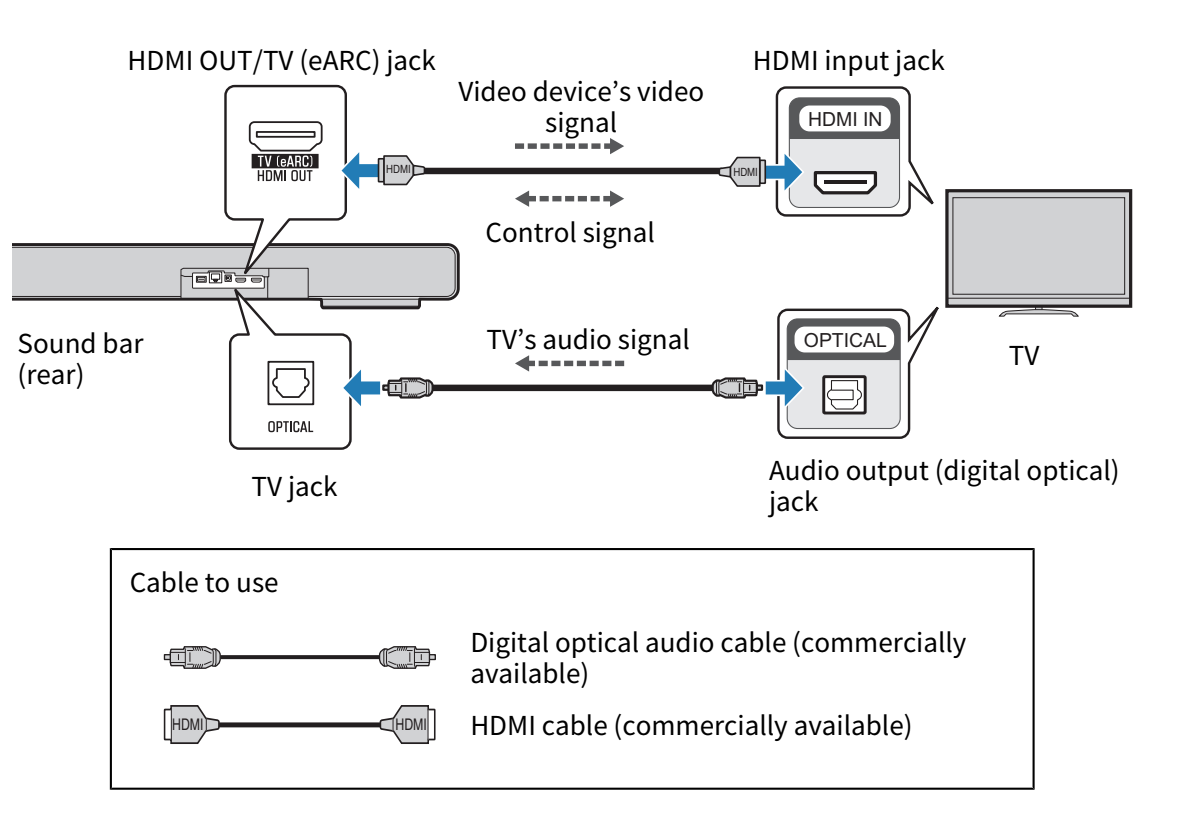
Use a digital optical cable (commercially available) to connect to a TV not supporting eARC or ARC.
The HDMI cable transmits the control signal for controlling the sound bar using the TV remote control (HDMI Control function). When an AV device is connected to the HDMI IN jack on the sound bar, the video signal is transmitted to the TV. To use the HDMI Control function, set the sound bar HDMI Control function to On.
Next steps
- If connecting an AV device:
- If not connecting an AV device:
- Connect cable to a network:
“Connecting to a network”
- Making a wireless connection to a network:
“Connecting to power”
 TRUE X BAR 90A (SR-X90A)