


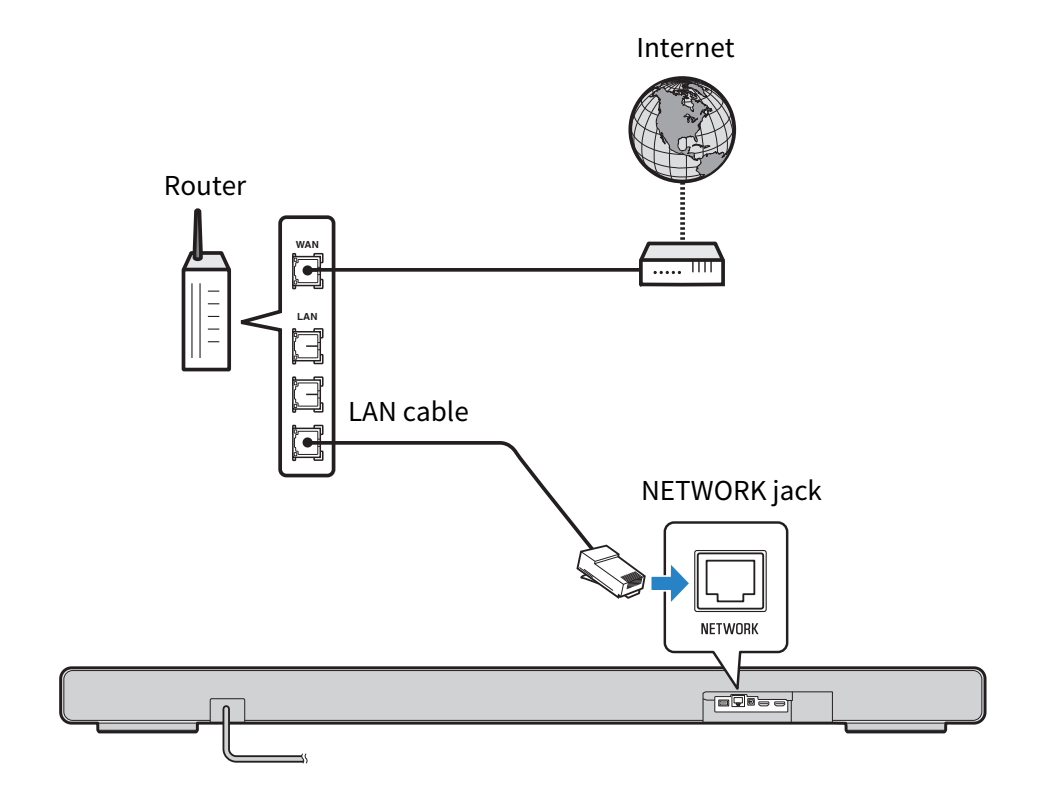
Connecting to a network using a LAN cable (wired connection)
Connect the sound bar to a router using a commercially available LAN cable (a CAT-5 or higher STP straight cable). The wired connection is now complete.
NOTICE
- To safely connect the sound bar to the Internet, be sure to connect it via a router or similar device. Set up an appropriate password for the router that it goes through. Do not connect directly to communication lines (including public LANs) of telecommunications carriers (mobile communication companies, fixed-line providers, Internet providers, etc.).
- Use STP (Shielded Twisted Pair) cable to prevent electromagnetic interference.
- If your router does not support a DHCP server or network information is manually allocated, you may have to set up the network.
Next steps
 TRUE X BAR 90A (SR-X90A)