


Playing audio files using the Sound Bar Controller app
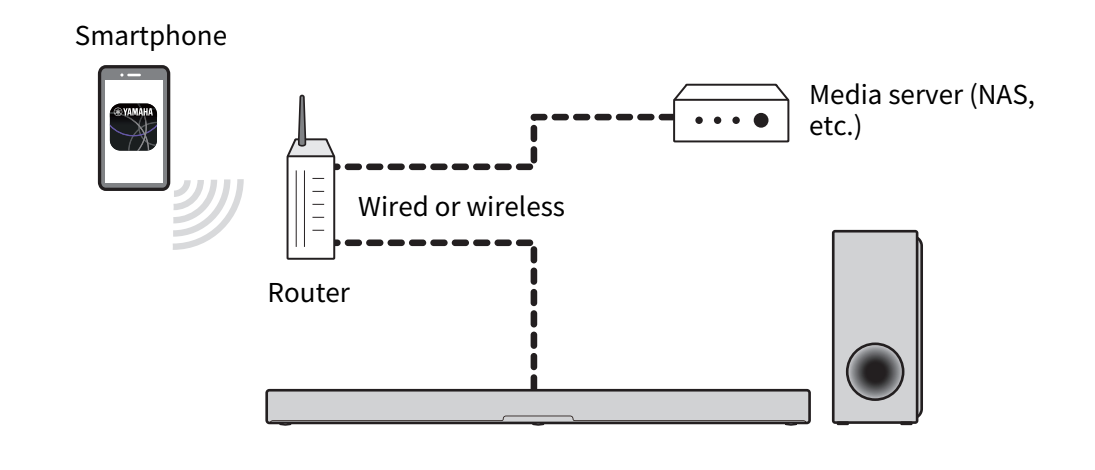
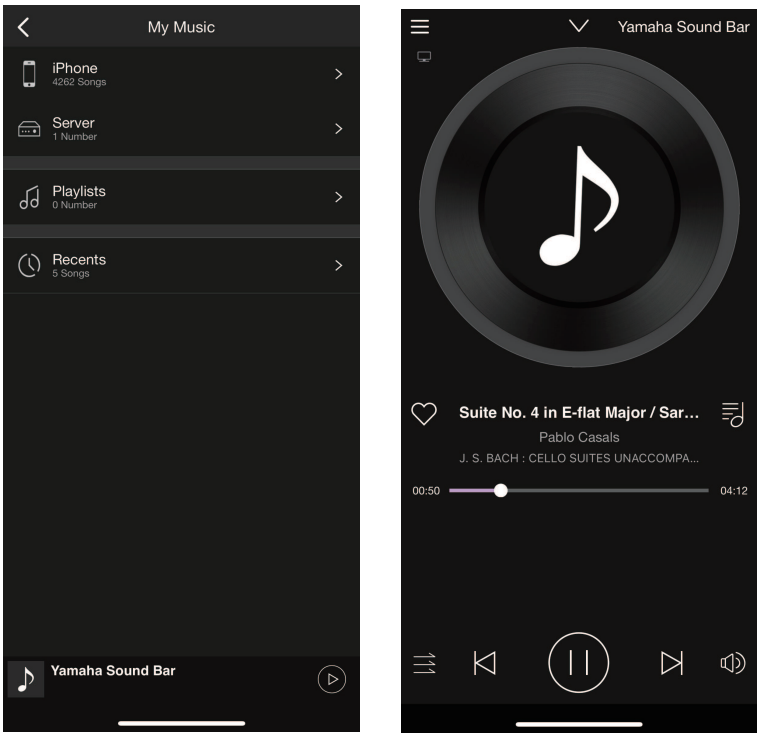
Play audio from a smartphone or media server (computer or NAS) via a network with the Sound Bar Controller app installed on your smartphone. Refer to the Sound Bar Controller app for more information.
File formats that can be played using the app
Among the audio files in the smartphone or media server (computer or NAS), the file formats that can be played on the sound bar using the app are as follows.
- WAV*, AIFF, FLAC, Ogg Vorbis (Sampling frequency: 32 / 44.1 / 48 / 88.2 / 96 / 176.4 / 192 kHz)
- MP3, WMA, MPEG-4 AAC, Ogg Opus (Sampling frequency: 32 / 44.1 / 48 kHz)
- ALAC (Sampling frequency: 32 / 44.1 / 48 / 88.2 / 96 kHz)
- Linear PCM format only
NOTE
- Audio is played in stereo regardless of the sound mode setting when Sound Bar Controller is used for playing an audio file.
- Copyright-protected files cannot be played.
- To play music files on the media server via the sound bar, you need to enable the media sharing setting on each device or media server software. See the documentation supplied with each device or software for more information.
- The smartphone and/or media server must be connected to the same network as the sound bar.
- The playable formats differ depending on the server software installed on the media server (computer or NAS). See the documentation supplied with the server software for more information.
 TRUE X BAR 50A (SR-X50A)