


Connecting a TV using an HDMI cable (commercially available)
- Before connecting devices, be sure to read the following precautions.
If a TV is connected via an HDMI cable, the sound bar can be controlled by the HDMI Control function using the TV’s remote control.
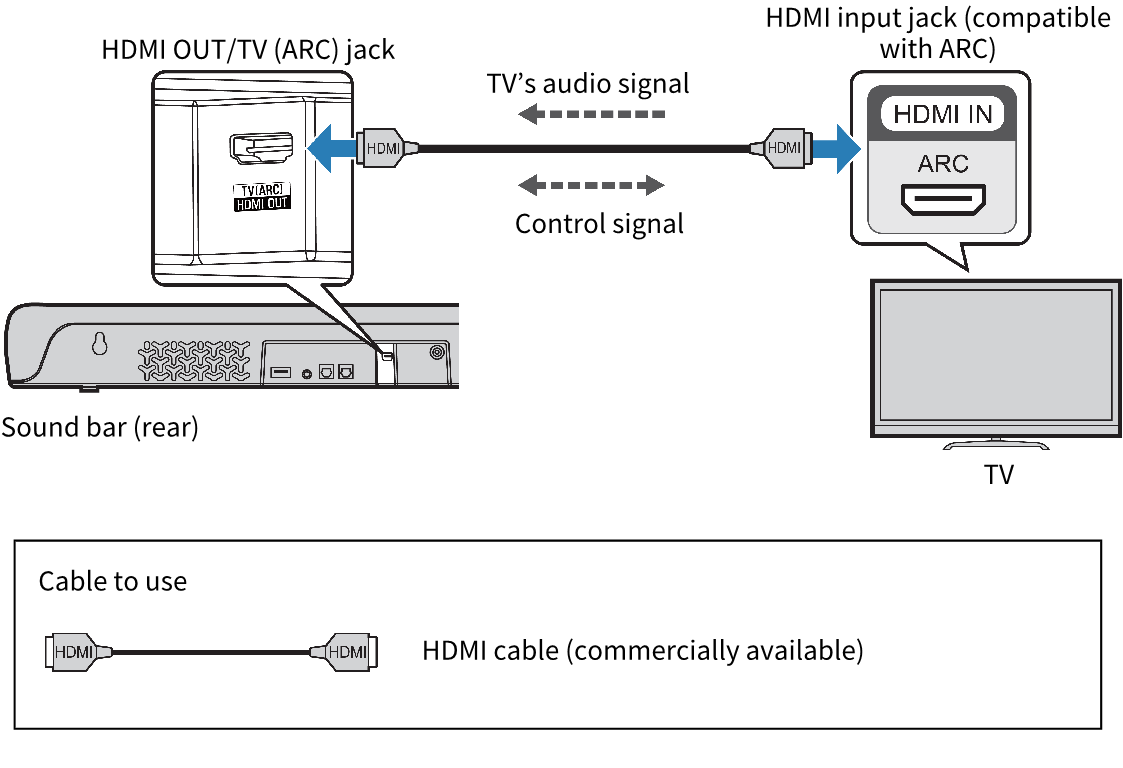
Connecting to an HDMI input jack compatible with Audio Return Channel (ARC)
Connect the TV using an ARC-compatible HDMI cable (commercially available).
The HDMI cable transmits the TV’s audio signal and the control signal for controlling the sound bar using the TV’s remote control.
- Connect a TV to the sound bar.
- Connect an HDMI cable to the HDMI input jack compatible with Audio Return Channel (labeled as “ARC”) on the TV.
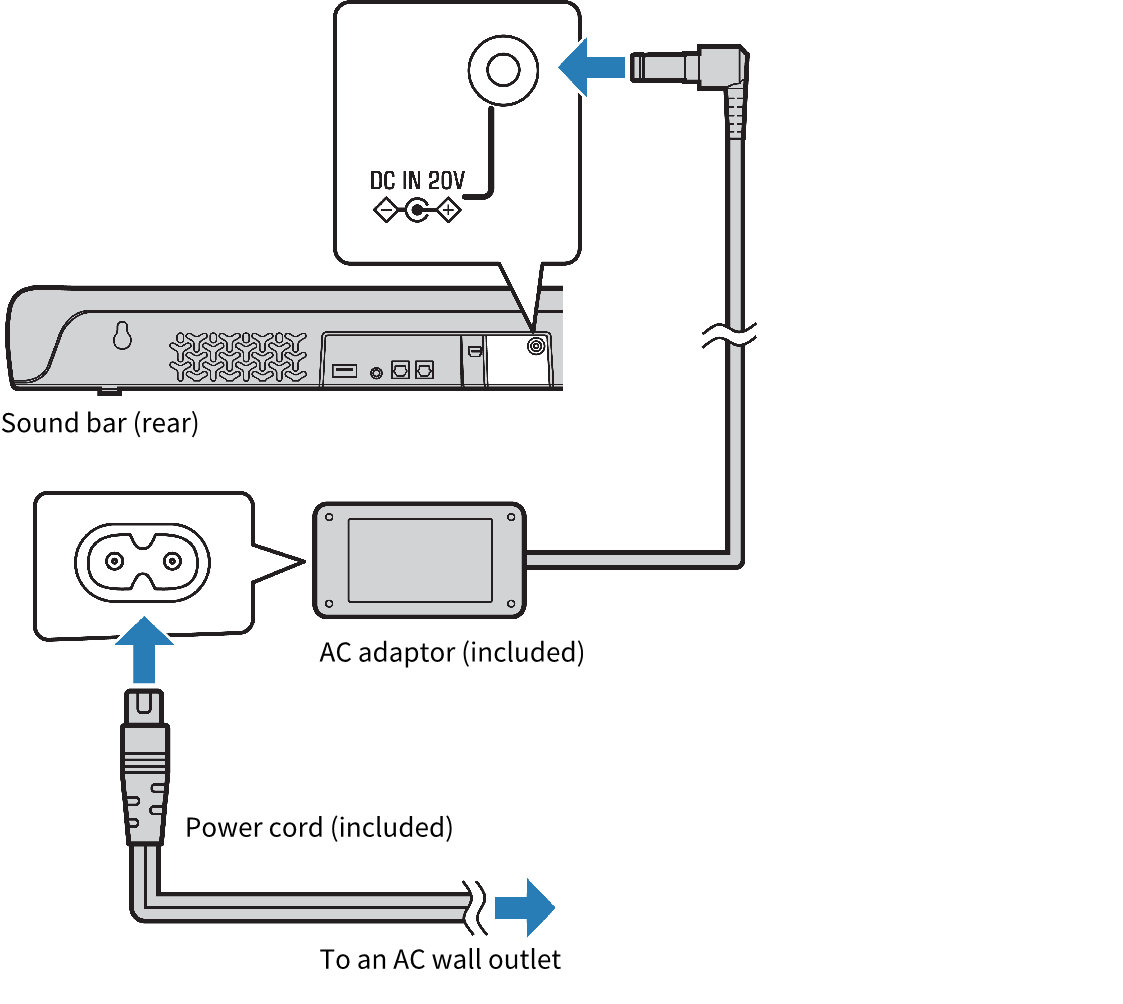
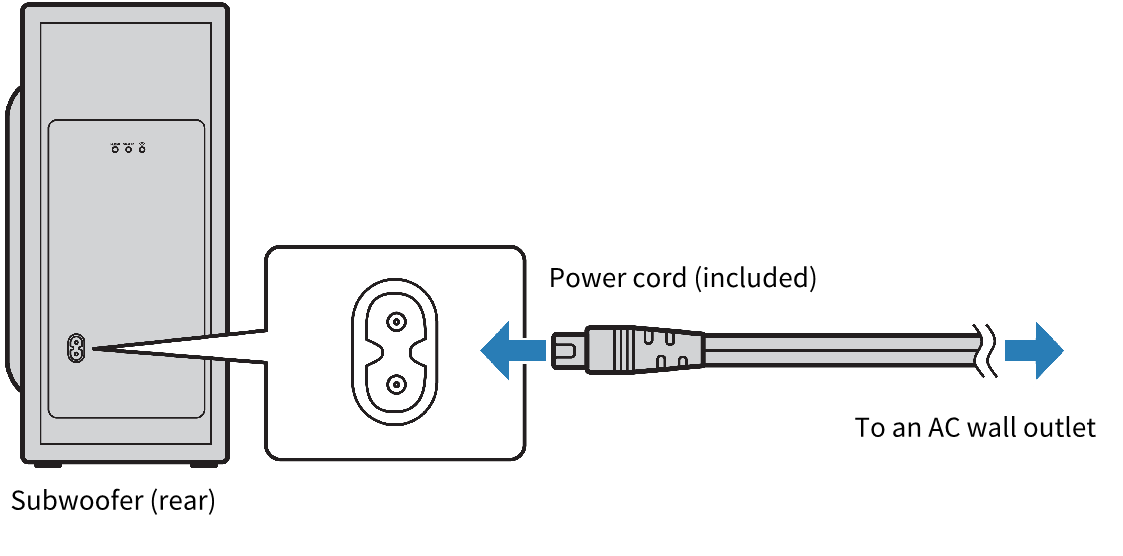
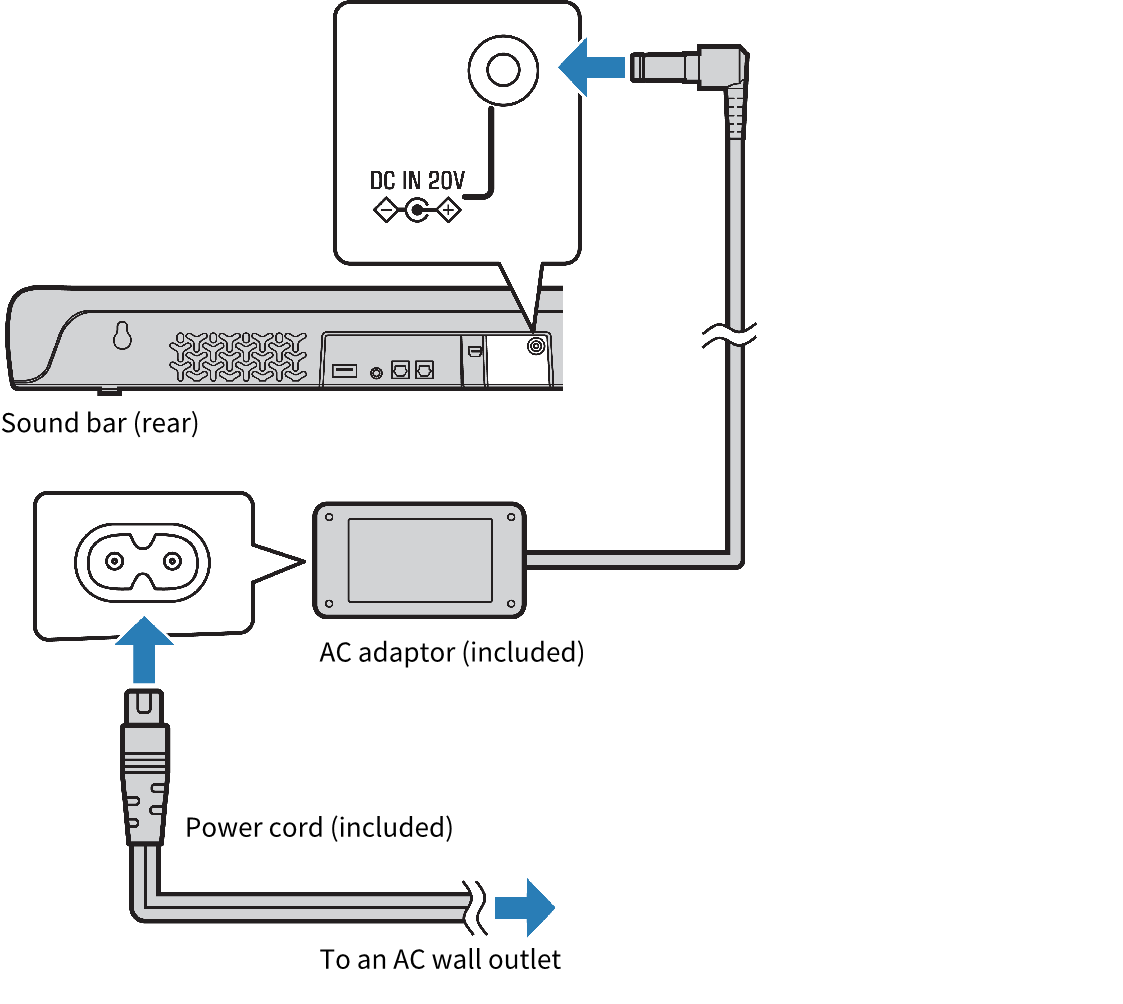
- Connect the sound bar and subwoofer to power.
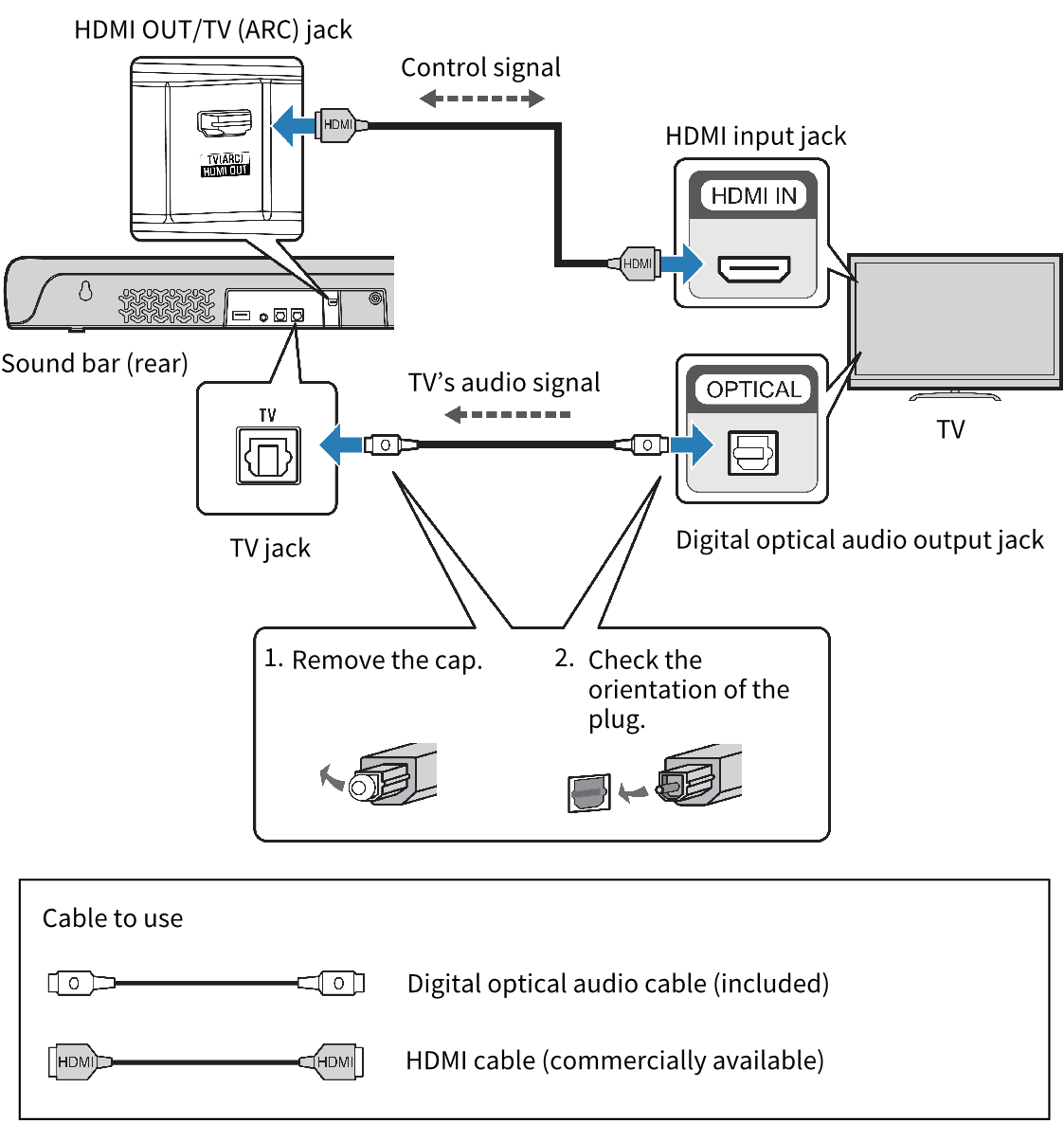
When connecting to an HDMI input jack not compatible with ARC
Connect the TV using an HDMI cable (commercially available) and included digital optical audio cable.
The digital optical audio cable transmits the TV’s audio signal to the sound bar. The HDMI cable transmits the control signal for controlling the sound bar using the TV’s remote control (HDMI Control function). If you do not want to use the HDMI Control function, you do not need to connect an HDMI cable.
- Connect a TV to the sound bar.
- Connect the sound bar and subwoofer to power.
NOTE
- When connected to an ARC-compatible HDMI input jack, enable the HDMI Control function of the sound bar. Default setting: Enabled
- Use a 19-pin HDMI cable with the HDMI logo printed on it.
- Use a cable that is as short as possible to prevent any degradation in signal quality.
- Connect an AV device (such as a set top box) to the TV.
 SR-C30A