


GAIN/SILK popup window
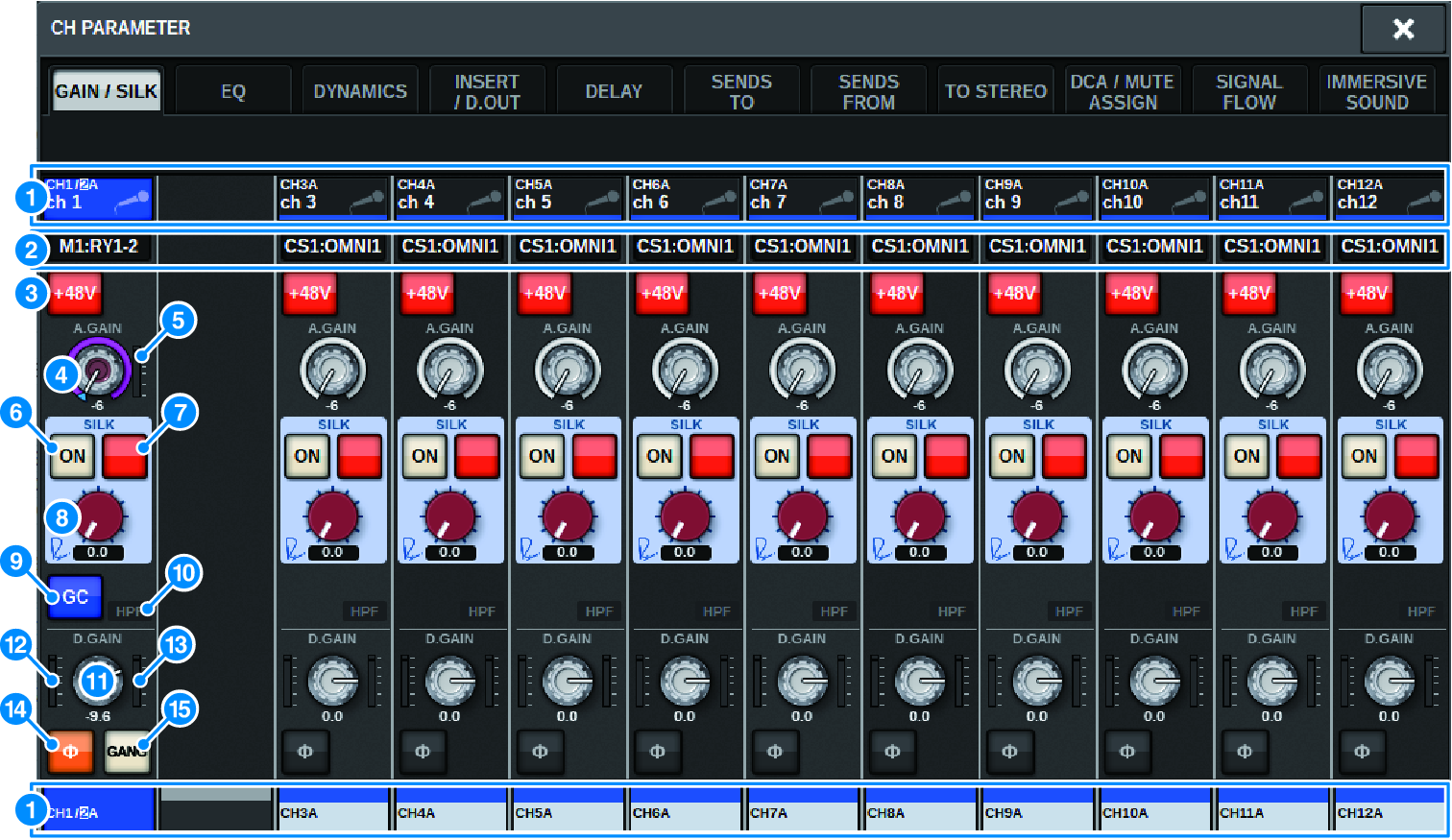
This screen contains the following items.
a | Channel select button Indicates the channel. Press this button to select the on-screen selected channel. The current channel icon, number, and color appear on the button, and the channel name appears below the button. |
b | PATCH display Displays the channel’s patch status. |
c | +48V button Switches the HA phantom power (+48V) on or off. |
d | A.GAIN knob Indicates the HA analog gain setting. Use the screen encoder to adjust the value. If gain compensation is on, an indicator shows the analog gain position at the time that gain compensation was turned on. |
e | HA meter Displays the level (PRE GC) of the HA input signal. |
f | SILK ON button Switches the SILK on or off. |
g | BLUE/RED selection button Toggles between two SILK characteristics (BLUE and RED): “BLUE” for solidity and power, and “RED” for sparkling energy. |
h | SILK [TEXTURE] knob Adjusts the TEXTURE parameter of SILK. |
i | GC (GAIN COMPENSATION) button Switches the gain compensation on or off for that channel. |
j | HPF indicator Indicates the high pass filter on/off status for each port. |
k | D.GAIN knob Indicates the digital gain setting. Use the screen encoder to adjust the value. |
l | Meter (channel input) This meter indicates the level after passing through GC (before D.GAIN). |
m | Meter (post digital gain) This meter indicates the level after passing through digital gain. |
n |
Switches the phase of the input signal. |
 Phase button
o | GANG button This is shown only in the case of stereo. If this is on, the difference in the LR analog gain is maintained as the value changes. The same applies to digital gain. |
 RIVAGE PM Series