


Controlling GAIN/SILK via the SELECTED CHANNEL VIEW screen
- Press the [VIEW] key to access the SELECTED CHANNEL VIEW screen.
- Select the channel that you want to operate.
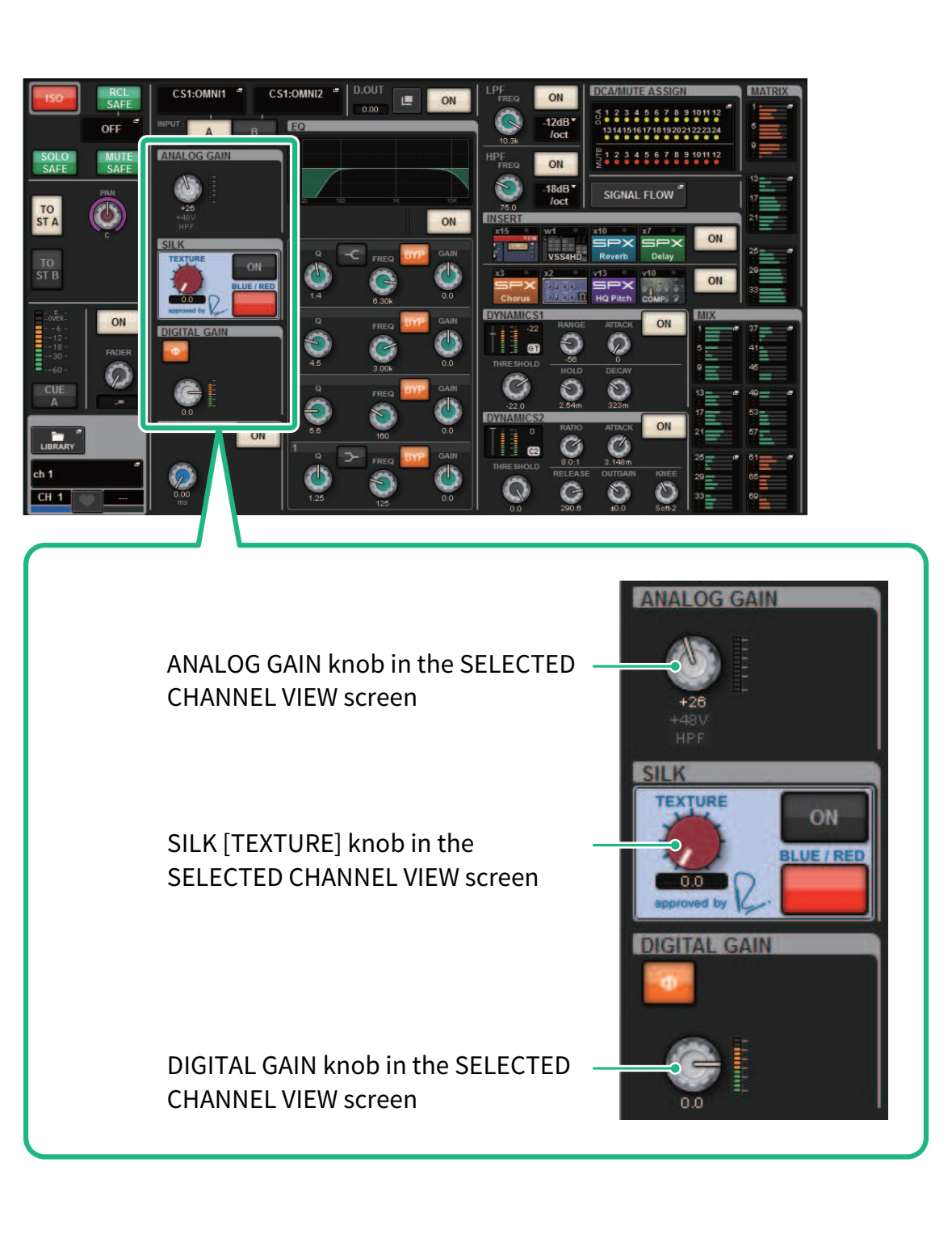
- Press the ANALOG GAIN knob, the SILK [TEXTURE] knob, or the DIGITAL GAIN knob to open the “GAIN/SILK popup window”.
 RIVAGE PM Series