


Using the Tap Tempo function
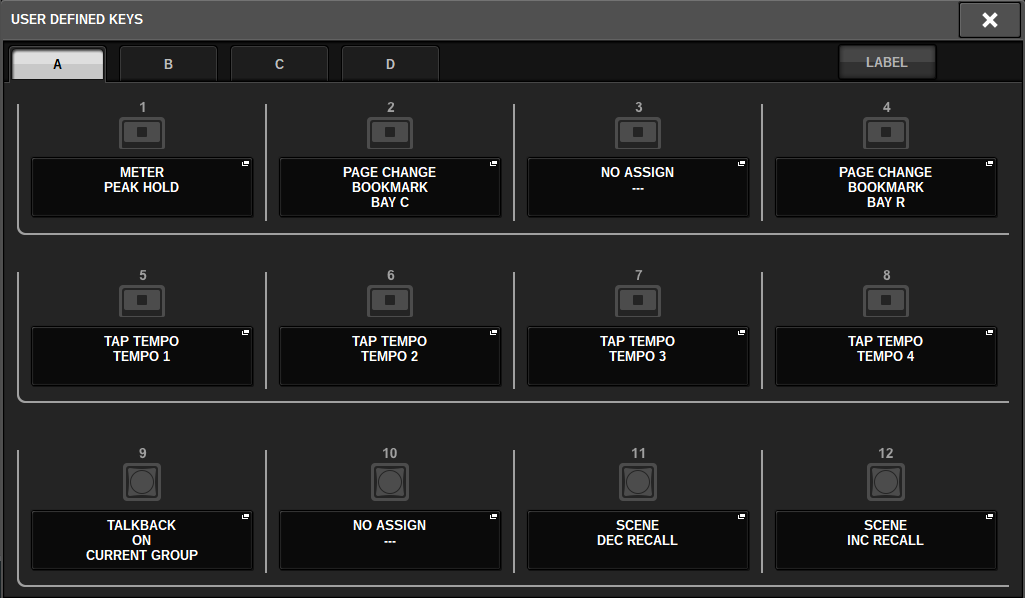
“Tap tempo” is a function that lets you specify the delay time of a delay effect or the modulation speed of a modulation effect by striking a key at the desired interval. To use the Tap function, you must first assign Tap Tempo to a USER DEFINED key, and then operate that USER DEFINED key.
- Assign one of TAP TEMPO 1–4 to a USER DEFINED key.
- Open the popup window for an effect you want to control.
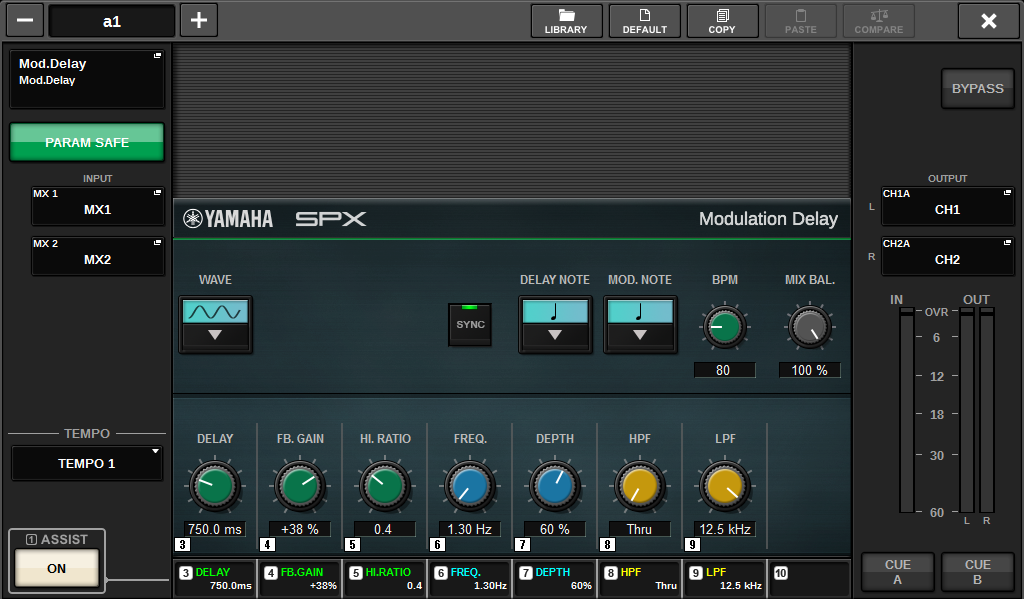
- Set the SYNC parameter in the parameter field to ON.
- Select one of TEMPO 1–4 on the left of the popup menu.
NOTE
- If you select MIDI CLK, the BPM parameter value will change according to the tempo of the MIDI timing clock received from the MIDI port.
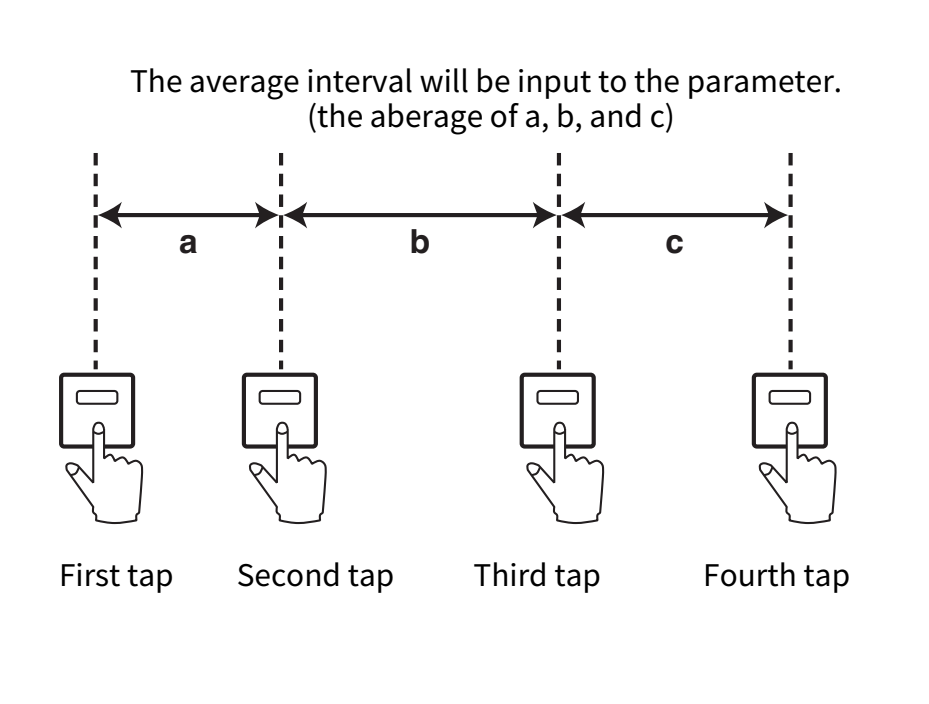
- At the desired tempo, repeatedly press the USER DEFINED key to which you assigned the Tap Tempo function.
- The average interval (BPM) at which you press the key will be calculated, and that value will be applied to the BPM parameter.
NOTE
- If the average value is outside the range of 20–300 BPM, the tapping sequence will be ignored.
 RIVAGE PM Series