


GENERAL Screen
Displays the version and license.
Set the brightness of the touch screen, top panel LEDs, USER DEFINED KEYS display, and LED lighting bar.
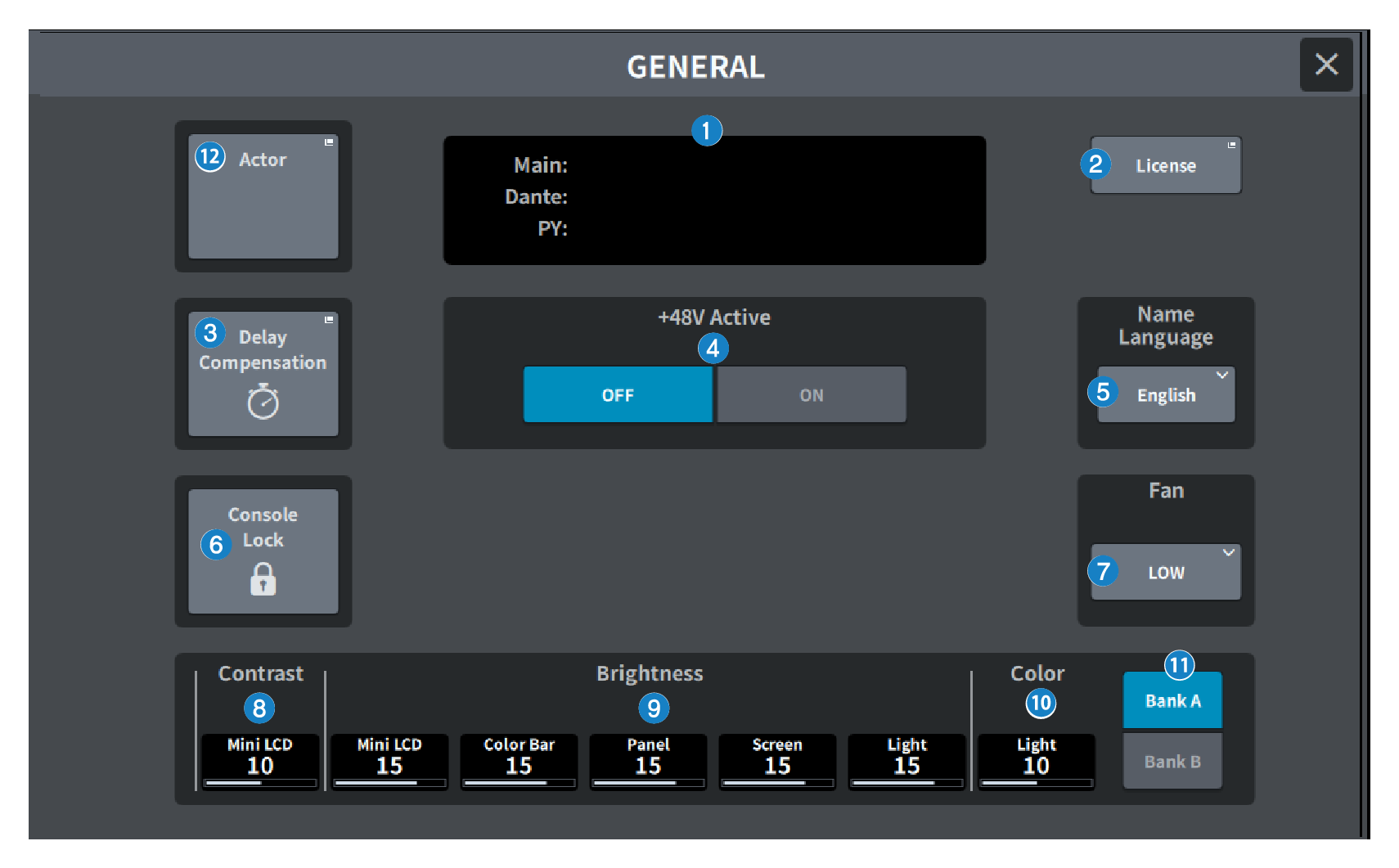
This screen contains the following items.
a | Version Displays the system software version. |
b | License button Press this button to display the LICENSE screen that displays the system software license. |
c | Delay Compensation button Press this button to open the Delay Compensation screen that automatically adjusts the delay (timing) caused by inserts and routing-based DSP processing. |
d | +48V Active button Switches phantom power (+48V) on/off. When this button is off, phantom power will not be supplied even if you turn on the +48V button of the [INPUT] jack input channel. NOTE
|
e | Name Language button Select the language to use for the channel name. NOTE
|
f | Console Lock button This button locks the console. If you press this button when a password has been set, a PASSWORD popup window will appear. If you enter the correct password, the console will be locked. If you press this button when there is no password, the console will lock immediately. |
g | Fan button This is a switch that toggles the rotation speed of the cooling fan inside the equipment between HIGH and LOW. |
h | Contrast
|
i | Brightness
|
j | Color Sets the color of the LED lighting bar at the top of the top panel. |
k | Bank button Select the bank (A/B) for setting the panel settings. |
l | Actor button (Theater Package compatible) Press this button to display the ACTOR screen. |
 DM7 Series